

Activity › Forums › Adobe After Effects Expressions › Loop on dropdown menu slider.
-
Loop on dropdown menu slider.
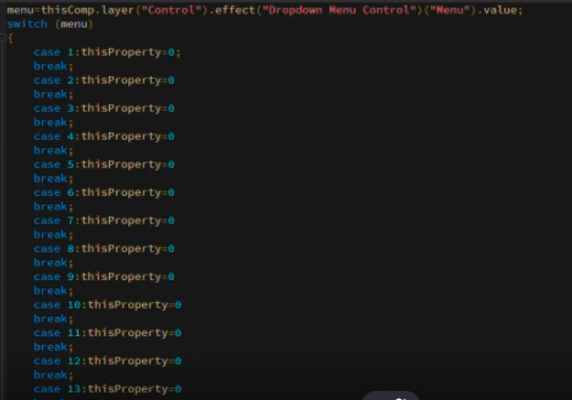
Posted by Smet Kira on February 8, 2023 at 7:36 amHi all. I have 30 pictures in my dropdown menu. How can I integrate the loop “case i” so that I don’t have such a long expression?
 Smet Kira replied 3 years, 6 months ago 2 Members · 4 Replies
 -
4 Replies
-

Dan Ebberts
February 8, 2023 at 7:48 amHow many different outcomes are there? Is each picture handled differently, or can you consolidate some of the logic?
-

Smet Kira
February 8, 2023 at 7:53 amI select an image from the drop down menu. For example, if I select the first picture in the menu, then the transparency of all pictures except this one is reduced to zero. If I select the 5th picture, then all except the 5th picture have a transparency of 0. Due to the large number of pictures, a long expression comes out, which must be inserted into the transparency of each picture. I would like to do this with a loop. It’s possible?
-
Dan Ebberts
February 8, 2023 at 8:06 amIf you put the control layer at the bottom of your layer stack so that the pictures are layers 1 – 30, then this opacity expression should work for each of the pictures:
menu = thisComp.layer("Control").effect("Dropdown Menu Control")("Menu").value;
index == menu ? 100 : 0
Reply to this Discussion! Login or Sign Up