-
Looking for AE script to export multiple different numbers easily.
HI everyone,
I had a question and haven’t found a way to Google this specific question so was hoping someone here could point me into the right direction.
For work I have animations with JP-values. And I was looking for an easy way to export for example numbers 10 till 90 more easily.
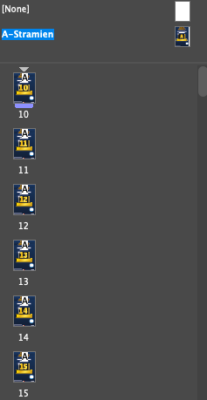
In Indesign I found a way to do this to assign the JP-value for A1, A4 etc.. corresponding to a page number. So I only need to edit the design in the A-stramien. And can easily export 10 till 90 as seperate PDFs.
Now what I’m looking for is working in AE with different screen sizes and having an animated reveal of the JP-value to have it more easily generate all the needed JP-values sort of automated.
My current proces is:
1. Having the exact same precompose in 10 different screen sizes with the JP.
2. Change the animated JP-value to 10 in that precompose.
3. Select all the compositions to send to Adobe Media Encoder.
4. Wait till all are in the queu.
5. Go back to the precompose with the JP-value and change it to 11.
6. Select all compositions and add to Adobe Media encoder.
7. And so on…. for each numberWhich as you can guess takes a lot of time. So was wondering if any of you guys might knew a trick or script to be able to do this.