Creative Communities of the World Forums

The peer to peer support community for media production professionals.

Activity Forums Adobe After Effects Expressions Link shape to another one linked to a text

  • Link shape to another one linked to a text

    Posted by Clement Dubois on August 16, 2021 at 1:22 pm

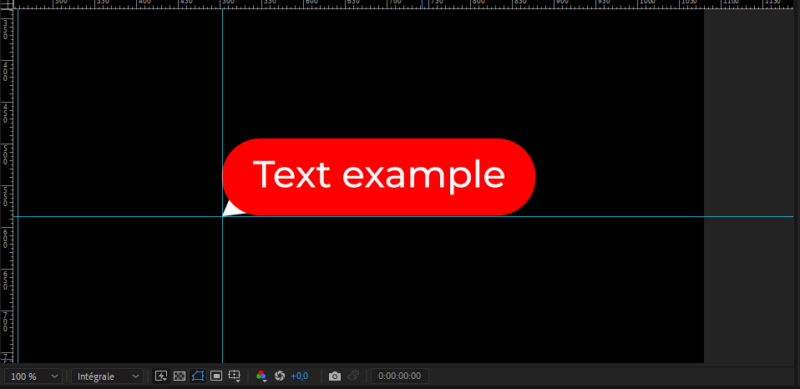
    Hi, I surely do it wrong but I’m editing a text message like in social networks.

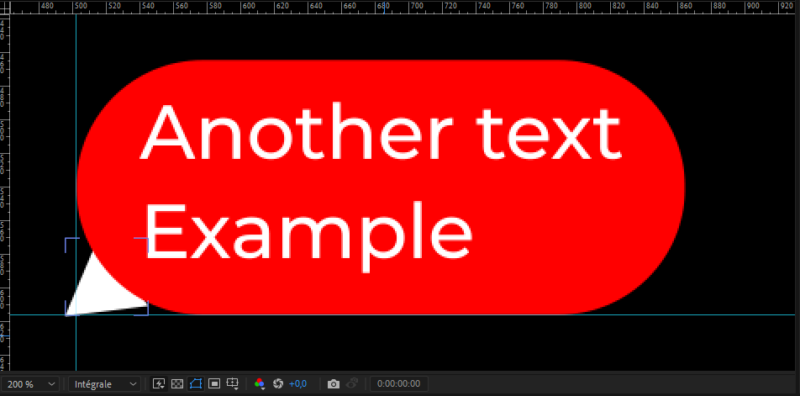
    I want it automatic so I already linked a text box (red shape) to my text layer but I want add a triangle to it (white shape).

    The idea is to lock the triangle to the bottom of the rectangle, but if I update my text the triangle is shifting.

    (Please pardon my poor English level)

    Clement Dubois replied 4 years, 9 months ago 2 Members · 2 Replies
  • 2 Replies
  • Andrei Popa

    August 17, 2021 at 11:50 am

    I think you can add this expression to the position of your rectangle:

    s = content("Rectangle 1").content("Rectangle Path 1").size;

    [s[0]/2,-s[1]/2]

    You can take the first variable by pick-whiping the size property of the rectangle. Mind that this is not the layer position, but the one of the rectangle. Now if you make your rectangle bigger/smaller, the bottom left position will be the same.

  • Clement Dubois

    August 17, 2021 at 2:17 pm

    <div>Thanks for your reply.</div><div>

    I tried the expression but it didn’t work. But I solved it !

    I have 3 layers, 1 for the text, 1 for the rectangle and a last one for the triangle.

    Both size et position of the rectangle (path not layer) are linked to the text.

    What I did is type this in the position of the triangle (path not layer) and it worked !

    p=thisComp.layer(“My Text Layer”).sourceRectAtTime();
    w=p.width;
    h=p.height;
    l=p.left;
    t=p.top;
    [l,h+t]

We use anonymous cookies to give you the best experience we can.
Our Privacy policy | GDPR Policy