

Activity › Forums › DaVinci Resolve › importing LUTS
-
importing LUTS
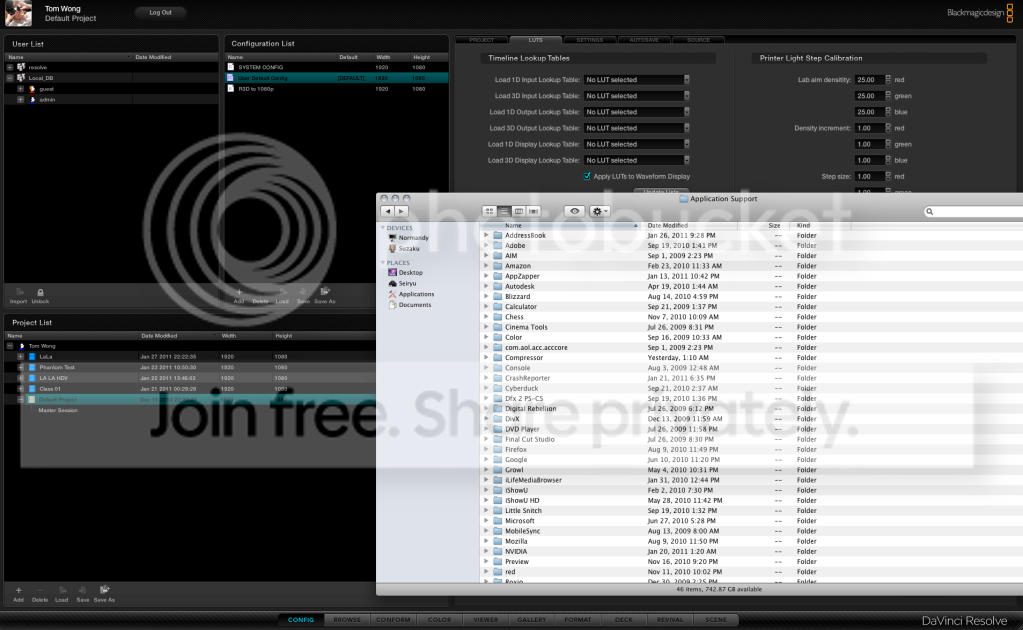
Posted by Thomas Wong on January 27, 2011 at 4:44 pmI want to port over LUTS i have from speedgrade, and i’m looking for the default da vinci LUT folder to put them in. I went to application support and couldn’t find a da vinci folder, am I looking in the wrong place? I did some research and that’s where it’s supposed to be. But the folder just isn’t there. I did a spot light search for any kind of LUT folder in general on my system to no avail…
Dwaine Maggart replied 11 years ago 7 Members · 14 Replies -
14 Replies
-

Craig Harris
January 27, 2011 at 5:20 pmI tried the same…
I’m wondering if Resolve can read the “.look” LUT’s from SpeedGrade. -

Thomas Wong
January 27, 2011 at 5:24 pmwell a lot of the built in luts i wanna bring into resolve too. most of them are .cube so they should import fine. but I just can’t find the folder where RESOLVE gets all it’s luts from! I wanted some of the presets for cine files, si 2k, and some arri stuff so I can put base color temp and gamma on the raw files I have, bypassing the need for speedgrade.
-

Jay Lee
January 27, 2011 at 6:39 pmLut file path as follows:
sytem HD – library – applications support – blackmagic design – davinci resolve – LUT
Don’t add, delete or re-arrange LUT folders. Resolve can only read LUT’s placed in existing folders.
cheers,
j
-
Thomas Wong
January 28, 2011 at 11:43 pmOk this is driving me INSANE. I don’t have a davinci or black magic folder in my application supports folder. I have NO clue where the luts files are for my da vinci. I go to my system root, library, app support, and there’s nothing labelled as black magic or da vinci.
I really need to get these LUTS in, does anybody have an idea why I don’t have this folder?
-

Dwaine Maggart
January 29, 2011 at 12:34 amThe path given above is correct:
Library/Application Support/Blackmagic Design/DaVinci Resolve/LUT
If you have Resolve running on your Mac, then this path must exist.
Dwaine Maggart
Blackmagic Design DaVinci Support -
Dwaine Maggart
January 29, 2011 at 1:52 amYour Mac directory structure looks nothing like mine. All the stuff you show in that directory looks similar to my Applications directory. Are you running OS X 10.6.5 or 6?
Below is what my system looks like:
Dwaine Maggart
Blackmagic Design DaVinci Support -
Dwaine Maggart
January 29, 2011 at 2:07 amLet me try to paste my screen shot again. New at this.

Dwaine Maggart
Blackmagic Design DaVinci Support -
Thomas Wong
January 29, 2011 at 7:20 amok, i’m a moron. this is what i get for working so many late nights.
didn’t remember that there were TWO library folders/app support.
one in my actually osx drive, and one in the root of my system directory. Found it, all is well, thanks so much!
now I should get some sleep…
Reply to this Discussion! Login or Sign Up