Creative Communities of the World Forums

The peer to peer support community for media production professionals.

Activity Forums Adobe After Effects ICC Profile isn't consistent on my second monitor.

  • ICC Profile isn't consistent on my second monitor.

    Posted by Zachary Dufour on January 20, 2025 at 5:46 am

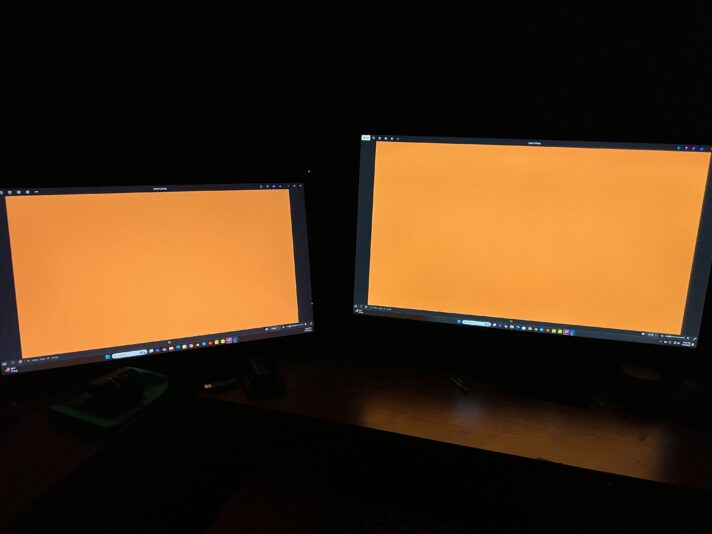
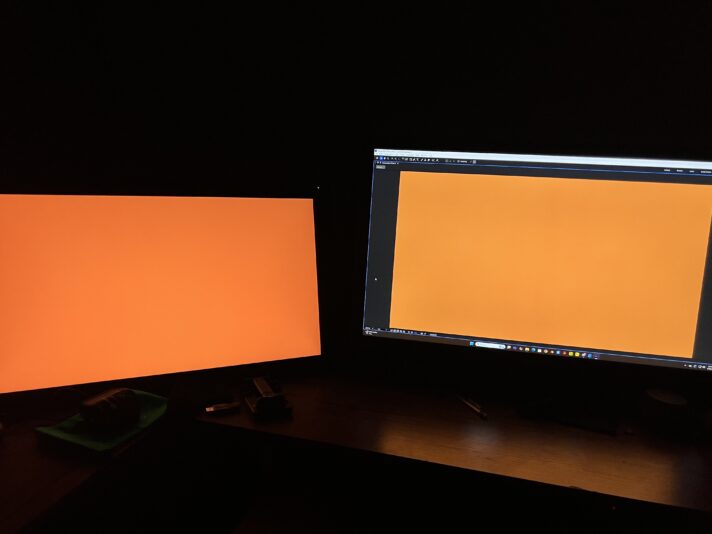
    I’m having issues with my ICC profile for my 2nd monitor. Basically both my monitors were color calibrated by the Calibrite display SL with the Calibrite Profile software. However I don’t know if the profile is applied to only selected programs like after effects or not. If you view attached image one, those are full screens of my monitor 1 (right) and monitor 2 (left) of a solid color. Obvious monitor 2 is darker, but when i export and full screen on windows photos on attached image 2 you see that both monitors look nearly identical. This keeps happening in multiple programs except photoshop. Monitor 1 is an ASUS PB278 and monitor 2 is a huion 24 plus kamvus. I don’t know which is the correct ICC profile im seeing and how i can make it consistent for monitor 2. Can anyone help me figure out this problem? Calibrite isn’t giving me any help.

    Zachary Dufour replied 1 year, 3 months ago 2 Members · 7 Replies
  • 7 Replies
  • Nir Vanaskitz

    January 20, 2025 at 8:02 pm

    Hi Zachary,

    I’ve faced similar issues before. In After Effects, color management can sometimes override system ICC profiles. To ensure consistency across both monitors:

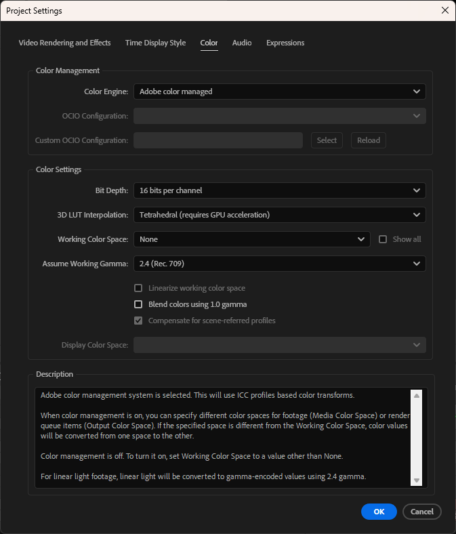
    1. **Check After Effects Color Settings**: Go to **File > Project Settings > Color** and make sure the color profiles match your calibrated profiles.

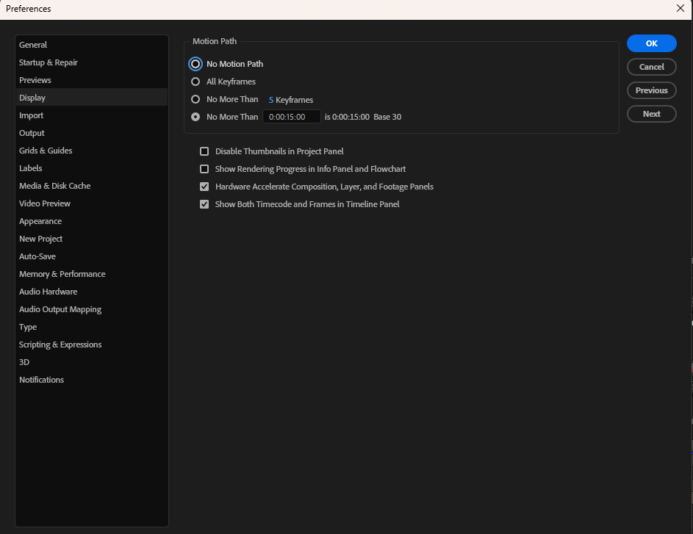
    2. **Enable Display Color Management**: In After Effects preferences under **Display**, ensure that **Display Color Management** is enabled. This allows After Effects to respect your monitor’s ICC profiles.

    3. **Restart After Effects**: After applying these settings, restart the application to ensure changes take effect.

    This should help align the color profiles across both monitors within After Effects.

    Nir-Vana

  • Zachary Dufour

    January 23, 2025 at 3:53 am

    I’ve attached a screen shot of my Project Settings Color Tab and Preferences Display Tab. I don’t see “Display Color Management.”

  • Nir Vanaskitz

    January 23, 2025 at 10:00 pm

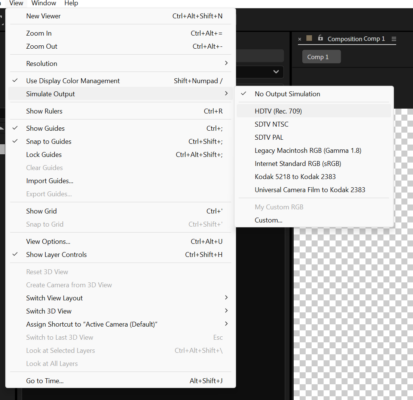
    Maybe try to simulate the output from the view menu and the color profile you are working with

  • Nir Vanaskitz

    January 25, 2025 at 2:46 pm

    I’ve run into the same ICC profile inconsistencies on a second monitor when working in After Effects. Using the **Simulate Output** option from the **View** menu with your current color profile can help align the displays. Give that a try and see if it smooths things out.

    Best,
    Nir-Vana

  • Nir Vanaskitz

    January 25, 2025 at 2:46 pm

    Hi Zachary,

    I’ve run into similar issues before. Make sure both monitors are properly calibrated with their ICC profiles. In After Effects, go to **Preferences > Display** to check if color management is enabled. If you don’t see the “Display Color Management” option, try resetting your preferences or updating to the latest version of After Effects. Sometimes, restarting the application can also help make the setting appear.

    Hope this resolves the inconsistency!

    Best,
    Nir-Vana

  • Zachary Dufour

    January 26, 2025 at 1:25 am

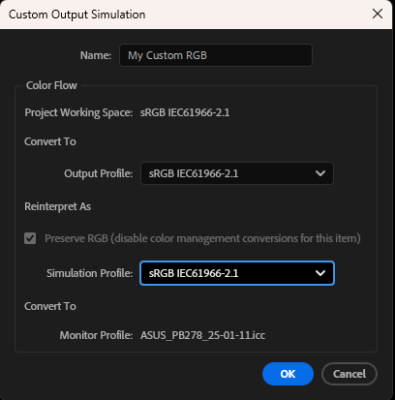
    I’m running the latest adobe after effects 2025. I changed the color project settings to sRGB IEC61966-2.1 then I was able to see the simulate output. What should my custom settings be. I assume they need to be what I have on my attachment. It changes my main monitor but not the second monitor at all. I restarted the app, but it have made a change. Did I need to restart the app for it affect my second monitors full screen view?

  • Zachary Dufour

    January 26, 2025 at 1:26 am

    And can you show me your Display preferences tab so I can compare to mine?

We use anonymous cookies to give you the best experience we can.
Our Privacy policy | GDPR Policy