Creative Communities of the World Forums

The peer to peer support community for media production professionals.

Activity Forums Maxon Cinema 4D How to retrieve the rendered view?

  • How to retrieve the rendered view?

    Posted by Xavier Bonet on October 1, 2020 at 3:57 pm

    You know when you just want to quickly preview what you’re doing and you hit CMD+R, and while AO, GI, etc., is being worked out, you go get a glass of water and when you come back and it’s ready you accidentally bump the mouse or keyboard and your preview disappears without you ever ever looking at it? Well, today was one time to many for me to just let it go and not try and find out WHY on earth this would be the default in C4D, and if there’s a way of disabling this and/or a way of retrieving the previewed data. I’ve searched online and people say the preview is stored in one’s preference folder but, if it is, they’ve done an amazing job at hiding it. Plus, with what name or format is it stored? I feel like any render that takes more than a couple of seconds this is just too much CPU power and one’s own time invested into something so volatile that sometimes even an OS notification will cancel and efface the rendered preview from the screen.

    Xavier Bonet replied 5 years, 7 months ago 2 Members · 2 Replies
  • 2 Replies
  • Jim Scott

    October 1, 2020 at 8:47 pm

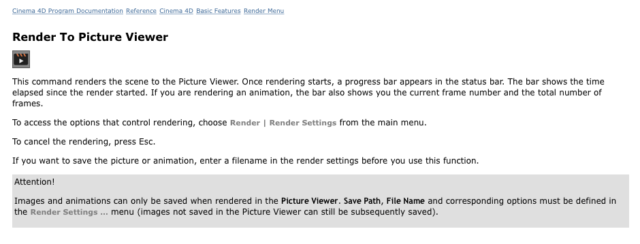
    I feel your pain, but unfortunately I don’t know of a solution other than rendering to the Picture Viewer. From the help files:

  • Xavier Bonet

    October 2, 2020 at 9:03 am

    Hey, Jim, thanks for taking the time to respond! I’m glad to see it’s not only me that feels this function could be better designed. Normally, when a situation like the one I describes arises, i.e. that I feel a good render is due to show my progress in a more like-end-result way, I do use PV. But just hitting CMD+R is so much faster, not to mention that the render itself is much faster as it’s by default a less detailed render. Anyway, when these things happen it’s no doubt my fault for wanting to take the short way around. But it’d be great if Maxon would consider adding a choice in the preferences whereby the rendered image doesn’t just vanish into thin air. I would even prefer there to be a little X you have to click to quit the preview. Oh, well…

We use anonymous cookies to give you the best experience we can.
Our Privacy policy | GDPR Policy