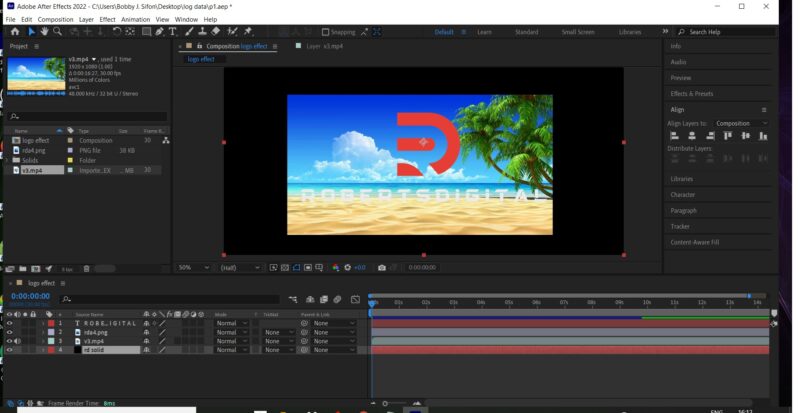
Pre-comp your logo and text by selecting them both, right clicking, and selecting pre-compose. Choose move all assets into new comp in the window that pops up and hit enter. This will make a pre-comp in your timeline that holds both on a single layer. Put your footage above that comp and then change the track matte drop down of your pre-comp to alpha or perhaps luma matte. I can never remember which. There are four options. Pick the one that makes the video take the outline of your text and shape. It will also do away with the logo and text’s original colors, replacing them with the video layer.
Key frame the pre-comp to scale up to your liking over time. Then duplicate the pre-comp and put the copy over the top of your footage layer. Be sure to duplicate the pre-comp after the scale keyframes are in place so it has the same animation as the original pre-comped layer. Turn the opacity to zero on the duplicated copy you moved to the top of your comp…set a keyframe where you want the logo to start fading in over the footage, move forward in the timeline to where you want it fully visible and turn the opacity back up to 100. This will make the logo and text fade in over top of your bottom two layers giving the impression that it just faded away to it’s original colors.
In reality it is just hiding the footage layer beneath it.