Hi Maciek
First, Please stop calling it Sony Vegas. Sony SOLD Vegas to Magix. The last version they made was Vegas 13 and that was 5 years ago.
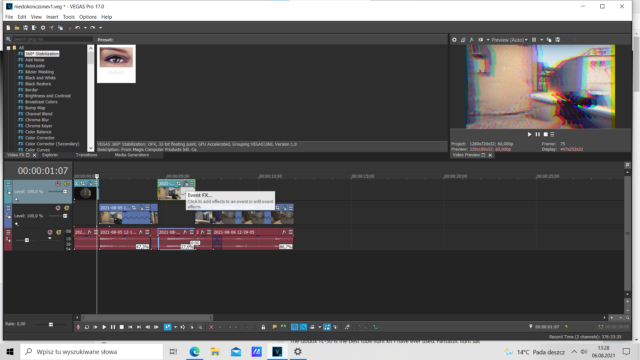
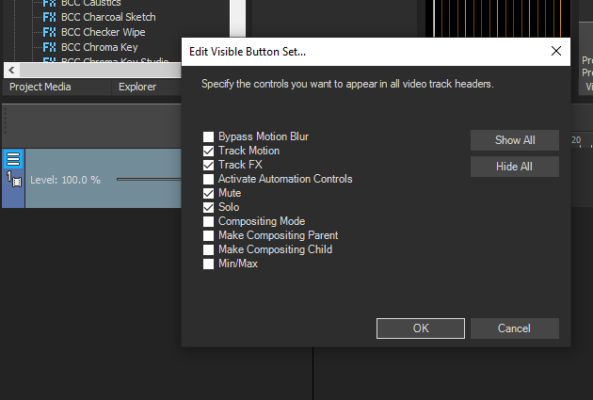
Now on to your question. There is a menu in each of the tracks at the far left, click left once on the 3 little lines. A menu will appear. Click on Edit Visible Button Set… and then choose Track FX.
In my opinion, it is much better to use Track FX instead of Event FX. When you choose the Track FX, it will add it to ALL clips added on that track. When editing, I found that adding clips on separate tracks makes it easier to work on tweaking each one to your liking. It also helps a lot if you name each of your tracks. This way, you can find everything faster. You may be able to remember where everything is in the moment, but if you have to stop for a couple of days and return to it, you may not remember where everything was and which track was what.
Cheers !