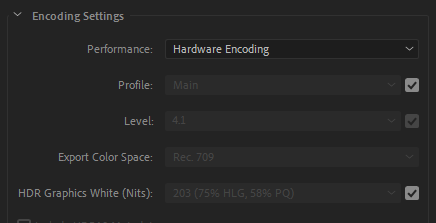
Not unless there is a bug in the software, and I DO see references to such bugs, i.e. output setting not matching actual output for various versions of Premiere.
I’d still consider other explanations. For instance, the encode “Profile” setting can limit bitrate settings. Premiere does not allow infinite variation. Changing some settings after setting the bitrate can cause Premiere to reset the bitrate. Also make sure you are comparing apples to apples. For example, the CBR setting may limit the entire bitstream, video and audio. (I’ve never checked this in Premiere). I’ve had high-bitrate, multi-channel audio foul my back-of-the-envelope calculations. Also mixing “Mbps” and “MBps” can throw you by a factor of 8. That’s smaller than what you are seeing, but could be part of the explanation.
Also, “constant bitrate” is not always constant in the absolute sense. We think CBR means that if a frame does not need the full allocation to encode, it gets padded with empty bits up to the limit. In practice, it’s more complicated than that and resulting streams do actually vary from encoder to encoder. If your stream is very simple (lot’s of black or solid color for instance), it would not shock me if the resulting file was not 50mbps over the entire file. The encoder simply determined it did not need that allocation. The stream is still “constant” but the encoder used far fewer bits than you allocated.