-
Creating custom poster frames for Essential Graphics (MOGRT)
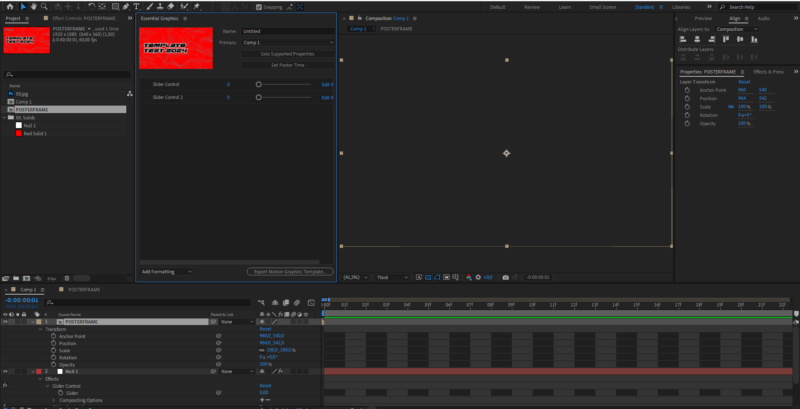
At our company we create a lot of MOGRTS for our clients, and to make the experience even better we provide those templates with custom thumbnails. We used to do this by placing a “POSTER FRAME” composition one second outside the Composition (for example -00:00:01). But this trick does not work anymore since After Effects 2024.2
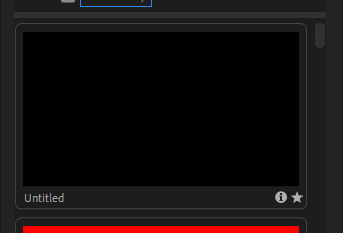
What is weird about this problem is that the trick does still work in the Essential Graphics panel (where you click to export the template), but when exporting it provides the thumbnail with a black frame.
We are aware about the unzip trick, but this isn’t really efficient when creating multiple templates. Does any know another workaround I haven’t thought of?