-
Controlling clones of an object in multiple scaled precomps
I’m trying to build a rig that lets me control the position of clones of an object in two separate precomps. i.e. I want to have Character A pass an object to Character B, and it would make life easier to have that object exist in both [Character A precomp] and [Character B precomp], ultimately controlled by a rig in the master composition. (I could do this all by hand/keyframes but I’d much rather have the flexibility of doing it this way!)
Two enormous problems I’m running into – Precomp A is scaled at [104%, 104%] and Precomp B is scaled at [-99%. 99%] (flipped on the x axis), and Precomp’s A and B are both 2000×2000, while the master comp is 1080×1920. I’ve figured out how to make the object the same size across all compositions (and account for position offset-ing), but I don’t know how to account for that scaling when it comes to the position of the object inside each precomp.
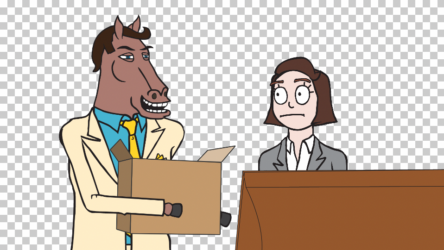
I’ve attached a picture for reference. The well dressed horse needs to pass the box to the human lady. Clearly the fate of the world depends on an elegant solve.