

Activity › Forums › Maxon Cinema 4D › Cloner attached to Helix & then attached to another spline
-
Cloner attached to Helix & then attached to another spline
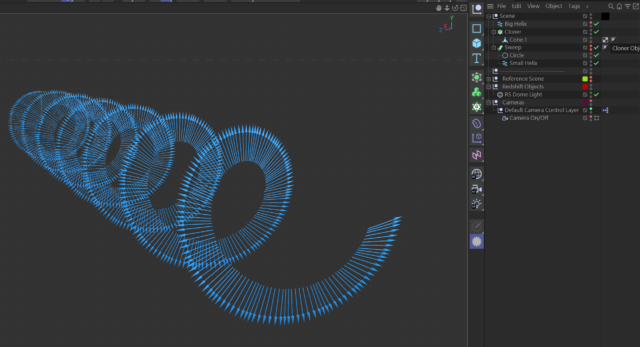
Posted by Joanpablo Torres on August 6, 2023 at 4:43 pmI have a series of arrows cloned onto a helix (works great) but now I need to attach that to a secondary spline object and have the entire helix object propagate and bend along the curved spline, not just have the origin point turn.
Please see photos, I think it will explain it more effectively.
 Joanpablo Torres replied 3 years, 1 month ago 2 Members · 6 Replies
 -
6 Replies
-

George Charoupas
August 7, 2023 at 8:52 amHello Joanpablo. In order to do that, you will need to deform your helix spline.
I did an example scene for you to look. I did a circular helix, but you can change the circle to whatever you like.
If I understood correctly what you wanted, this should be it.
-

Joanpablo Torres
August 9, 2023 at 5:51 amThanks Guys, I’m just getting back to this. I very much appreciate the help. I knew I was missing something simple!
-
Joanpablo Torres
August 14, 2023 at 5:30 amIt seems to fall apart when I introduce the spline I’d like to use 🙁
-
George Charoupas
August 14, 2023 at 7:32 amHello Joanpablo,
It doesn’t fail apart. It doesn’t give you the result you want, cause your splines are not correct.
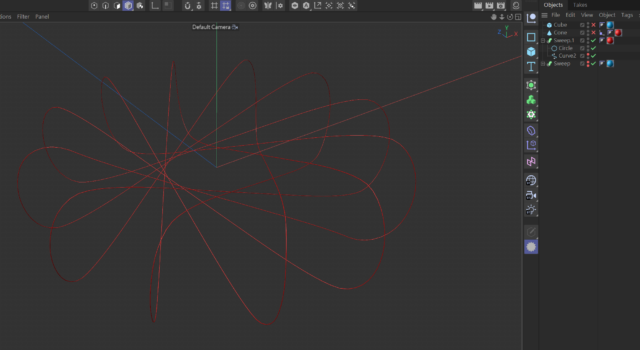
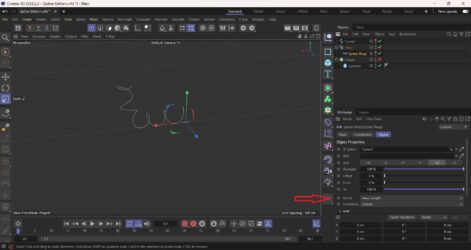
At first glance, when you replace the circle spline from my file with your spline, you see that the result is like this. (image 1).
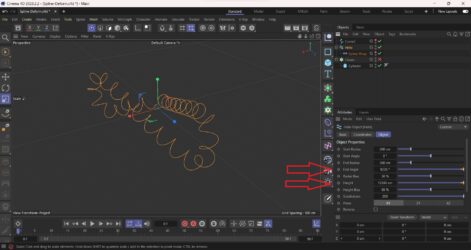
If you change the “Spline Wrap” mode to “Keep Length”, you suddently see that it works, but only for that part of the spline. (image 2)
The reason it didn’t work at first is that the helix was very short with a small number o helices. The spline wrap stretched the spline and the result was like non existent.
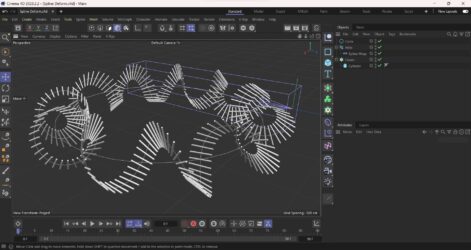
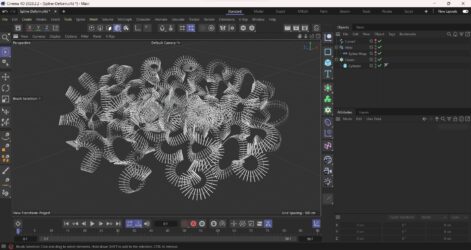
If you start increasing the “height” and the “end angle” of the helix, you will see that the helix follows your spline. (image 3)
So to make this work you will need a a helix that its height is the same distance as your spline and with as many helixes as it needs to look correct. Also you will need to increase the number of points on the helix (subdivisions).
You can also make it work with the “Fit spline” mode ( in the Spline Wrap) but you will have to adjust the number of degrees only. Changing the height doesn’t do anything, cause the helix got already stretched to fit.
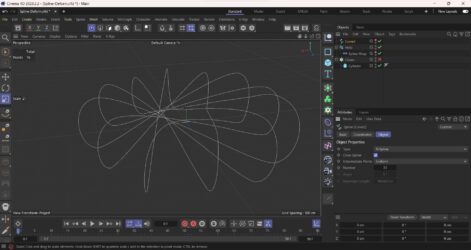
Either way, if you do it correctly you will end up with a result like this. (image 4)
Reply to this Discussion! Login or Sign Up