-
Center align text for mogrt
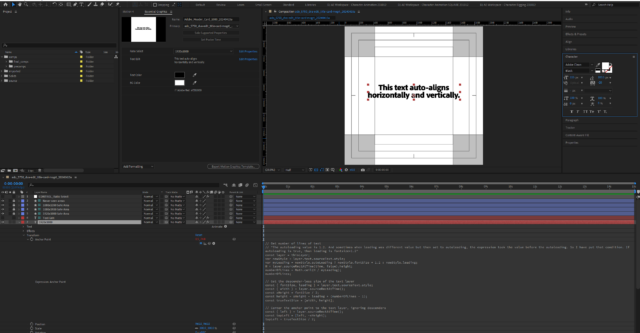
I’m creating a mogrt that has to adhere to strict brand guidelines for alignment, tracking, and leading. We want the text to auto-align horizontally and vertically regardless of the number of lines. Originally the leading was 1.2x the font size. I cobbled together the following anchor point expression from forum posts (like this https://creativecow.net/forums/thread/capture-number-of-lines-in-paragraph-text-for-expr/) and it seemed to work:// Get number of lines of text// “The autoleading value is 1.2. And sometimes when leading was different value but then set to autoleading, the expression took the value before the autoleading. So I have put that condition. If autoleading is true, than leading is fontsize*1.2″const layer = thisLayer;var newStyle = layer.text.sourceText.style;var myLeading = newStyle.autoLeading ? newStyle.fontSize * 1.2 : newStyle.leading;H = layer.sourceRectAtTime(time, false).height;numberOfLines = Math.ceil(H / myLeading);numberOfLines; // Get the descender-less size of the text layerconst { fontSize, leading } = layer.text.sourceText.style;const { width } = layer.sourceRectAtTime();const xHeight = fontSize / 2;const height = xHeight + leading * (numberOfLines – 1);const trueTextSize = [width, height]; // Center the anchor point to the text layer, ignoring descendersconst { left } = layer.sourceRectAtTime();const topLeft = [left, -xHeight];topLeft + trueTextSize / 2; Now the client wants to change the leading to 0.9x font size. When I change the leading to that in the character panel, the vertical alignment gets messed up. The anchor point stays centered in the comp but the text layer moves beneath it. I can’t figure out how to keep the anchor point centered in both the comp AND the layer. Any ideas?

creativecow.net
Capture number of lines in Paragraph Text for expression - Adobe After Effects Expressions - Creative COW