

Activity › Forums › VEGAS Pro › can anyone help me resize a border to fit a photo?? This time I included a scree
-
can anyone help me resize a border to fit a photo?? This time I included a scree
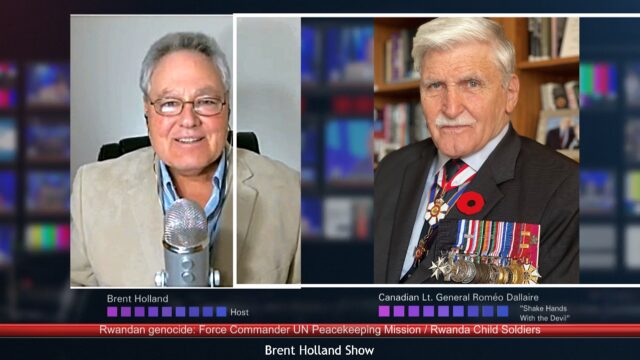
Posted by Brent Holland on May 13, 2025 at 2:33 amcan anyone help me resize a border to fit a photo?? This time I included a screen grab of what I mean
 Bruce Brent replied 1 year ago 6 Members · 5 Replies
 -
5 Replies
-

Jurgen Murataj
May 13, 2025 at 1:40 pmIs the border added as an image in it’s own track? If so, you need to go to Crop/Pan tool and uncheck “maintain aspect ratio”. That will enable so you can shape the border on top of just making it smaller. Then you can just ajust every side if the rectangle seperatly until it fits the photo. I hope this helps.
-

Baskeh Dewitt
May 13, 2025 at 1:49 pmHey there!
Baskeh here, happy to help you with this
What did you use to create the border? Was it an effect, media generator or something else?Looking forward to hearing from you!
– Baskeh
-

Janne B Tridiani
May 13, 2025 at 1:52 pmTry to add “Video Event FX” to the picture, then search for border.
Or simply edit, add a border to the picture and then import.
-

Craig Werner
July 7, 2025 at 10:18 amHi there! I’m new to this thread too, but I work on video editing and photography-related content, so hopefully I can help. I checked your screen grab, and it looks like you just need to adjust the border size to match your photo dimensions. Depending on the software you’re using, there should be an option to either resize the border manually or fit it automatically to the image.
If you’re using something like Photoshop or Canva, try selecting the border layer and using the resize handles to drag it to fit the photo perfectly. If you share which software you’re using, I’d be happy to give more specific steps.
Hope that helps a bit, and happy to connect with others here who love editing and visuals too! 😊
-

Bruce Brent
July 7, 2025 at 4:10 pmThis is directed to Brent Holland.
The above individuals have given you terrific advice. Once you’ve taken their advice and you’ve performed the needed framing around your images, it would be appreciated if you came back on this forum and post a “thank you” to those who helped you. There not many who have come back on and thanked those who read and post answers to questions. You’re appreciation would benefit, not only you, but anyone who’s reading posts to learn from them.
Reply to this Discussion! Login or Sign Up