

-
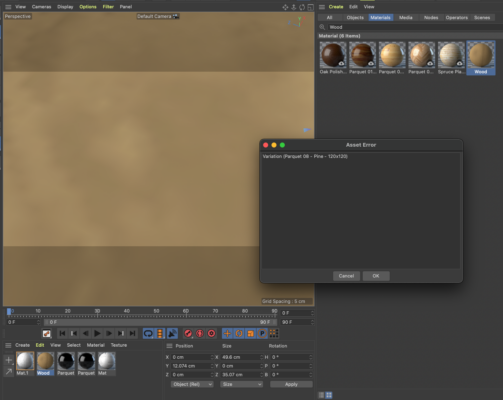
C4D Lite’s new Asset Browser gives me Asset Error.
Recently Adobe After Effects has been updated to the version 2022 and the new version of C4D Lite is bundled, enabling Asset Browser.
Using the browser I can search and import materials but such materials often give me the error “Asset Error”.
How can I fix it? Or can I avoid such errors’ being displayed from the preferences?
How to reproduce:
1. Open Asset Browser
2. Switch to the Materials tab
3. Search “Wood” for example and double click the material “Wood” in the result list.
4. Apply the material to any object.
5. Render the current frame using Render View
6. This gives me the following error.

Sorry, there were no replies found.