-
best way to track a mustache with Mocha Pro in After Effects???
I’m using Mocha Pro in After Effects 2026. I’ve had terrible trouble trying to track a mustache to the mustache area of a clean shaven face with really bad results. I’ve seen so many tutorials on Youtube about tracking tattoos, face paint, blood, and what not, but I can’t find any tips when it comes to tracking something like a mustache on a man talking.
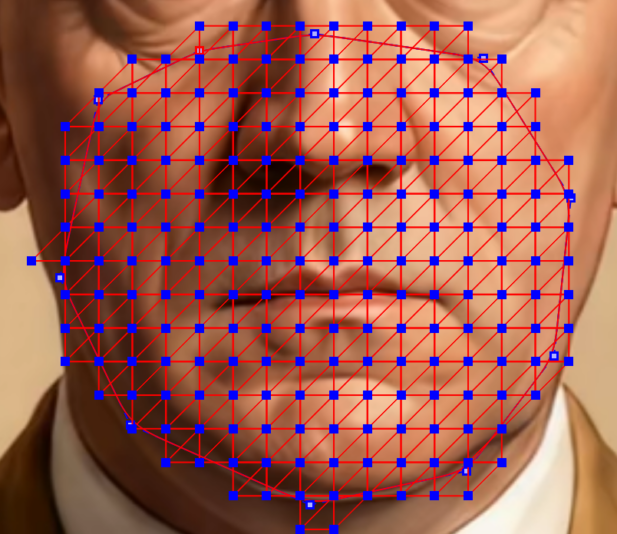
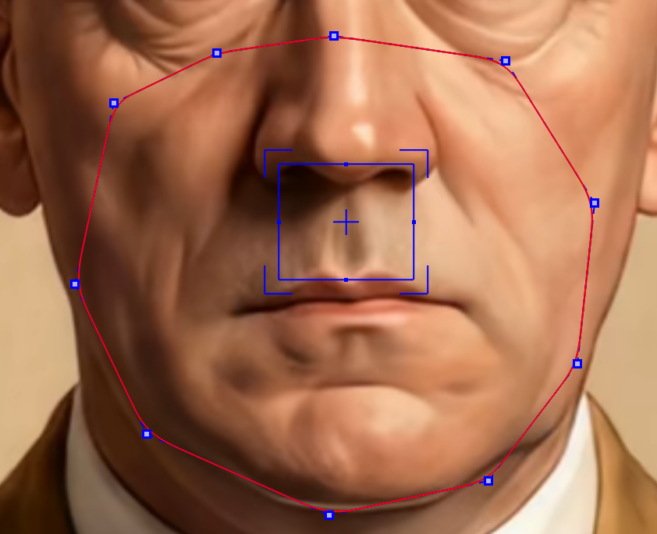
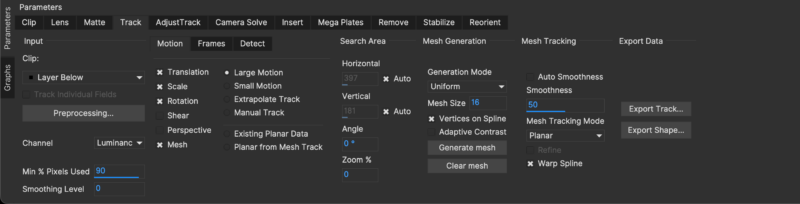
I’m doing this on an animated airbrushed image, not a video. I’ve tried using both Planar tracking and Point Track ML, i’ve tried different size meshes, some limited to the goatee area of the face, others as big as the face itself, and still others just limited to the Philtrum area. Tried in auto mode and in uniform mode, tried using 32, 16, and 8 for uniform mode. Nothing seems to work properly.
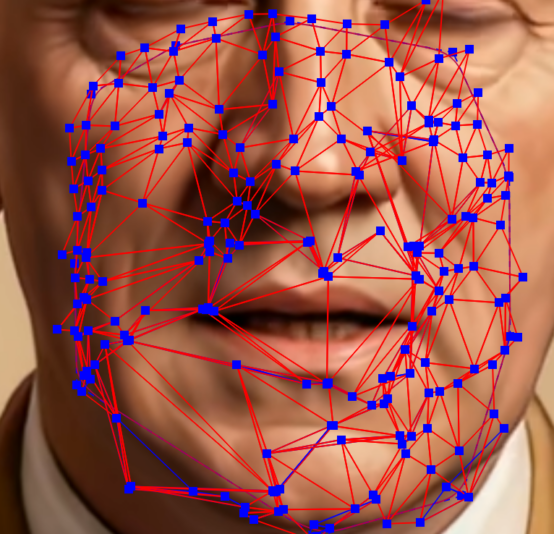
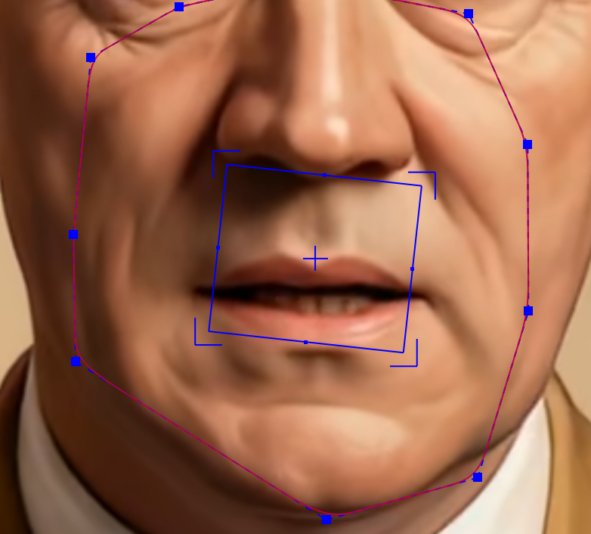
By the time my render tracking gets to the last frame of my animation, the mesh looks quite chaotic and the blue rectangle is completely crooked and has drifted over the lips. Please see attached pics showing the results and my tracking parameters.
Thank you in advance for any advice, help, suggestions.
 replied 2 months, 3 weeks ago 2 Members · 1 Reply