Creative Communities of the World Forums

The peer to peer support community for media production professionals.

Activity Forums Maxon Cinema 4D Autonomous file

  • Autonomous file

    Posted by Fani Arapoglou on July 25, 2023 at 1:48 pm

    Hello,

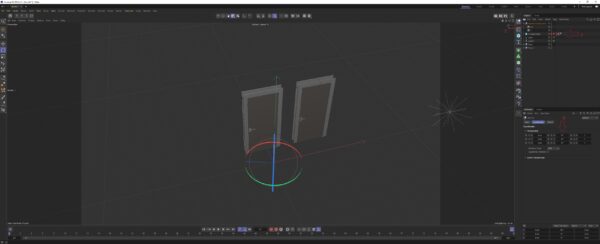
    I have one big building with lots of different light sources, doors, windows etc. I have to do different renders day and night. For the doors I have made duplicate ones (opened and closed) and I have to enable and disable them manually. For the light sources I do something similar. My issue is that since there are grouped by rooms, its kind of a big procedure to change them all. Is there a faster way to have like 2 states and by enabling something or moving a slider to change between them? I cant upload my scene, but here is a C4D file containing 2 doors and 2 lights. I would like if possible the two states to be closed doors and 100% intensity and opened doors and 50% intensity. Tnx.

    Fani Arapoglou replied 2 years, 9 months ago 3 Members · 5 Replies
  • 5 Replies
  • Brian Dick

    July 25, 2023 at 2:58 pm

    This is a C4D project, not physical shooting (all that door making!)? Would it work to duplicate the C4D file then give each of the two new relevant names so that you can establish the lighting needed for each?

  • George Charoupas

    July 25, 2023 at 4:46 pm

    Hello Fani,

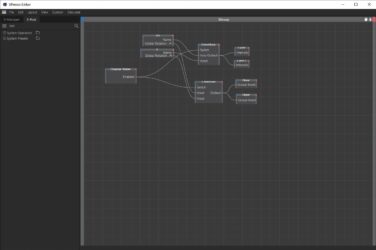
    Actually what you want exists and its called Xpresso.

    Its a little more advanced, so you might need to carefully see it, in order to replicate it. (Its like nodes)

    I have set up you scene like you requested. There is a cube in the scene named “Change States”.

    1) When the cube is disabled its your 1st state. (closed doors and lights 50%)

    When the cube is enabled its your 2nd state. (opened doors and lights 100%)

    2) You will notice some extra files inside. Dont delete them.

    The name 0.5 of the 1st null is the 50% intensity. By renaming it to 0.3, you will change the intensity to 30%. Also by changing the R. H., you change the degrees for your door. (0 degrees for closed door)

    3) Also on the cube there is an expresso tag. If something breaks, it will deactivate.

    If you have any questions please let me know.

  • Fani Arapoglou

    July 25, 2023 at 5:52 pm

    Hi George,

    Thanks so much. That’s exactly what I was looking for.

    It has a procedure to setup up, but it worths.

    If I have more values, do I just add more nulls with the right names and add them to the Xpresso thing?

  • George Charoupas

    July 25, 2023 at 6:23 pm

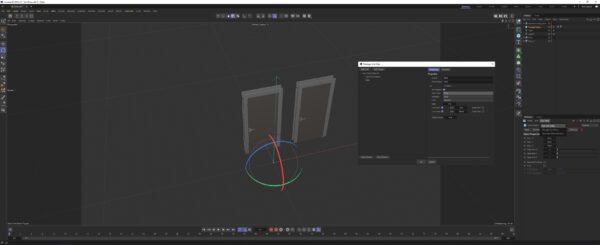
    Actually the best way is by using “User Data”. I just thought that it would be easier using nulls for the first time. Anyway, just select something to add user data and as you see in my image you can add user data. There you can name your data, select the type of your data and many more. I have modified the same file but this time using user data. You can check the differences and use whatever suits you best.

  • Fani Arapoglou

    July 26, 2023 at 9:06 am

    Thank you for your time the problem was solved. 🦾

We use anonymous cookies to give you the best experience we can.
Our Privacy policy | GDPR Policy