-
Audio not working in after affect effect CC
I have checked all the option for the audio to play when preview.
1) Audio “ON” in Comp
2) Audio “ON” in preview
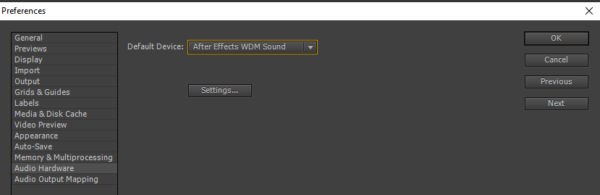
3) No option as device class in edit –> preference –> Audio hardware –> No option as device class.
Got this link: https://creativecow.net/forums/thread/i-know-why-i-have-no-sound-i-just-cant-fix-it/
but could not find the uncheck option from the comment “I did have though until I unchecked Digital Out to Optical (S/PDIF)” or “but I did uncheck the optical in AE – and bam – it works”.
Could you please let me know the correction option in steps?