Creative Communities of the World Forums

The peer to peer support community for media production professionals.

Activity Forums Adobe After Effects Expressions Anchor point expression & Text Animator not working together (MGRT)

  • Anchor point expression & Text Animator not working together (MGRT)

    Posted by Helen Frost on November 19, 2025 at 10:06 am

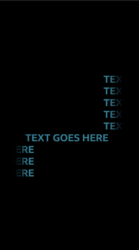
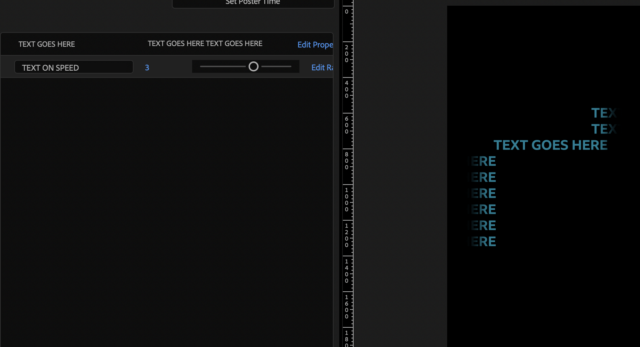
    Hi, I’m trying to create a MGRT where the text box is always centre aligned, no matter how long the piece of text, and I have an expression to do this, but when I try to pair it with a Text Animator, it ruins the animation. Is anyone able to help with this please? I’ve included a screen shot of the type of text animation I’m using (Position Animator, swiping in line by line from the left side of the screen).

    This is the expression I’m using to centre the anchor point:

    const { top, left, width, height } = sourceRectAtTime(time-inPoint, false);
    [left + width/2, top + height/2];

    Thanks!

    Helen Frost replied 5 months, 3 weeks ago 2 Members · 7 Replies
  • 7 Replies
  • Yoan Boisjoli

    November 19, 2025 at 6:02 pm

    Hi Helen! I think it would work better with sourceRectAtTime Try it on the anchor point and let me know if it worked. This is usually what I use.

    var s = sourceRectAtTime(time, false);

    [s.left + s.width/2, s.top + s.height/2];

    Cheers.

    Y.

  • Helen Frost

    November 20, 2025 at 10:35 am

    Hmm, it looks like it’s still looks like the Text Animator isn’t working with that expression in the Anchor Point. Do you know why that might be?

  • Helen Frost

    November 20, 2025 at 10:38 am

    P.S. Thanks for getting back to me on this!

  • Yoan Boisjoli

    November 20, 2025 at 1:16 pm

    Ah I see, the position is being animated through the Text Animator so the sourceRectAtTime is always recalculating. In this case you could replace the “time” in sourceRectAtTime(time, false) by the time when your text is done animating. So if at the 3 second mark, the the animation is done, you could write sourceRectAtTime(3, false).

    that would look like this:

    var s = sourceRectAtTime(3, false);
    [s.left + s.width/2, s.top + s.height/2];
  • Helen Frost

    November 20, 2025 at 2:43 pm

    That’s worked! Thank you. The only issue now, is that when I change the speed on the speed slider (range from 1-5s), it messes with the animation again. Do you know if there’s a way around this?

    Thanks again for all of your help so far!

  • Yoan Boisjoli

    November 20, 2025 at 3:22 pm

    yes change the 3 to a 5. Basically this is the time when the animation is over. 😉

    so this:

    var s = sourceRectAtTime(5, false);
    [s.left + s.width/2, s.top + s.height/2];

    You could even write 6 if you want to be safe!

  • Helen Frost

    November 20, 2025 at 3:28 pm

    I see! That’s fixed it. Thanks so much for explaining this!

We use anonymous cookies to give you the best experience we can.
Our Privacy policy | GDPR Policy