

Activity › Forums › Adobe After Effects Expressions › About inTangents and outTangents of createpath
-
About inTangents and outTangents of createpath
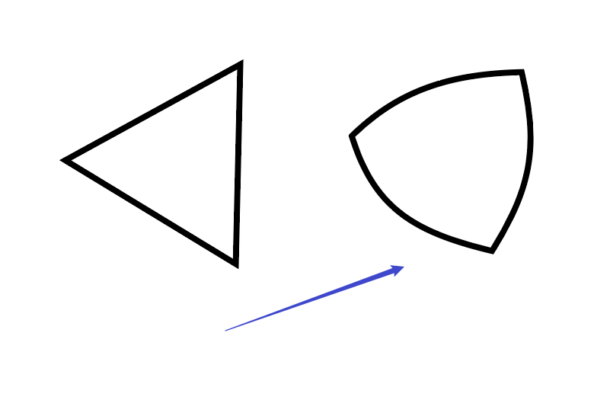
Posted by Taku Wilson on July 23, 2022 at 8:12 amI would like to know how to use an expression to turn an equilateral triangle into a triangle with radians.
 Taku Wilson replied 4 years, 2 months ago 2 Members · 5 Replies
 -
5 Replies
-

Dan Ebberts
July 23, 2022 at 1:46 pmI created an equilateral triangle shape and converted it to a Bezier path. After discovering that the path had 6 points rather than the 3 I expected, I was able to craft this path expression to add tangent handles. Variable m sets the size of the tangents relative to the sides of the triangle. I hope it’s helpful:
pts = points();
p = [pts[0],pts[2],pts[4]]; // get rid of extra points
m = 1/5; // multiplier
iT = [];
oT = [];
iT[0] = (p[2]-p[1])*m;
iT[1] = (p[0] - p[2])*m;
iT[2] = (p[1] - p[0])*m;
oT[0] = -iT[0];
oT[1] = -iT[1];
oT[2] = -iT[2];
createPath(p,iT,oT,true); -

Taku Wilson
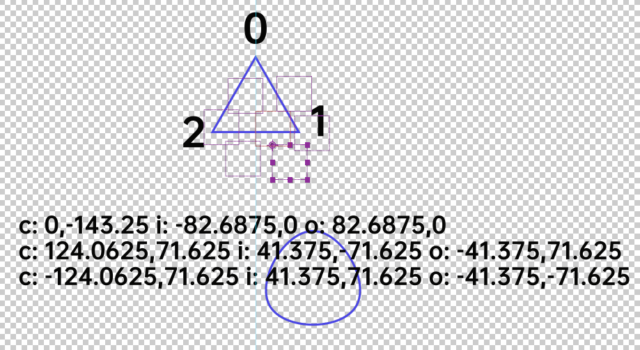
July 23, 2022 at 4:42 pmThanks! There are three points in the triangle I created. I’m trying to understand the middle part.
-
Dan Ebberts
July 23, 2022 at 5:12 pmThe part that defines the in tangents? That part takes advantage of the fact the the tangents are parallel to the vector defined by the two points opposite the current point. It’s then just a matter of sizing that vector, and then inverting it to create the out tangent.

Reply to this Discussion! Login or Sign Up