

-
5.1 (surround) in premiere pro 2022
Hey there,
I am a newbie here, nice to meet you all.
I received a prores and I added closed captions to it in premiere pro 2022 and needed to export it to prores to eventually do a DCP. I somehow figured it out, but can’t say I learned how to do it properly, more diy type solution.
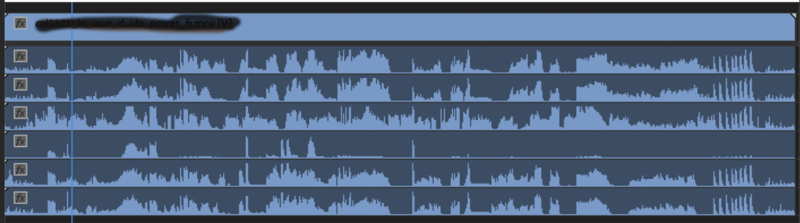
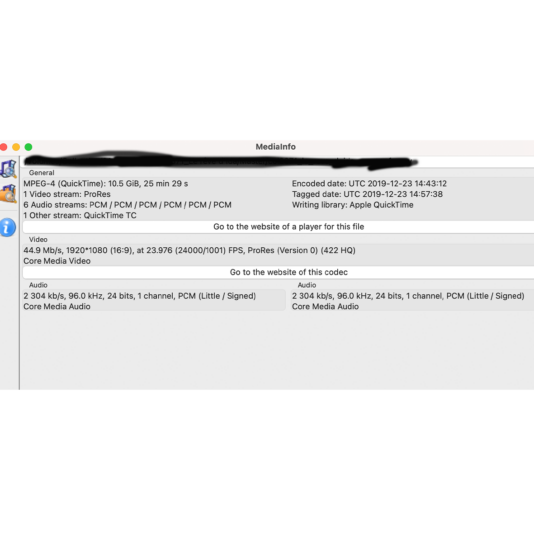
The video has 6 channels of audio. Here is an image as it appears in the timeline of premiere pro and another in terms of info from the media info app. Is this how it normally appears?
I thought that the channels came already assigned as needed for cinemas or do directors leave it open for a reason? I thought 5.1 was more of a layer that contains 6ch and not spread out like this, I had quite the nightmare last night trying to get this out.
Does anyone have a proper workflow on how to deal with this? Is it is “me” problem from being new at this way of working or is it a typical workflow?
Also if you are assembling 2 sources, one with 6ch and the other stereo, how does one export while maintaining both types of audio for a screening?
If anyone does DCPs using DCP o matic, how do you deal with this situation once you figure out how to export this properly and create a DCP?
I hope these are clear questions to someone out there, lack of sleep makes things appear more complicated than they are. I of course googled and found some things, but very little.
Thanks so much & have a nice day
J

Sorry, there were no replies found.