

Chyron Releases AXIS 4.0 With Expanded News Workflows and Richer Map Storytelling

Major Upgrades to the News and Maps Modules Deliver Better Graphics
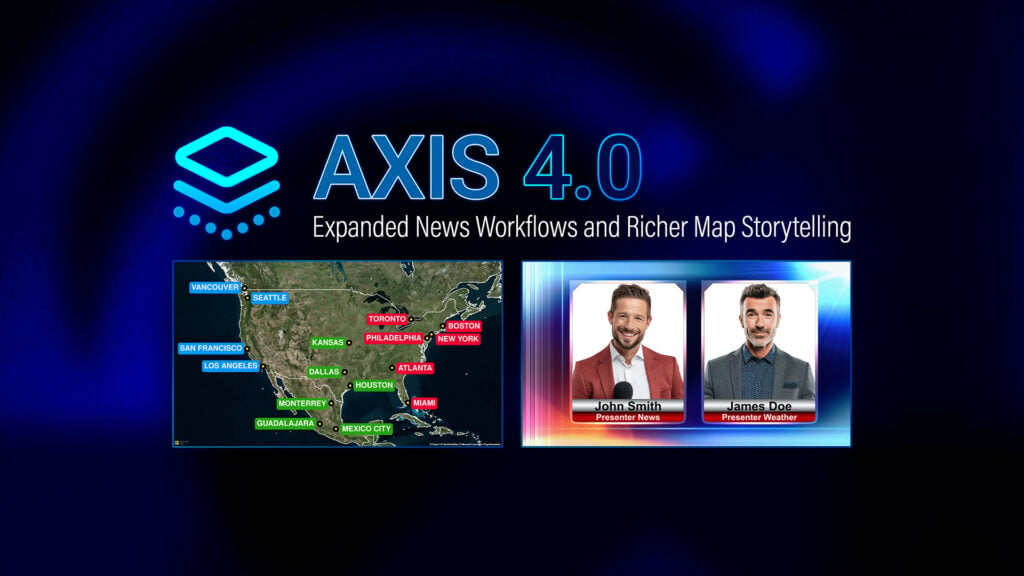
AXIS 4.0, the latest version of Chyron‘s cloud graphics production platform for broadcast news and editorial teams, is officially released today with major improvements to the News and Maps modules. The new version introduces end-to-end news workflows that bring PRIME templates into AXIS News, reduce legacy dependencies, and simplify graphics production. In the Maps module, new animation tools enable more dynamic storytelling through animated map sequences. Expanded customization capabilities, such as custom typography, editable hillshade, and broader boundary coverage, help teams maintain visual consistency across productions. Last but not least, a series of UI and UX upgrades across both modules improves everyday usability.

“This release marks a milestone for AXIS, with highly anticipated features like the integration of PRIME templates into the News module and animations in the Maps module,” said Peter Matis, product manager of AXIS. “We continuously gather insights from customers and use that valuable feedback to shape the development of features that make their operations more efficient.”
AXIS 4.0 enables end-to-end news workflows through the integration of PRIME templates within AXIS News, bringing Chyron’s advanced graphics authoring capabilities into the AXIS ecosystem. This helps customers work more efficiently with simplified newsroom graphics workflows and reduces legacy dependencies. Journalists and producers can create image composites that seamlessly fit into their PRIME scenes with the new Composite Editor, which lets them add the images and text that support their story directly within AXIS. A new Preview Mode enables faster editorial review, so users can preview their compositions, including assets from AP and Getty Images (upon subscription), without a full render.
Another advantage of this release is dynamic storytelling support with new animation tools in the Maps module. AXIS 4.0 introduces multi-scene keyframing, seamless transitions, customizable timing, and flexible export configurations that turn static maps into broadcast-ready animations. These fluid map sequences capture audience attention and add geographic context to the narrative.
A key focus of this update is to expand the customization capabilities on the Maps module for air-ready map visuals. New features include branded typefaces, editable hillshade rendering, extended boundary coverage for more granular editorial use cases, a broader icon set with custom icon support for richer map detail, brand-compliant color palettes, and a Style Manager that creates a cohesive visual standard across the entire organization.
The final pillar of AXIS 4.0 is enhanced usability, with a set of improvements focused on more efficient day-to-day operations. These include a new GeoSearch continent filter that narrows location suggestions to a selected continent, intersection mapping to find locations where two streets meet, bookmark tool upgrades that improve performance, and UI and UX refinements across the Maps and News modules.
For updates about AXIS, along with more details on its features, visit chyron.com
Enjoying the news? Sign up for the Creative COW Newsletter!
Sign up for the Creative COW newsletter and get weekly updates on industry news, forum highlights, jobs, inspirational tutorials, tips, burning questions, and more! Receive bulletins from the largest, longest-running community dedicated to supporting professionals working in film, video, and audio.
Enter your email address, and your first and last name below!


Responses