

-
Widescreen WITH blackbars
Posted by John Shand on February 10, 2009 at 12:53 amHello,
I’m doing a music video at the moment. i did a rough render a while back, which was true widescreen and it had black bars. that looked like this vvv
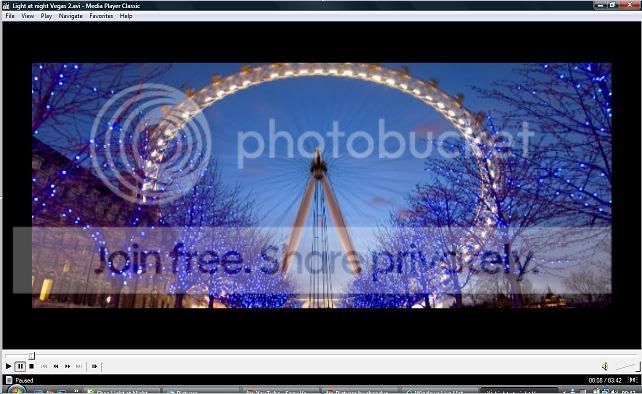
now when i render it either ends up like this 1) full widescreen or 2) letterboxed. Does anyone know how to make the footage like the 1st photo?? would be so thankful.
1)
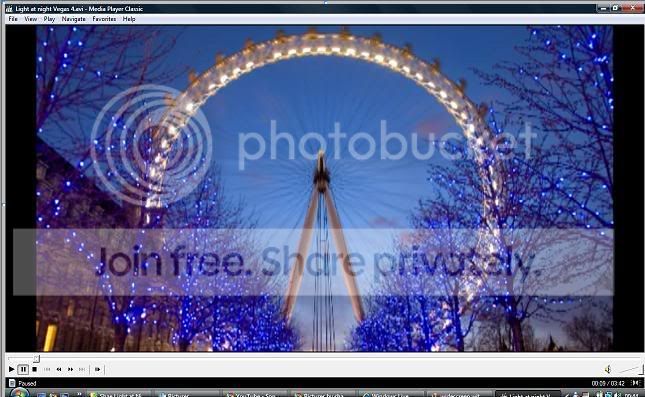
2)
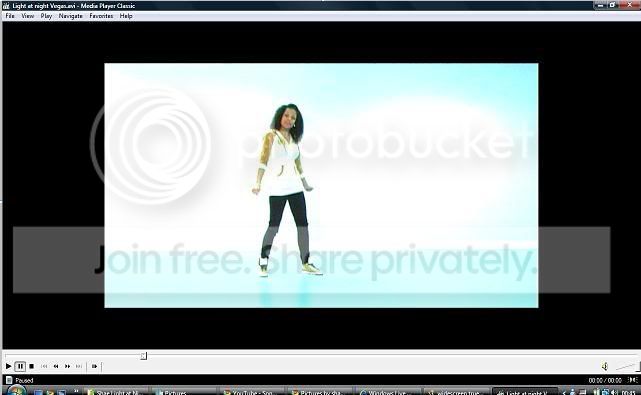 John Rofrano replied 17 years, 7 months ago 4 Members · 6 Replies
 -
6 Replies


-

Brett Underberg-davis
February 10, 2009 at 6:32 amWhat format is the source and what format are you rendering to? Does the project appear correct in preview on Vegas now, or is it showing similar to the second screencap?
There are multiple places where aspect ratio can get messed up along the way, starting with the specs in the project properties (leftmost icon in the preview window) and chaining down through your choice of rendering format and resolution. If the target is a DVD, your project has to in effect create the letterboxing and deliver it (preferably) to an NTSC (or PAL) Widescreen format. Depending on your source video, though, you may want to use a set of project properties that is not an exact match to that final rendering format.
This is just one example, as it’s unclear what you’re ultimate goal is with this project, and you’ve said nothing about the source format.
-

Danny Hays
February 10, 2009 at 12:39 pmIt’s looks like you selected 2.21:1 aspect in your render as, custom, video tab. Hope this helps. Danny
-

John Shand
February 10, 2009 at 8:03 pmI imported from miniDV. the format is DV Pal Widescreen (and AVI File). I want to render it back out as an DV Pal Widescreen, but with those black bars that are shown in picture 1 (like the bars you see on music videos and feature films). I must have done it but i cant remember what i did to make it like picture 1. now when i try it only ends up as picture 2 (the original formal) or pic 3 (letterboxed and 4:3)
The preview window shows it as the second picture (the original format)
I am eventually going to but it onto DVD and MiniDV
-
John Shand
February 10, 2009 at 8:06 pmsorry also im using Sony Vegas 8, so if anyone knows a way, directions or specifications would be great.
-
John Shand
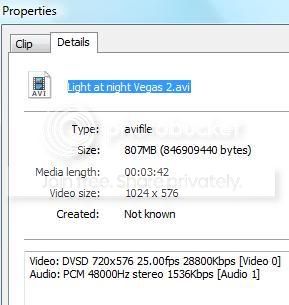
February 10, 2009 at 8:24 pmDont know if this will help, this is on the properties when i right click on the media player for Picture 1.
-

John Rofrano
February 11, 2009 at 12:13 am> I must have done it but i cant remember what i did to make it like picture 1.
Go into Pan/Crop and hold the Ctrl key while you drag the top of the frame down to whatever wide aspect you’d like the video to be. (Ctrl overrides Lock Aspect Ratio)
If you want to squish the video like you did in the top picture use Track Motion instead and disable Lock Aspect Ratio before you change the size. The video will squash into whatever aspect you’d like.
~jr
http://www.johnrofrano.com
http://www.vasst.com

Reply to this Discussion! Login or Sign Up