Creative Communities of the World Forums

The peer to peer support community for media production professionals.

Activity Forums Adobe Premiere Pro Matching or transferring Capture One image adjustments in Premiere

  • Matching or transferring Capture One image adjustments in Premiere

    Posted by Holly Vear on February 23, 2026 at 4:41 pm

    Hiya,


    I’ve searched online and can’t seem to find any existing solution or plugin for this workflow, but Creative Cow is 100% more useful and informed than Googles AI, so does anyone have any recommendations?

    Currently I’m working on projects where we’re on set, capturing stills and also capturing video. The stills get a pass through Capture One where adjustments are added and shown to client on set who approves the general look – these stills obviously later down the line get a bit retouched and additional tweaks done but generally the onset look is the approved grade.

    Then also on set, I am having to match the look of the stills to the video for approval in Premiere. There is obviously the colour wheels and match function in lumetri but it really doesn’t work that well, other than doing this by eye as fast as possible (which has been the general workflow up until now), is there any workflow/plugin/action that might be able to help at least do a first pass to match the Capture One settings. I am not that familiar with the program so the more detail the better!

    Shooting 4k Rec.709

    Thanks

    Mads Nybo jørgensen
    replied 5 months ago
    2 Members · 1 Reply
  • 1 Reply
  • Mads Nybo jørgensen

    February 23, 2026 at 5:15 pm

    Hey Holly,

    Sounds like you need to create a LUT from the Capture One image, and import that in to the Adobe Premiere PRO Lumetri panel.

    A quick search siggest that it could be a bit of a journey.
    Suggestion (via Google search) is to export the Capture One modified image as a 16-bit TIFF or PNG (sRGB is recommended for consistency).
    Then convert it to LUT in a LUT generator.

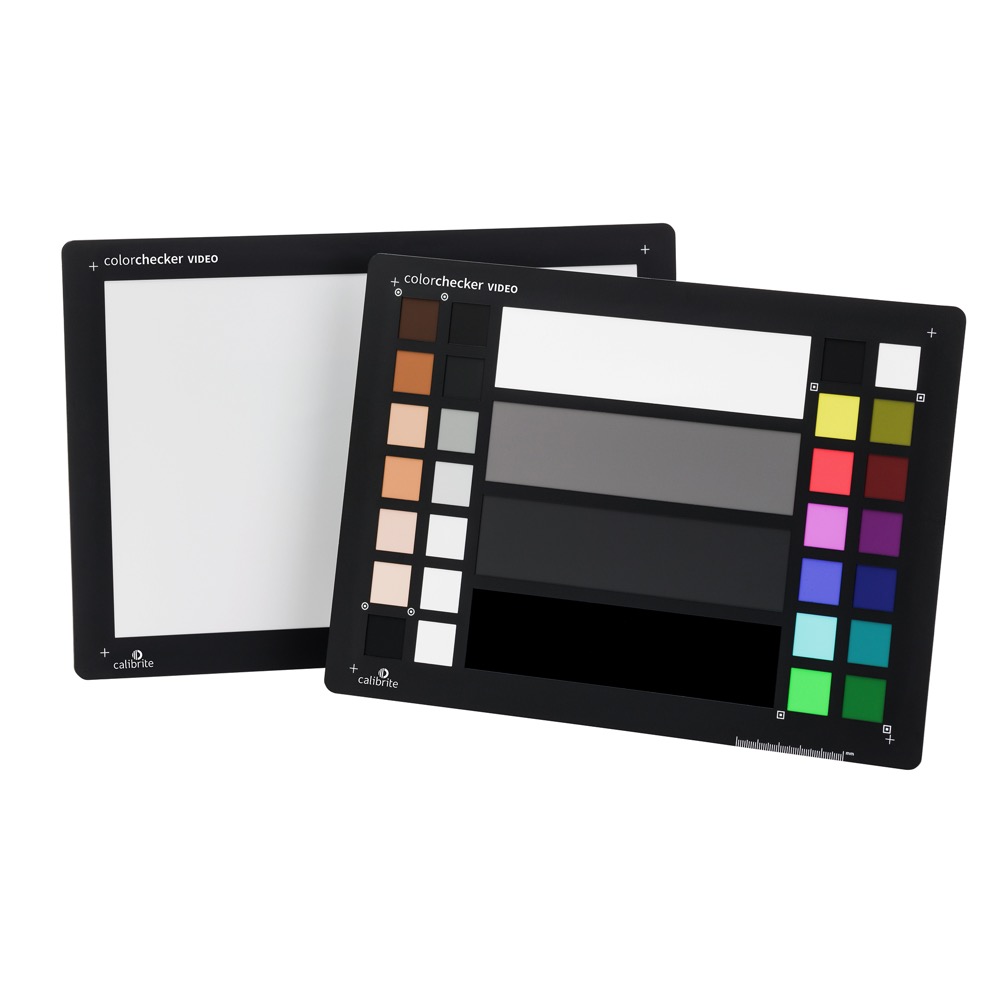
    The other option vould be to use a Calibrate Colorchecker on set – On a recent shoot, our DOP used the Calibrate Video, and that was really helpful for maintaining skin-tones in the edit.
    Although, we did not grade on set, as it was not that kind of shoot.
    https://calibrite.com/product/colorchecker-video

    Maybe experiment with using the Calibrate, including before and after Capture One adjustments?

    Hope that this helps?

    Atb
    Mads

We use anonymous cookies to give you the best experience we can.
Our Privacy policy | GDPR Policy