Creative Communities of the World Forums

The peer to peer support community for media production professionals.

Activity Forums Adobe After Effects Trapcode Particular emitter disappears

  • Trapcode Particular emitter disappears

    Posted by Tom Kam on July 23, 2024 at 6:57 am

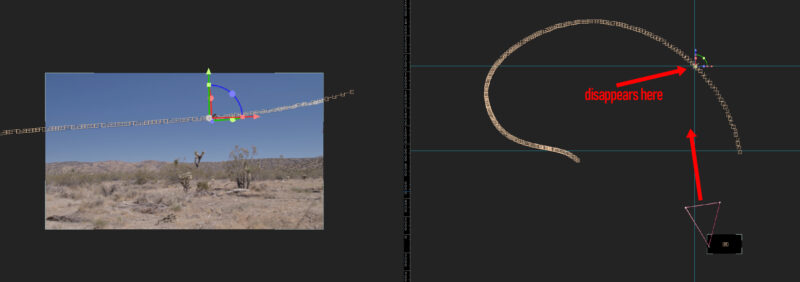
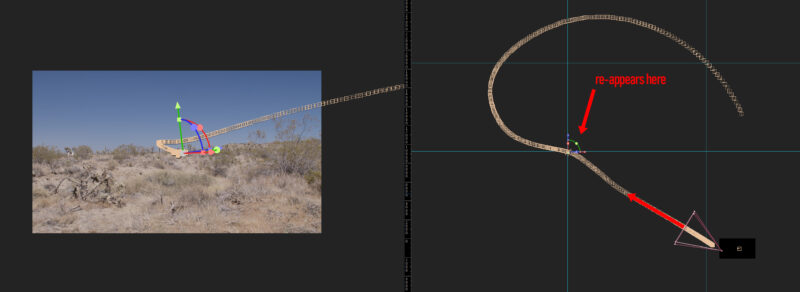
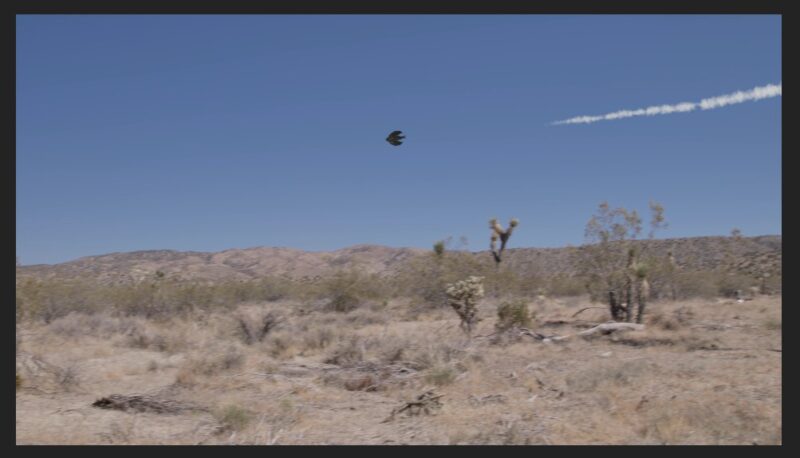
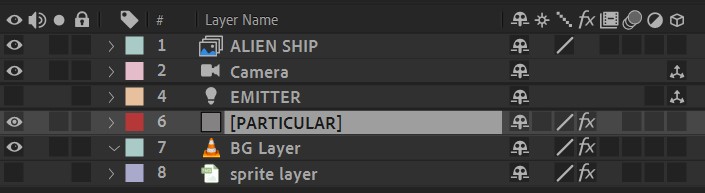
    I’m trying to create a trail of smoke from a spaceship about to crash on a planet. I animated the ship in Blender. The BG plate (live video) is panning as it tracks where the ship should go. The AE comp has the BG footage and the rendered spaceship. From Blender I exported the Null that represents the source of the smoke trail, and the animated camera. I had to adjust the scale to .1 in the export because I used real-world units in Blender. For the most part, it all works, but the smoke trail disappears for awhile – almost as if it went behind something. I’m using a light Emitter, so it is a 3D layer, as is the camera, of course. The Particular Layer is 2D as it must be when using a light as an emitter, and the BG is a 2D layer.

    This behavior persists even when the BG layer and Spaceship layer are turned off and it’s just the particular layer. This also happened when I exported from Blender at a larger size (1 to 100, vs the current .1 to 100). I thought it was Z clipping (if that is a thing in AE as it is in 3D programs), but perhaps not??

    So, what’s going on here??

    Brie Clayton replied 1 year, 9 months ago 3 Members · 5 Replies
  • 5 Replies
  • John Cuevas

    July 23, 2024 at 11:41 am

    Can you upload the project file. If the assets are too big, then I don’t need the 3d files, just the comp with the particular layer. It looks like you have a bkg, maybe other stuff, don’t need any of that, just want to look at the 3d obj that might be interacting with the particular layer.

  • Tom Kam

    July 24, 2024 at 12:33 am

    Thanks for the quick reply! I substituted a placeholder for the ship.

  • John Cuevas

    July 24, 2024 at 4:19 pm

    Tom,

    Under the visibility settings there is a Far Vanish setting. Your emitter is going beyond the point where you would be able to see the particles being emitted. Just change the Far Vanish point to something like 500,000(it looks like the settings stop at 100,000) and in my test it looks like everything works again.

    There is also a free rescale tracking script that you might find helpful, so that your coordinates don’t get so large.

    Here’s one
    https://www.youtube.com/watch?v=vNfGgJ9k3IE&ab_channel=MaxonRedGiant

    Some contents or functionalities here are not available due to your cookie preferences!

    This happens because the functionality/content marked as “Google Youtube” uses cookies that you choosed to keep disabled. In order to view this content or use this functionality, please enable cookies: click here to open your cookie preferences.

  • Tom Kam

    July 24, 2024 at 9:37 pm

    LIFESAVER!!!! Thank you John. Best news I’ve had today. I’ll see if you can get credit in the film if they’ll let me.

  • Brie Clayton

    July 25, 2024 at 12:38 am

    Thank you for solving this, John!

We use anonymous cookies to give you the best experience we can.
Our Privacy policy | GDPR Policy