-
REDSHIFT alpha channels and Tiling issues
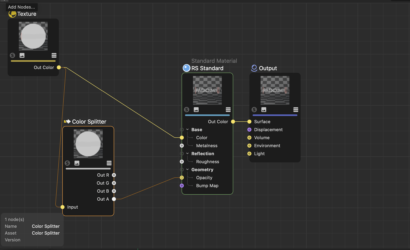
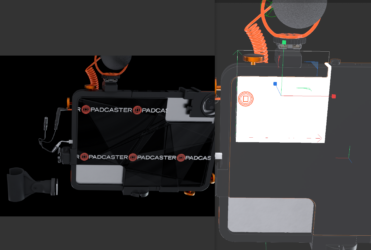
I’ve created a decal for an object. Applied it and positioned… FLAT projection… turned Tiling OFF…. It is still tiling and giving me significant reflections. The face of the object is supposed to be flat black like the rest of the casing border… I have metalness at zero and reflection weight at zero. We shouldn’t even be getting any texturing in the area outside the Logo. It is a png on transparency.
Any help would be appreciated. Also, is there a way to see the logo in the display without the white box? Very difficult to size and position .