Creative Communities of the World Forums

The peer to peer support community for media production professionals.

Activity Forums Adobe After Effects Expressions Maintain X position of shape relative to rotation of a square

  • Maintain X position of shape relative to rotation of a square

    Posted by Elliot King on March 25, 2022 at 10:57 am

    Hi everyone.

    I have an expression query that I really hope someone can help me with!

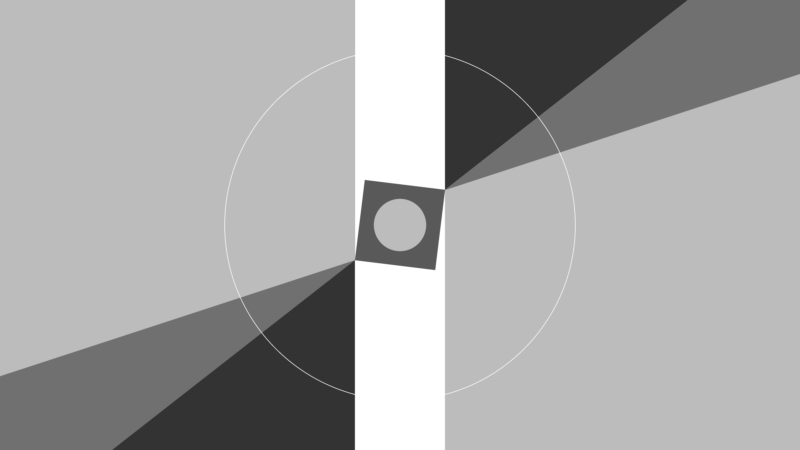
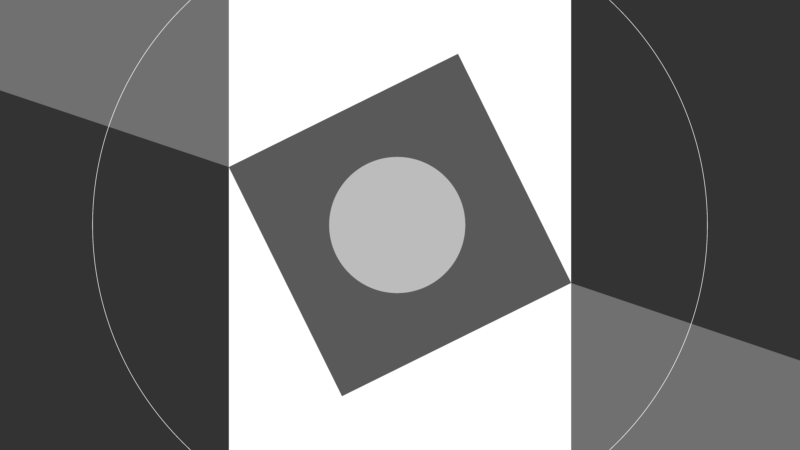
    Please see x2 attached screenshots. As you can see, I have a square scaling down and rotating in the centre of my comp. I also have two rectangles either side that are to scale up or move along the X axis while remaining perfectly aligned to opposing corners of the square, even while it rotates.

    I’m pretty sure it’s something to do with Math.cos expression, however I can’t seem to get it right. Any suggestions?

    Thanks in advance.

    Elliot King replied 4 years, 4 months ago 3 Members · 3 Replies
  • 3 Replies
  • Filip Vandueren

    March 25, 2022 at 11:20 am

    Hi Elliot, I think the easiest solution that comes to mind now is take maximum/minimum of the cos of all four corners.

    so, if the radius of the circle those 4 corners fall on is say 200 pixels:

    a = thisComp.layer("square").transform.rotation.value;
    r = 200;
    rightBoundaryX = r * Math.max(
    Math.cos(degreesToRadians(a-45))),
    Math.cos(degreesToRadians(a+45)),
    Math.cos(degreesToRadians(a+135)),
    Math.cos(degreesToRadians(a-135))
    );
    leftBoundaryX = r * Math.min(
    Math.cos(degreesToRadians(a-45)),
    Math.cos(degreesToRadians(a+45)),
    Math.cos(degreesToRadians(a+135)),
    Math.cos(degreesToRadians(a-135))
    )

    I haven’t tested this code, but I hope it sets you in the right direction

  • Dan Ebberts

    March 25, 2022 at 4:18 pm

    Another possibility would be to use sourceRectAtTime() and toComp() to establish the corners:

    L = thisComp.layer("square");

    r = L.sourceRectAtTime(time,false);

    ul = L.toComp([r.left,r.top]);

    ur = L.toComp([r.left+r.width,r.top]);

    ll = L.toComp([r.left,r.top+r.height]);

    lr = L.toComp([r.left+r.width,r.top+r.height]);

    xMin = Math.min(ul[0],ur[0],ll[0],lr[0]);

    xMax = Math.max(ul[0],ur[0],ll[0],lr[0]);

  • Elliot King

    March 28, 2022 at 5:04 pm

    Thank you both very much. This is extremely helpful.

We use anonymous cookies to give you the best experience we can.
Our Privacy policy | GDPR Policy