Creative Communities of the World Forums

The peer to peer support community for media production professionals.

Activity Forums Maxon Cinema 4D Binding splines to a rig?

  • Binding splines to a rig?

    Posted by Simon Edwards on November 11, 2020 at 5:16 pm

    Hi All,

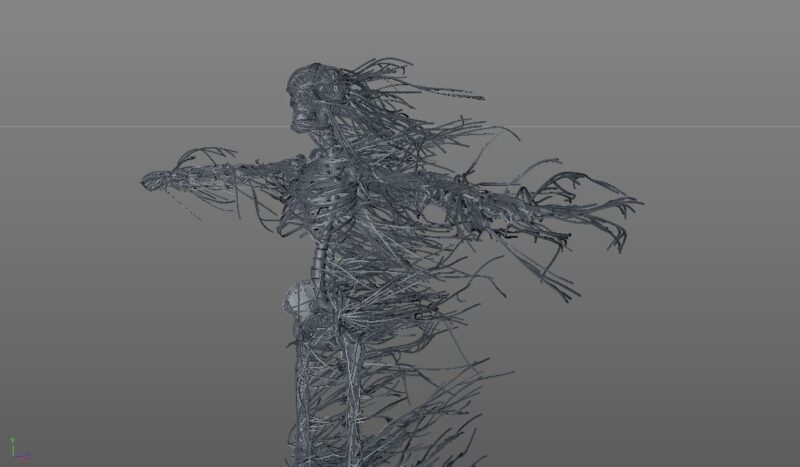
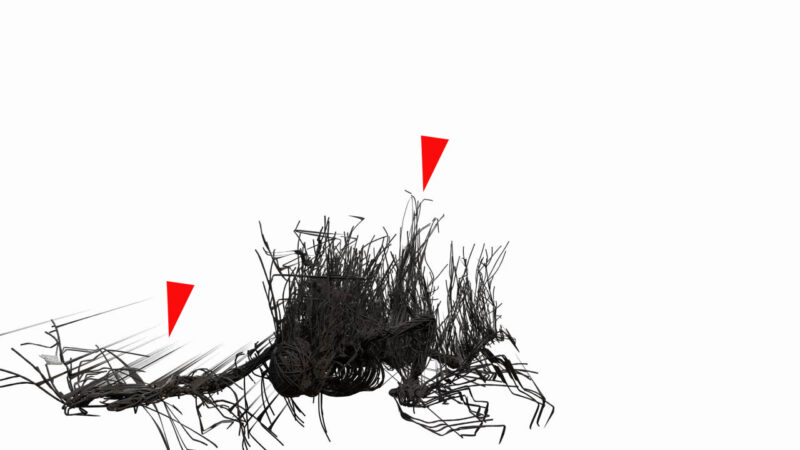
    I’ve got a character I’ve made by running a bunch of XP trails along and off of a skeleton. I’ve then used a spline mesher to give them geometry. The issue is though when I bind the character the branches that come off the skeleton get squashed/stretched and warped in very odd ways.

    I was wondering if there is a method of binding the skeleton then attaching the root of the live spines to the skeleton or if anyone has any other suggestions. I’ve posted some screen shots below.

    Thanks in advance!

    Michael Szalapski replied 5 years, 7 months ago 3 Members · 2 Replies
  • 2 Replies
  • Andy Kiernan

    November 17, 2020 at 8:59 am

    just thinking out loud, but if you are wanting to have the trailing bits dynamic, I would do some trailing bits on the static skeleton, then ‘bake’ them to it. Then use something like a matrix object to asign positions over the skeleton mesh, then do the XP stuff from there? So the skeleton mesh has the look of the branches over it, but they are just stuck geo, then on top of that you have dynamic floating bits too. Or use hair module and a painted vertex map?

  • Michael Szalapski

    December 5, 2020 at 5:02 pm

    You can use Xpresso to set the position of a point on a spline to follow a null object. You can bind the null object to a mesh with a constraint tag. You can pin a point on a spline that’s using XP’s dynamics.

We use anonymous cookies to give you the best experience we can.
Our Privacy policy | GDPR Policy