

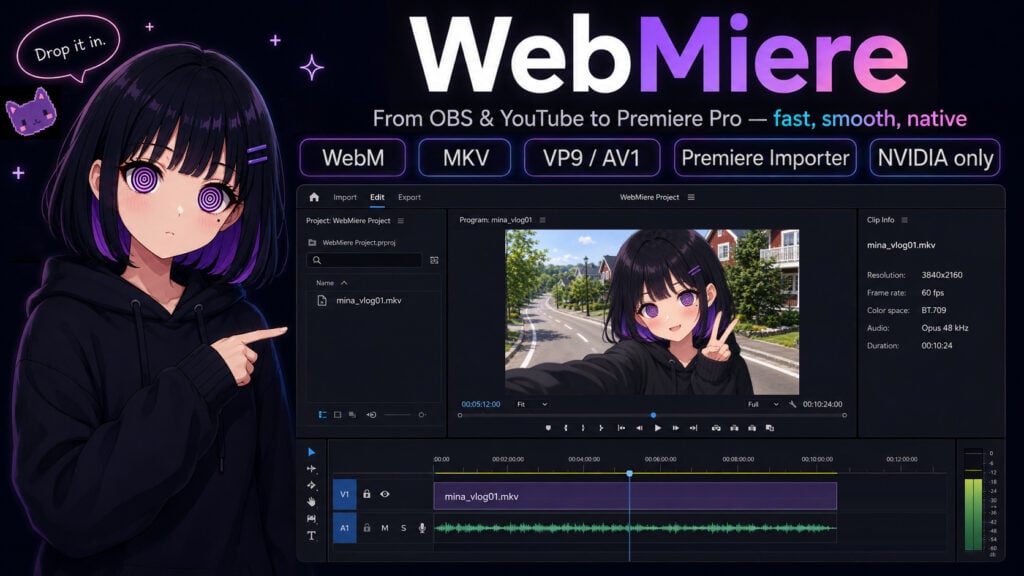
WebMiere Adds Native VP9/AV1 WebM/MKV Import to Adobe Premiere Pro

Brought to you by KawaiiEngine, WebMiere is a native Windows x64 importer for supported OBS multi-track Matroska recordings and YouTube-style .webm/.mkv media, provided the files match its documented media requirements.
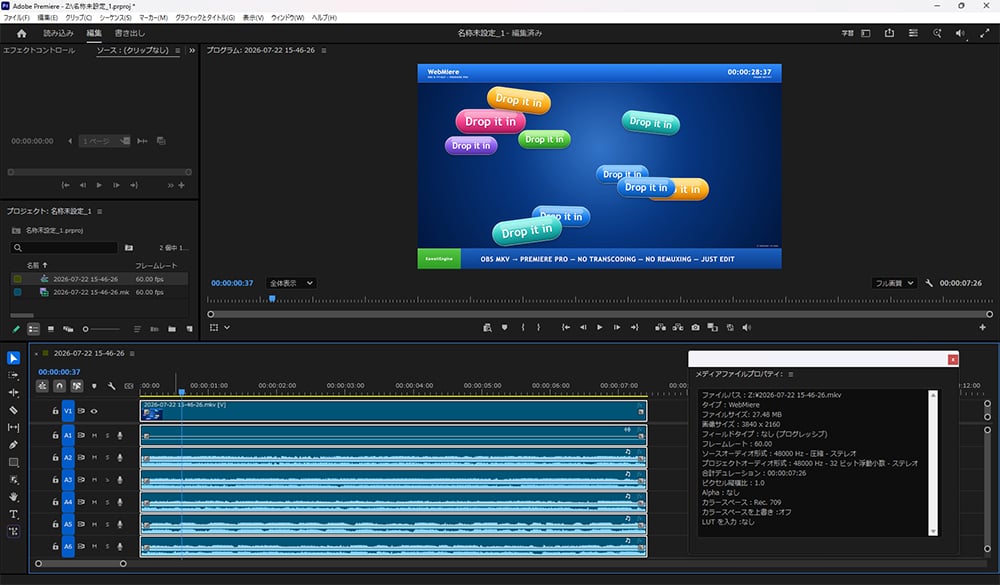
Import VP9 or AV1 video with up to six independent Opus stereo tracks, exposed separately in Premiere Pro.
No ProRes transcode. No proxy prep. No WAV extraction.
Import the file, drop it on the timeline, and start editing.
Can’t see this video? Click here!
System Requirements
| VP9 | AV1 | |
|---|---|---|
| Platform | Windows x64 / NVIDIA | Windows x64 / NVIDIA |
| GPU | RTX 20 Series or Newer Recommended | RTX 30 Series or Newer Required |
| Host | Adobe Premiere Pro 26.x | Adobe Premiere Pro 26.x |
| Not Supported | AMD-only, Intel-only, macOS | AMD-only, Intel-only, macOS |
WebMiere uses NVIDIA NVDEC, CUDA, and NPP, and prioritizes responsive timeline editing over broad format compatibility.
Supported Media
| Feature | Specification |
|---|---|
| Source | Supported OBS recordings and YouTube-style WebM/MKV media |
| Containers | WebM / Matroska (.webm, .mkv) |
| Video Streams | Exactly one |
| Video | VP9 Profile 0 / AV1 Main SDR |
| Pixel Format | 8-bit YUV 4:2:0 |
| Color | SDR, BT.709 matrix, limited range |
| Frame Rate | Constant frame rate |
| Maximum Dimensions | 8192 × 4320 |
| Audio Codec | Opus |
| Audio Streams | None, or 1–6 independent streams |
| Audio Format | Stereo, 48 kHz per stream |
| Premiere Output | Separate stereo audio tracks |
Video-only files remain supported.
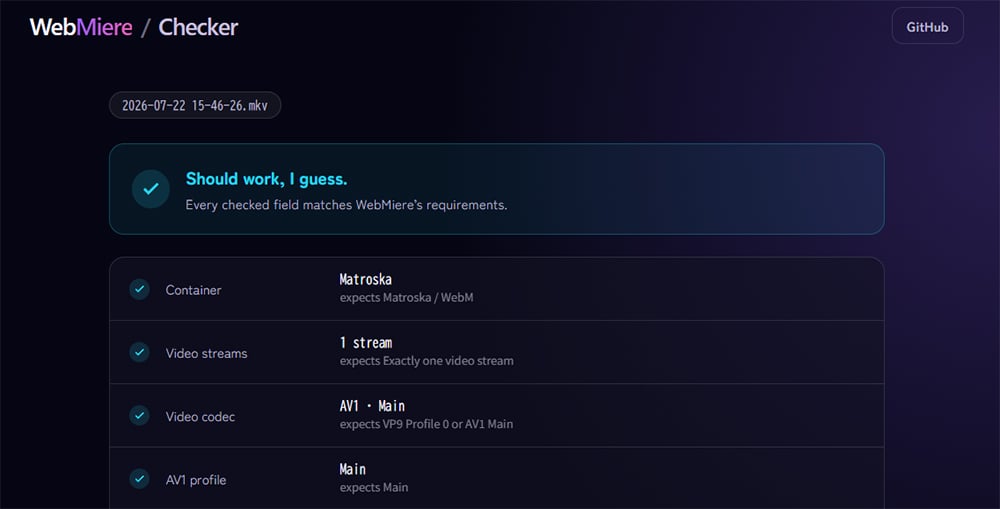
Not sure whether your file is compatible?
Check it with WebMiere Checker — the check runs entirely in your browser, and nothing is uploaded.
One important compatibility note: WebMiere currently supports Adobe Premiere Pro 26.x. MKV import depends on Premiere Pro 26.x’s native handling of .mkv files.
Download
WebMiere is unsigned because the signing money went to chocolate.
If SmartScreen appears, select More info → Run anyway.
OBS Multi-Track Recordings
WebMiere can import supported OBS Matroska recordings containing AV1 Main video and up to six independent Opus stereo audio tracks.
Each audio stream is exposed as a separate stereo track in Premiere Pro, in the same order in which it appears in the Matroska container.
Recommended OBS recording properties:
Note: NVIDIA NVENC AV1 recording in OBS requires a GeForce RTX 40 Series GPU or newer.
- Output mode: Advanced
- Recording format: Matroska Video (
.mkv) - Video encoder: NVIDIA NVENC AV1
- Profile: Main
- Frame rate: Constant frame rate
- Color format: NV12 (8-bit, 4:2:0)
- Color space: Rec. 709
- Color range: Limited
- Audio encoder: FFmpeg Opus
- Sample rate: 48 kHz
- Channels: Stereo
- Enabled audio tracks: 1–6
Assign sources to recording tracks through OBS Advanced Audio Properties. For example:
- Track 1: complete mix
- Track 2: microphone
- Track 3: desktop or game audio
- Track 4: voice chat
- Track 5: music
- Track 6: auxiliary source
This is an example, not a required layout. Track contents are user-defined. WebMiere does not distribute an OBS profile or scene collection; this section provides setup guidance only.
YouTube-Style Media and Frame Rate
WebMiere is designed for the ordinary CFR VP9 and AV1 SDR delivery streams commonly encountered in YouTube-style media.
In the media tested so far, YouTube delivery streams have been CFR. True VFR remains outside this plugin’s scope.
Validation
- Six-track routing and long-duration synchronization were verified against direct FFmpeg decoding using an approximately 15-minute recording and a recording longer than three hours.
- No measurable audio drift was observed in the tested recordings.
- Existing single-track AV1 SDR/Opus editing and export behavior was also revalidated.
Unsupported Media
- True variable-frame-rate video
- VP9 or AV1 10-bit or 12-bit video
- VP9 or AV1 4:2:2, 4:4:4, RGB, or alpha
- HDR, BT.2020, PQ, or HLG media, including AV1 HDR media
- Full-range video
- H.264, HEVC, ProRes, and other non-VP9/non-AV1 video codecs
- More than one video stream
- More than six audio streams
- AAC, Vorbis, and other audio codecs besides Opus
- Mixed audio sample rates or channel counts, or any sample rate other than 48 kHz
- Mono, surround, or other multichannel audio
- Audio streams with different start times
Unsupported files containing multiple audio streams are rejected as a whole rather than partially imported.
Enjoying the news? Sign up for the Creative COW Newsletter!
Sign up for the Creative COW newsletter and get weekly updates on industry news, forum highlights, jobs, inspirational tutorials, tips, burning questions, and more! Receive bulletins from the largest, longest-running community dedicated to supporting professionals working in film, video, and audio.
Enter your email address, and your first and last name below!


Responses