


PremiumBeat Tips and Tricks

When editing to impress, you’ll need quality music, and if your studio happens to lack a sound mixer or a personal composer, PremiumBeat is a helpful place to turn for stock music. More than just stock music, though, PremiumBeat.com contains a wealth of features that can help with your whole post-production workflow!
Here at Creative COW, we’ve covered the set-up and navigation techniques for getting started with PremiumBeat’s sizable library, along with practical features such as Shorts, Loops, and Stems . The following are additional tips and tricks to help you get the most out of PremiumBeat.
Delve Into Individual Artist’s Libraries
When cruising through PremiumBeat search results, you may find that a song is close to hitting the mark, but not quite hitting the bulls-eye. Don’t click away! The artist who made the track that comes closest to your goal has a style that has likely manifested more fitting music tracks that could fit right into your project.
This happens because the functionality/content marked as “Vimeo framework” uses cookies that you choosed to keep disabled. In order to view this content or use this functionality, please enable cookies: click here to open your cookie preferences.
When you identify an artist with that special sound, click on the artist’s name to find a list of everything that artist has created. You’ll be more likely to discover a winning track this way than listening to every result from your search through PremiumBeat’s main library.
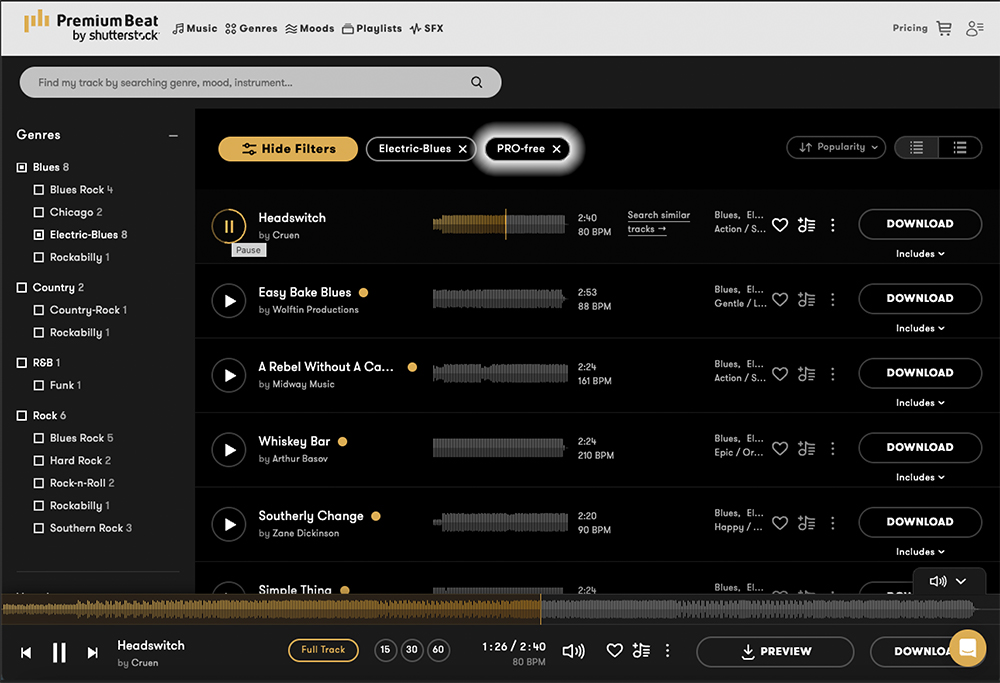
Find PRO-Free Music
A Performance Rights Organization, or PRO, is a company that manages royalties to music creators. To use PremiumBeat’s stock music in television, on the radio, and in film, you would need to ensure that you’ve filled out a cue sheet to every PRO associated with your artist of choice, along with the music publisher. This is easily done by following PremiumBeat’s music reporting guidelines.
However, if you or your company is not prepared for PRO reporting, PremiumBeat offers a great assortment of PRO-free music to choose from.
Establish an Audio Logo for Your Brand
Whether you are creating a podcast, establishing a YouTube channel, or making commercials, audio logos will make your brand memorable to your audience by cuing the public ear associate that a specific sound is associated with your company.
An audio logo is a short music track that is used consistently in each video you publish. This signature piece of music usually opens the start of each video, but can be used at the end of the video too, or both. The short musical riff should have a style that reflects the general mood of your product, and eventually listeners won’t even have to look at your videos to know that your company is presenting them information. Audio logos are a way to build a sense of connection with an audience, and have been proven to be very effective.
PremiumBeat offers a library with hundreds of stock tracks that are intended specifically to be great audio logos. Most of these tracks will include PremiumBeat’s signature loops and stems, so you will be able to tweak, change, and perfect an audio logo into a unique sound that will represent you wherever your videos play.
Tap Into PremiumBeat’s Blog
PremiumBeat maintains a blog, The Beat, that is overflowing with resources for all video editors, reaching far beyond just music!
Included in The Beat are, of course, articles that cover PremiumBeat’s talented musical artists. You will also find articles around audio editing, which includes tips on software like Avid Pro Tools, Apple Logic, and Adobe Audition.
What you may be surprised to find are thousands of articles that cover nearly everything else in the digital video editing industry. The Beat boasts hundreds of Adobe After Effects written tutorials, DaVinci Resolve discussions, Cinema 4D animation write-ups, filmmaking techniques, video gear reviews, photography, and much more.
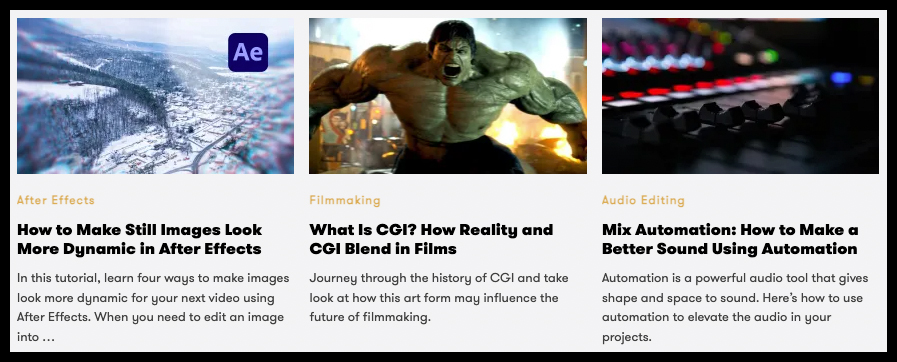
These blog entries often include embedded video tutorials as well, and are frequently shared by fledgling editors as well as professionals around the internet.
PremiumBeat Has Free Assets
Last but not least, PremiumBeat offers a host of free products within the bounds of this expansive and useful resource for creatives.
PremiumBeat’s free assets include, but are not limited to, video assets, video packs, and sound effects.
Note: You do not need to have a subscription to PremiumBeat or be logged into your account to download free sound effects. The download may also come with a coupon for Shutterstock images and footage!
Can’t see this video? Click here! If you are in Safari, hover over “Safari” in your menu, click “settings for creativecow.net” and toggle the “Auto-Play” to “Allow All Auto-Play”.
The 80+ Cinematic Atmospheres will give you room to experiment by underscoring footage that you have laying around, and to gain experience putting cinematic sounds behind a video clip.
Additionally, there are a couple of sections of The Beat blog that will collect articles with certain tags that offer free items. The tag ‘Free Week’ will bring up a list of assets that include sound effects, overlays, and templates. The tag ‘Freebies’ will have other assorted odds and ends to enjoy for free, such as transitions, animations, and fonts.
Enjoying the news? Sign up for the Creative COW Newsletter!
Sign up for the Creative COW newsletter and get weekly updates on industry news, forum highlights, jobs, inspirational tutorials, tips, burning questions, and more! Receive bulletins from the largest, longest-running community dedicated to supporting professionals working in film, video, and audio.
Enter your email address, and your first and last name below!


Responses