

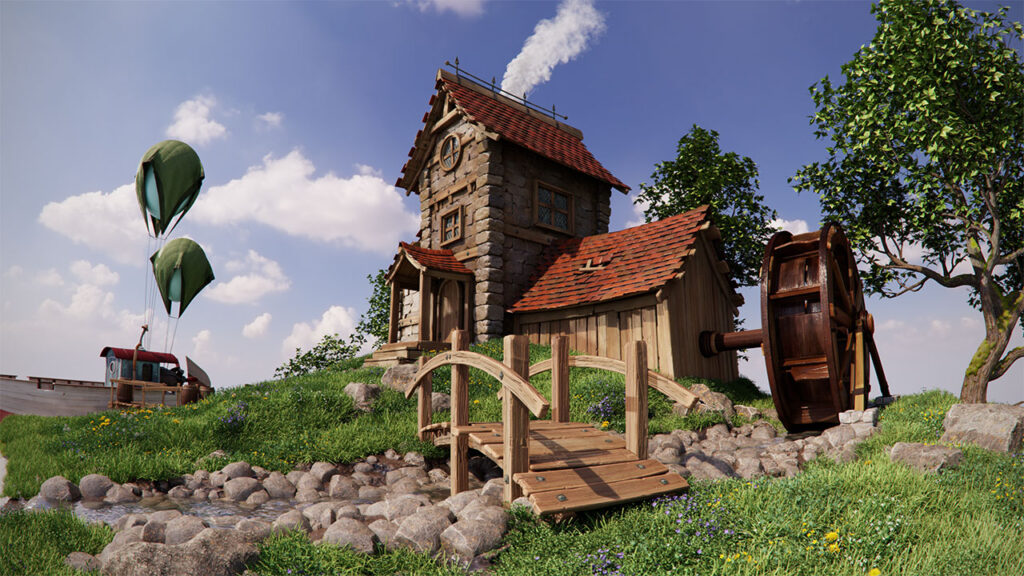
NVIDIA’s Omniverse Will Revolutionize Post-Production Workflow

An interview with TJ Galda, the director of product management for Omniverse for Creators at NVIDIA, and Creative COW’s Brie Clayton.
NVIDIA Omniverse, an accelerated 3D design platform, will allow artists to link popular creative apps and use them simultaneously, replacing independent pipelines with live-sync creation. And now, creators can traverse the Omniverse platform for free.
With 14 current Omniverse Connectors to creative softwares such as Autodesk Maya and Epic Games Unreal Engine, and with more Connectors under development like Maxon Cinema4D and Adobe Substance 3D Materials, the sky will be the limit for what can be accomplished in this amazing new platform.
Omniverse users will be able to create and edit projects via access to its Omniverse Create app, where they can accelerate advanced scene composition, then interactively assemble, light, simulate, and render scenes in Pixar USD in real-time.
Omniverse is free to download and part of the NVIDIA Studio ecosystem, a software and hardware platform dedicated to making creative work faster and more efficient with; Studio Drivers to optimize creative software, free Studio apps powered by AI, Studio laptops equipped with NVIDIA RTX graphics cards (GPUs), and tutorials to hone the skills of industry professionals.
Creative COW met with NVIDIA Omniverse product management director TJ Galda to nail down the details of this platform development, and what it means for editors and post-production crews everywhere.
CC: Hello TJ! Can you introduce NVIDIA’s Omniverse, and tell us how Omniverse can help creative professionals?
TJ: Omniverse is, first and foremost, a platform that’s focused around collaboration and simulation, and so as a creative professional, you can take any of your creative workflows that you know and love, and bring that into Omniverse and connect them together.
What’s really cool is, because Omniverse allows collaboration between different tools and different people, you can really mix and match the tools that are really effective for you, and for the job, and bring them together. So you can think about either collaborating with yourself between different tools, or with a group of people.
And then the really great thing about NVIDIA having such a rich history with GPUs and rendering, is that we’re focused on making it so that you can work and bring it all together in a consistent way; whether you’re building a building and want to see how the building looks in a city, or a making a product, or doing entertainment type work. So, whether you’re building it in one world or a different world, you get the same result. This makes it really easy for a creative to look at, if they’re building a product, to see it in place on a counter or maybe in a different environment and not have to worry about tweaking things independently.
We’re building the plumbing if you want to think of it that way, but the platform that will allow people to do all of that.
CC: And how does Omniverse fit into the NVIDIA Studio platform itself?
TJ: We have been working on Studio, building custom Studio drivers from the ground up, focused on creative workflows. These drivers give creators peace of mind, knowing they can render 3D files reliably and multiple times faster while facing intense deadlines.
We’ve been working on the GPUs and working closely with hardware manufacturers building different laptops engineered from the ground up for creating, really focusing on making that effective for a creator right from the beginning.
Omniverse is a natural fit into that, where you can bring in your RTX GPU and start to work in whatever application that you feel most comfortable with. It’s a really nice marriage of the software coming together with the hardware.
CC: With regard to the RTX GPUs, what are the hardware requirements for a user wanting to develop their project on Omniverse?
TJ: Well, we just announced that Omniverse is free for individuals to work with, so it’s actually a great time to jump in.
If you do have an RTX card, like the ones in NVIDIA Studio systems, it’s pretty straight forward. You grab what we call the Launcher, which is essentially our little marketplace of all the different apps, and then you can download that, and then install, and away you go!

CC: As to the size of the Omniverse, how can the Omniverse handle such an incredible amount of data? What are the mechanics that support this vast landscape and the quick render times that NVIDIA is able to offer?
TJ: Yeah, it’s pretty impressive. It’s one of the reasons I was excited to be able to come join. Obviously NVIDIA’s got over 20 years of experience building these things, and there’s a lot of really smart people working on this. It’s common to see trillions of polygons, and it renders no problem.
It’s all based on USD, which is Pixar’s Universal Scene Description. They open sourced USD, and we’re leveraging that and building upon it, with other open source stuff that we’ve got, such as MDL material definitions. Really it’s a combination of a number of things that bring it together, but, the core rendering and the engineering team here is really smart. So, there’s a lot of really great innovations, and, obviously we’re able to use it ourselves, and so we’re pushing it every day as hard as we can.
CC: Pixar’s Universal Scene Description is like the HTML of 3D that serves as the foundation for Omniverse to be able to share files with multiple parties, where multiple softwares can plug in to work on the same file. Is that what allows the various softwares to just simultaneously edit projects?
TJ: Yes. You can think of USD as a file format, of course, but it comes with a really powerful layering ability, so you’re able to build layers on top of each other.
If you’re familiar with working with Photoshop, for instance, where I can make a change above your change and see it.
We’ve also built a number of technologies within Omniverse to allow that collaboration. So, USD is a great place to start, and of course many different applications are starting to support it. And more every day, which is awesome.
I mean, we’ve really focused on the whole collaboration and simulation side of allowing you and I, for instance, to connect and see it live in real-time and make changes. So it’s a really good combo of these layers, and you can build out from there.
CC: With the Omniverse rendering things in real time, what does that really mean for creators? Is it simply instant?
TJ: Yeah, it’s really exciting stuff! So, we have several renderers within Omniverse. We have one called RT mode or, Real-time mode, and it’s basically rendering real time constantly. So, as I’m looking at the scene, it’s rendered.
And then we have other renders on top of that. One is called Path Tracing, or PT mode, which will allow you to start cranking up even more fidelity. It really depends on the system that you’re using, and how much you want to wait, basically.
So you can work either instantly all the way up to the gold standard of Iray, where it’s physically accurate. You can really control where you feel comfortable, and it depends on what you’re doing.
So maybe if you’re working on an animation and you care more about the motion and seeing stuff quickly, you might turn the fidelity down and see it real time. But, at the same time, our real-time still has ray-tracing and reflections and all sorts of stuff, so it really feels like when you start playing video games, but this is well beyond that.
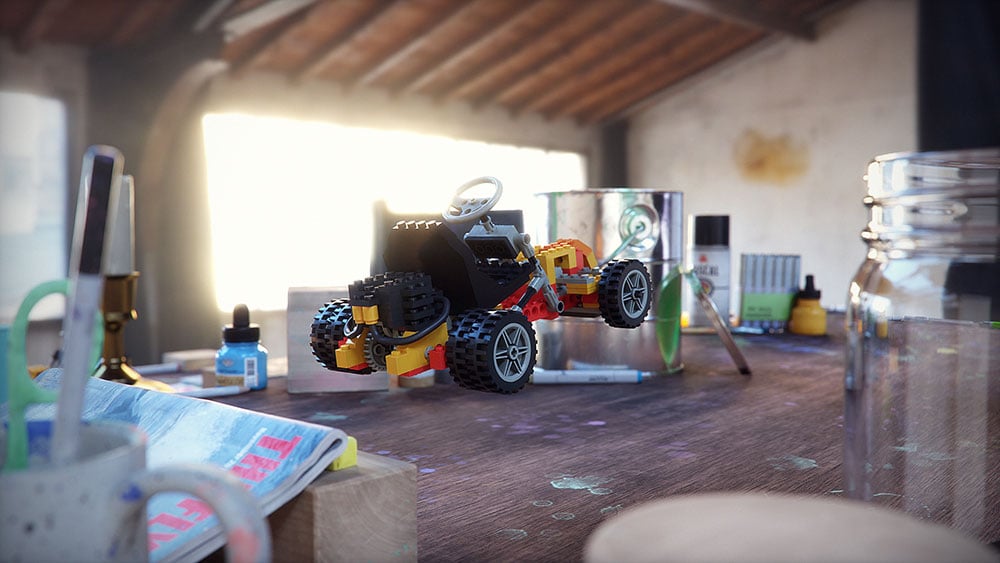
The idea of seeing a reflection, for example, or if you’re looking into a mirror or a shiny car or something, you can see that even in RT mode. Then, as you crank it up, you get into things like caustics, so you’ll be able to see how the light bends through glass and water, which is pretty impressive.
CC: That is very impressive! Can these renderings be witnessed by multiple people at the same time?
TJ: Yeah, absolutely. That’s what’s really exciting about this.
Previous to this, you would open up your scene and work on it, and then give it to somebody else. But now, you and I can work on the same scene together. We can have multiple people working on it.
Just yesterday we did a session with eight of us, all working to test some new stuff that we’re working on, and it gets kind of chaotic because you have so many people moving stuff. You really have to start with communication and live meetings where you can start talking about “yeah I’m going to work on this tree, and you can work on maybe the roadway or something beside it”, and you can see what each other is doing. Even if I make my tree bigger, the shadow casts on your road, etc. So, it’s really fascinating to work together, because you’re literally living in the same scene.
CC: Do you save a file in Omniverse before others can look at it? Or are you saying that two people can be working on the same file at the exact same time?
TJ: That’s the crazy thing is, you can do both. And you can mix and match. As I said with the layering ability, maybe we can set up a layer, “Brie’s Layer” and “TJ’s Layer”, and we both have a different layer. So, we’re seeing a combined scene together, but my changes are saved to my layer. If you want to do it that way.
Or, we can say that we’re just going to open up a meadow scene, for example, and we’re both working on something together and I’m making a cow animation and you’re putting the trees down. And it’s all just the “meadow” file, and whichever one of us hits save, the other one gets it, but we also see it live at the same time.
It’s a very different way of thinking, because you can do it the old school way of like, “here’s all the files, we load them, then collaborate asynchronously”. Or you can collaborate completely live in a simultaneous jam session – it’s really up to what’s best for your workflow.
CC: So, once you’ve created a 3D object, and it’s complete, can a user download it and take it elsewhere for use?
TJ: It’s really flexible. So if you’re making a movie, you can choose to render the movie directly out of Omniverse and just get it in a sequence of images, or a Quicktime or MP4, for instance. Or you could decide, you want to take this over to Maya and maybe work on it further, and so you can save that out as a USD. This is why we’re also building a bunch of Connectors, and other people are building Connectors as well.
So in that case, with Maya, we have a Connector where I can have Maya open as well as Omniverse Create, for instance. And they’re connected live and I can see the changes in both instantly. So I can make some changes in Maya, maybe I’ll move the animation around, and then over in Create change the lighting and then back and forth.
And then at any point, there’s a USD file that both of them understand. Which is pretty cool.
So, you can save it out if you want to, or you can keep it live, or you can choose to render it. It really depends on what you’re trying to do.
CC: Here at Creative COW, we lean on one another, collaborate, and share issues and difficulties with the community. The potential with Omniverse seems great because, potentially, a user could place their project on Omniverse and allow other people access to actually see what’s happening, in order to receive advice, or even hands-on help. Is that a possibility?
TJ: It is. Omniverse is a platform for tools you can collaborate with. So you and I could save a file somewhere we could both get to. If we had what we call Nucleus Workstation, and maybe you and I are both working in the same office, I could share that and give you a login and we can login directly there and work on it together.
A lot of our bigger studios would have what we call Omniverse Enterprise where multiple people, and this is how we work at NVIDIA, can connect from anywhere in the world.
So, just this morning I was working with someone from Texas, as well as someone in Europe, and last night I was working with someone in Asia, and we’re all connected through one spot that’s, in this case, on NVIDIA hardware through our VPN. There’s a wide variety of ways to do that.
Ultimately you want to be in a spot where we can both access it. So, you can decide where you want to put that and how you want to work on it. Typically, like I said, if you’re on our Enterprise solution, you want to use Enterprise Nucleus Server because you get better feedback. But, there’s a number of different ways to work on that.
CC: Is there a potential, within Omniverse, to work on software that is not 3D?
TJ: Yeah, absolutely. So, obviously we’ve been working with Adobe Substance, for instance, as well as things like Photoshop where you can save a file. We have what we call Omniverse Drive, which is essentially a drive that sits on your local computer that you can then save files to, and its connected immediately.
But also within Omniverse as I’m looking in Create, for instance, each of the textures passes a URL, essentially. And so, while you could save a texture from Photoshop and it’ll just upload and update immediately, you could also just potentially just use a webpage. If you’ve got webpages with .jpgs, for instance, (I’ve done this in the past too where I’m just wanting to experiment with different ideas), you can just browse different webpages and just chuck the URL right in there.
There’s a number of HDRI places that have free HRIs, which are the high-definition images that you would put in your skydome, like for a background. You can just put different URLs directly in there and try it without even having to download or anything else, and Omniverse happily just points to the internet, and away it goes.
CC: What kind of a place would a software like Adobe After Effects have within Omniverse?
TJ: I use After Effects all the time. Typically I’m rendering and bringing it over there to add a layer of some effects. So, obviously that type of workflow is well known. In the future, potentially we could do that.
We don’t have video streaming textures yet. It is definitely in the pipeline, and we’ve been working with Adobe on a number of other things like Substance 3D, so expect that sort of thing to keep developing. We’re also working with a number of other partners too. So, it really depends on what the community asks for, and what people are pushing for and we’ll work on it as fast as we can.
CC: That is all very amazing. Thank you, TJ, for helping us wrap our mind around Omniverse.
TJ: Yeah, happy to be here, thank you.
###
Enjoying this interview? Sign up now for the Creative COW Newsletter!

Sign up for the Creative COW newsletter and get weekly updates on industry news, forum highlights, inspirational tutorials, tips, burning questions, and more! Receive bulletins from the largest, longest-running community dedicated to supporting professionals working in film, video, and audio.
Enter your email address, a first and last name, and let us know what you’d like to see more of in the message!
[contact-form-block name_label=”Name” email_label=”E-mail” message_label=”Message” header=”false” header_image_id=”null” header_image_size=”50″ header_image_align=”left” header_title=”Get in Touch” header_text=”Leave your message and we’ll get back to you shortly.” button_text=”Send” button_color=”#3d84f6″ button_text_color=”white” align=”undefined” theme=”default” message_rows=”5″][/contact-form-block]
Responses