Forum Replies Created

Page 1 of 2
  • Nikki Van onna

    March 21, 2023 at 7:43 am in reply to: Double stroke on open path in After Effects

    Thank you Filip, that goes way above my head. 😀
    Offsetting doesn’t seem to be the problem though, that works quite well.
    It’s just a pity that you can’t make a stroke style or a path that is still handled as a stroke when offsetting. Well, back to the drawing board! Again, thank you for all your help.

  • Nikki Van onna

    March 20, 2023 at 2:32 pm in reply to: Double stroke on open path in After Effects

    Images

  • Nikki Van onna

    March 20, 2023 at 2:31 pm in reply to: Double stroke on open path in After Effects

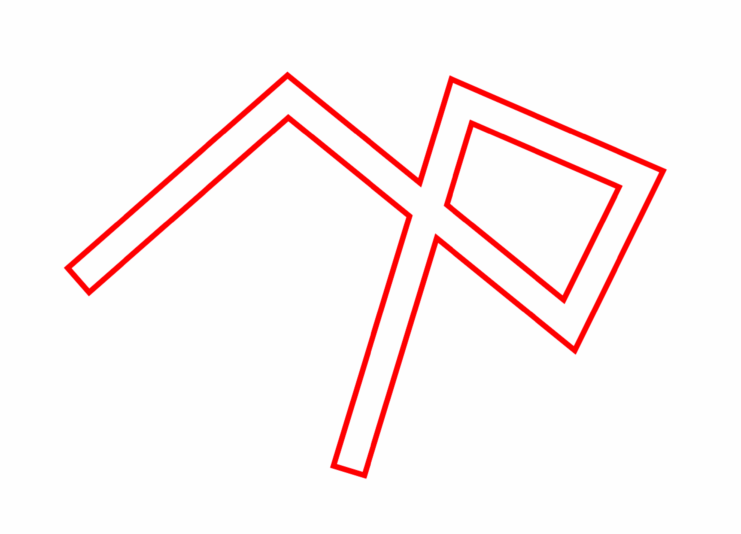
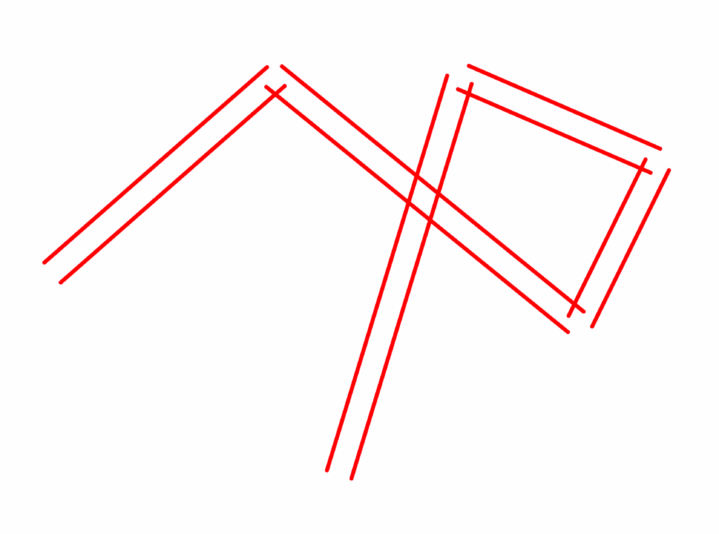
    Thank you, Filip. That’s a pity, cause I also want to use non-curved lines. It’s strange that it doesn’t distribute well on a corner (image01), if I apply the offset path it work just fine (image02).
    Still hope there is a solution for this, it seemed like such an easy thing; a double stroke. Never expected it to be this challenging in AE.

  • Nikki Van onna

    March 20, 2023 at 10:30 am in reply to: Double stroke on open path in After Effects

    That’s strange, I did attached them. Again below!

  • Nikki Van onna

    March 20, 2023 at 8:45 am in reply to: Double stroke on open path in After Effects

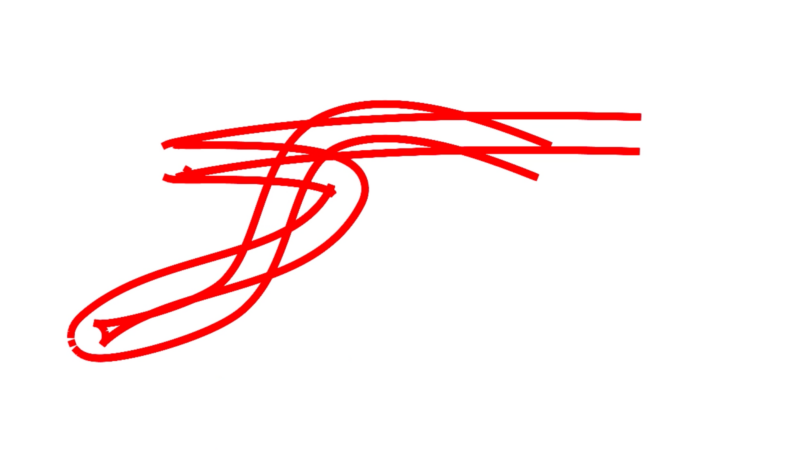
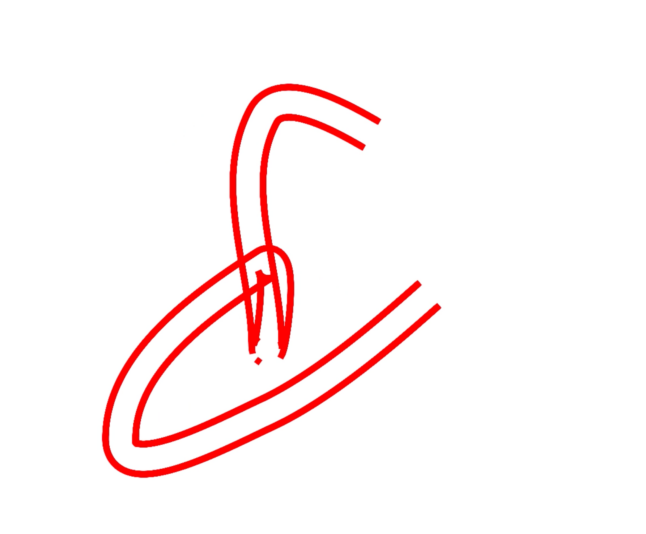
    The only problem I’m running into now is how this is handled at path point’s. Once the the curve gets to a certain extreme, the distribution of the characters on the path is off.
    See attached screenshots

    Do you have any idea how to fix this?

  • Nikki Van onna

    March 20, 2023 at 8:17 am in reply to: Double stroke on open path in After Effects

    Yes, you’re totally right, works like a charm. Thank you Filip!

  • Nikki Van onna

    March 17, 2023 at 7:59 am in reply to: Double stroke on open path in After Effects

    Hi Filip, thank you, that is actually a great and really smart solution!
    Only problem is that I want to use the stroke on an animated path inside a shape layer. It’s dynamically animated with Connect Layers Pro, that means I can’t copy the path in a mask on a text layer. Do you have an idea how to apply this method to a path outside the shape layer?

    Dank je wel alvast! (ik dacht ik schrijf de rest in Engels, dan hebben anderen hier wellicht ook nog iets aan :))

  • Nikki Van onna

    March 15, 2023 at 2:57 pm in reply to: Double stroke on open path in After Effects

    Thank you for your reply Graham. I want to have it like the first image.
    The second is what happens when I add an Offset Path to the stroke.

    Your suggestion for two shapes and an offset will not result in a stroke with an even width, it will be more like a calligraphic stroke. I really want an even stroke.

    A good reference would be a pattern brush in Illustrator; the you can draw any path and the double stroke will always be in the same with around it.

    Hope that makes sense!

  • Nikki Van onna

    October 7, 2021 at 7:28 am in reply to: Stretch image gradually by using a gradient

    Wow, that’s great, Graham. You’re a life safer. Thank you very much!

  • Nikki Van onna

    November 23, 2018 at 6:18 pm in reply to: Make letters react to audio. Advice needed.

    I know it’s been a while ago since you posted this, but I’m having exactly the same problem as you had.
    I also followed all the steps Dan described, but no luck here too. ☹
    Did you finally solve it?

    Any advice would be much appreciated!

    Thank you.
    Nikki

Page 1 of 2

We use anonymous cookies to give you the best experience we can.
Our Privacy policy | GDPR Policy