Forum Replies Created
-

After some research, I noticed the unit I mentioned does not play S-VHS in native S-VHS format, it plays them in VHS format, 240 lines instead of 400. If you use a native S-VHS unit with a S-video capture card, or s-video to hdmi, you should get the full 400 lines. I don’t know if any output hdmi though.
-
The BD-VHS unit doesn’t record onto tapes, it has no record function, it’s strictly to output VHS via HDMi. I’ve tested it using a few capture cards, and even upscaled to 4k using the HDfury DIVA, but its HDMi 2.1’s 4k 444 depth limit is 8-bit, so I’d much rather record in 1080p 12-bit and upscale in post. Great quality to be honest. Capture cards used are Blackmagic 4K quad, the Micomsoft X-Capture1 and the ElGato 4k60 mk2 with updated firmware for 444 12-bit depth.
As for Outputting from the PC to Standard definition, i have a few methods. Most of them involve composite or s-video output. I have basics, mini-displayport to composite/s-video, HDMi to composite/s-vide, VGA to composite/s-video, DVI to SDI then my favorite Canopus VGA to FireWire, a HDMi to FireWire (bit strange that one), then some thunderbolt/pcmcia/usb3 blackmagic, matrox and micomsoft capture cards with breakout cables and output ports for Y/C, composite, s-video, SDI … a 4k atem, a 4k Ultrastudio … I have a some gear that can output really good quality to be honest.
What I am missing is a VCR that can input/record anything other than composite/s-video. The average VCR isn’t good enough. If those DVHS VCRs you asked about can record the FW DV onto VHS or SVHS, and work really well, keeping the quality during the digital to analogue conversion, I’d like to look into them.
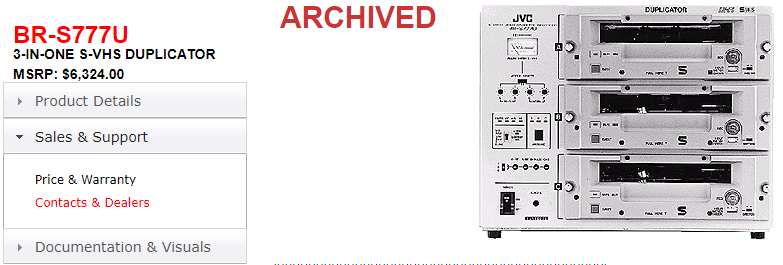
I am still very much interested in VHS dupilcators or a stack of pro VHS editing units as the solution for my VHS projects. The additional hookups and editing tools would probably help with yielding better results anyhow. I found a few cheap ones for under $100. Any you might recommend?
-
I’ve been going through some comparison videos, and they really don’t do the Panasonic BD-VHS player justice. The player outputs at 444 12-bit, which might look more washed out if comparing it to composite or S-video on a TV that doesn’t have color set up for the former purpose. The colors might seem washed out, but it is more color-space to play with. There is more room to adjust darks and whites, and there is also ultra-black to consider from HDMI being turned on or off. Ever since they updated the firmware on the machines, I’ve had excellent results.
-
Ah, good to know. Thanks for letting me know about the Y/C signal for the VHS duplicator. I literally started my research yesterday, lmao.
As for the composite or S-video, I am not happy with the quality. I see much better results from other people’s methods vs my previous experience with composite and s-video. If I record (for example) a terminator 2 clip from my pc via composite and compare it to my terminator 2 original VHS, the quality of the original VHS is much sharper. I feel composite video really blurs the source too much.
I was not aware of the BD/VHS unit’s issue. I was convinced by many it was a very decent system. Had it for about 5 years now. I haven’t seen any demos since I got it. Something I’m going to look into now i guess, lol. Do you have any links I can follow? -
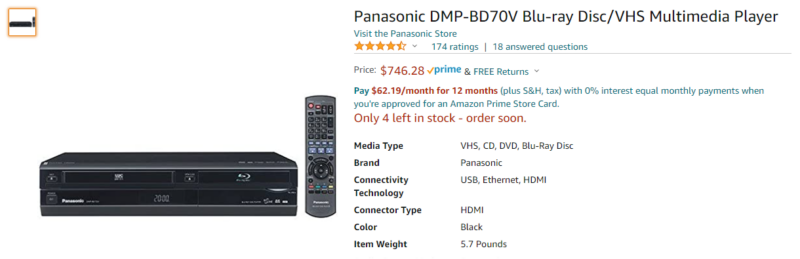
The attached pic VHS player outputs in HDMi 1080p at 12-bit color.
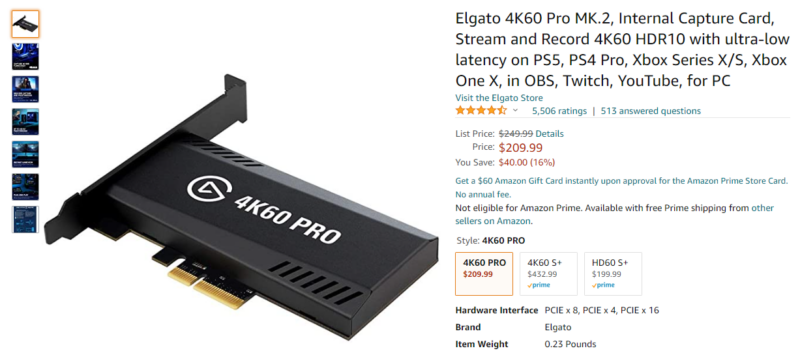
The attached pic 4K60 Card can capture 1080p 12-bit signals using the latest firmware.
Tested to work via OBS.
You must have a device between them that breaks HDMi copy protection, like an HDMi splitter or an HDFury device. I’ve used a few different splitters, but not all of them work. If you use and HDfury device, join their discord and contact their support team for custom firmwares.
-
I am also curious about this.
It’s ok Sebastian, some people will call themselves video professionals, yet they will only preach the knowledge they have, and deny the rest even exists.
*shrug* All I know is I know nothing.
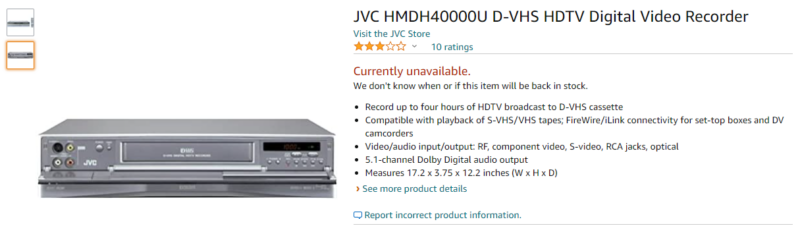
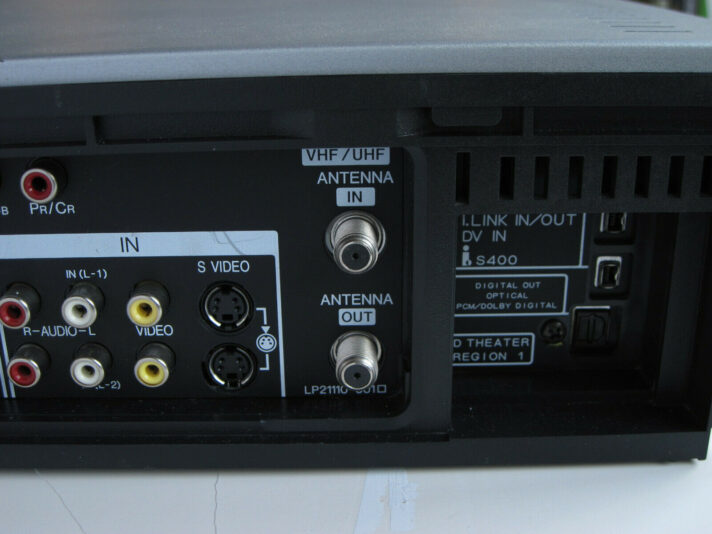
In hopes to progress the subject a bit further, I am glad to discover you have similar objectives as me in the world of video aesthetics. I Have come across a few DVHS machines with FireWire input, wondering if they would allow recording to analogue VHS using the digital FW signal. Maybe there is a conversion internally and live video from the PC screen, or a DV cam, or 1080p VGA to FW capture box like a Canopus, can be captured to the VHS.
I have been working with odd converters for years, and I’m sick of only getting Composite and S-video quality on Master recordings… or emulating the VHS effect on PC… All I want is a superbly clean image onto my VHS tape to get a true VHS quality. I have a Panasonic BD-VHS combo unit that presents VHS in 1080p in 444 12-bit color via HDMI and it is brilliant for preservation, but sadly it doesn’t record. A unit that could record HDMI to VHS would be nice, but that’s impossible… non-existent.
Research has led me to currently have my sights set on VHS Duplicator machines, which have SDI inputs. Outputting the SDI signal from my PC via converters seems to be the next move, but FireWire is still something I am very much interested in. I feel it might be a contender in quality versus a raw SDI signal, although I’ve seen some sharp shit out of SDI in some VHS samples.
Like I said earlier, I know nothing, so I’m not sure any of this works. Regardless, I wish you good luck on your research findings Mr. Fudali, I eagerly await to see results of your work.
P.S. I’ve attached some pictures for educational purposes. Hopefully it grows interest.