Wyatt Kedinger
Forum Replies Created
-

Hey Tom, check out this thread. I believe the last expression will do what you’re asking. Cheers!
https://creativecow.net/forums/thread/animate-text-in-by-word-on-markers/
-
You could also try this, which I did for a specific branded treatment that needed to retain the same font size to leading ratio at scale. This allows you to scale up the font size with the slider and the leading will follow.
You’ll need to do the math to come up with the ratio of size to leading and replace the ‘x’ with your number. Then, create a slider and then put your slider name in place of “Font Size”.
Wyatt
// Font size multiplied by x (x = the ratio of font size to leading)
style.setFontSize(effect("Font Size")("Slider")).setAutoLeading(false).setLeading(effect("Font Size")("Slider")*x).setFont("Axiforma-Black");
-
This is a tough one! I took another crack at it today and couldn’t get it. I comped these up to visualize the end goal. Again, here’s my expression and it is applied to an Expression Selector on my text layer.
fade = .5;
m = thisComp.layer("voiceover").marker;
n = 0;
if (m.numKeys > 0){
n = m.nearestKey(time).index;
if (time < m.key(n).time) n--;
}
if (textIndex < n){
0;
}
else if (textIndex == n){
t = time - m.key(n).time;
ease(t,0,fade,100,0);
}
else {
100;
}

-
Thank you! Unfortunately, these aren’t. But, I’ll keep trying to get it! I seriously appreciate your help. I’ll update the thread here if I’m able to solve it.
Cheers!
-
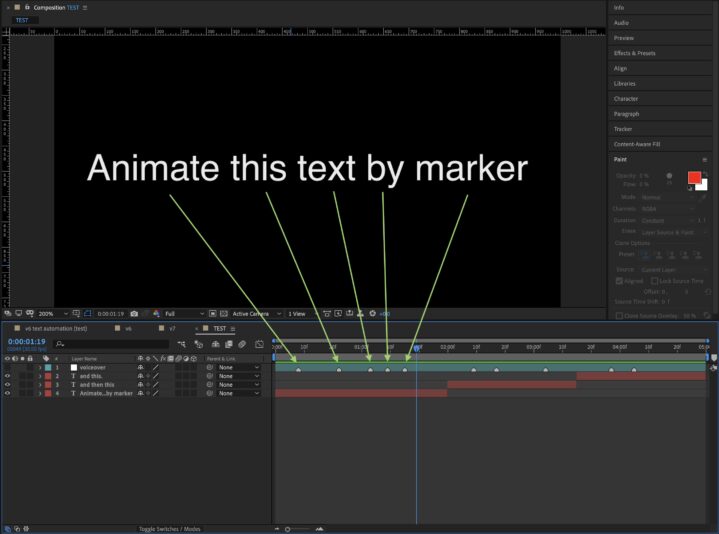
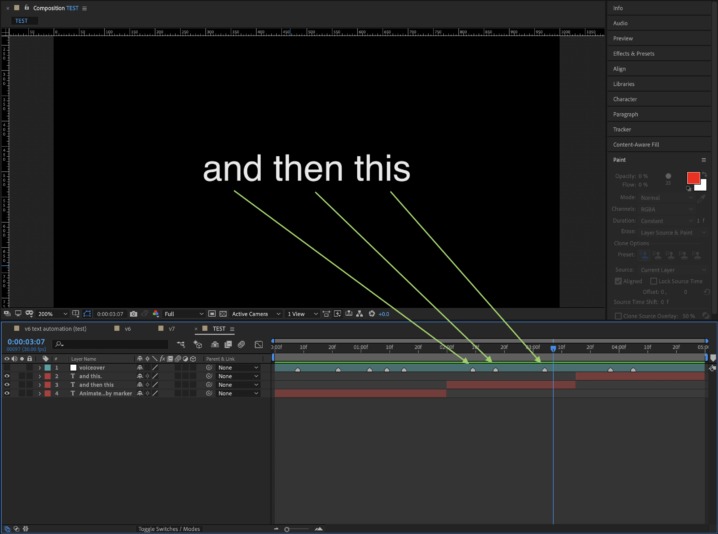
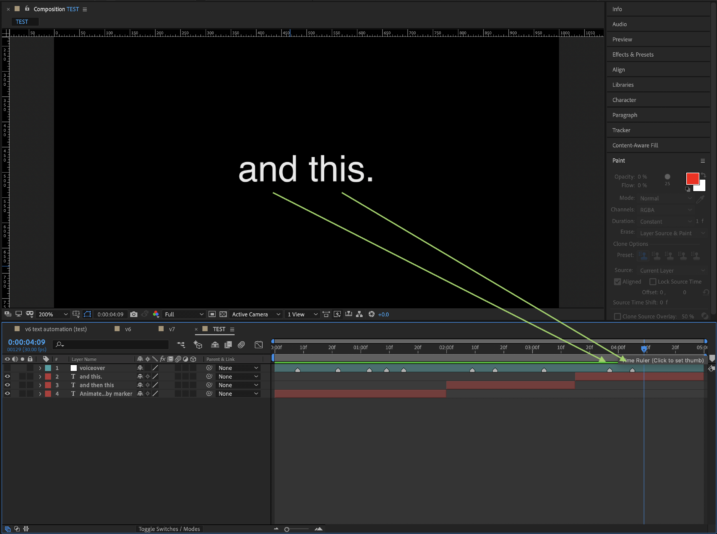
Thanks again, Fabrice!! I think this concept is closer, but it’s basically the reverse of what I’m trying to achieve. I laid this file out in the way I’d try and set up the project. A long audio source with synchronized markers and multiple text layers that animate each word in at the markers that correspond within their duration in the timeline.
-
Thank you, Fabrice! The expression in the project file you shared with me gives me a pretty close result to one an iteration I previously tried (below). But, I’m trying to get the text layer to only calculate the markers that are present within the in point and out point of the text layer. The expression below that I wrote (similar to yours) calculates all markers, beginning with the first marker in the layer containing the markers, regardless of where the text layer is positioned. This is where I’m really getting stuck. ?
<pre data-stringify-type="pre">
fade = .5;
m = thisComp.layer("voiceover 3").marker;
n = 0;
if (m.numKeys > 0){
n = m.nearestKey(time).index;
if (time < m.key(n).time) n--;
}
if (textIndex < n){
0;
}
else if (textIndex == n){
t = time - m.key(n).time;
ease(t,0,fade,100,0);
}
else {
100;
}
Again, I really appreciate your help!
Cheers!
-
Thank you, Fabrice! I seriously appreciate it. However, I’m getting an error when adding it. I should also note that in my text layer, I’m applying it to an Expression Selector based on Words. Is that also where you had put it?
Sorry about the confusion, thank you!
Error: This property has no keyframe at number 0.}
▶if (inPoint > m.key(n).time && textIndex < n + 1) {
t=time;