Forum Replies Created

  • Wow Thank you Dan ! it solved the error.

    I did a small change to add a gap on the Y otherwise they stack over each other:

    numBooks = thisProperty.propertyGroup(3).numProperties;
    bottomPos = thisProperty.propertyGroup(3)(numBooks).transform.position;
    dIndex = numBooks - thisProperty.propertyGroup(2).propertyIndex;
    bottomPos.valueAtTime(time - dIndex*.01);
    y=bottomPos[1]
    x= value[0];
    [x,y-8]

    But it works fantastically, thanks so much :).

  • Hi Dan,

    I tried to added but I get an error on the bottomPos :

    " Error : TypeError: ThisProperty.propertyGroup(...).property is not a function ".

    I wrote the expression like this :

    thisProperty.propertyGroup(2).index;
    numBooks = thisProperty.propertyGroup(3).numProperties;
    bottomPos = thisProperty.propertyGroup(3).property(numBooks).Transform.Position;

    Any idea?

    Ben.

  • Yes it’s that :).

    Thank you again (never enough), I’m trying your solution now.

  • Hi Dan,

    Thank you so much for your help,

    sorry for the miscommunication, I attached a txt with the layer structure…is that the kind of infos you need?.

    I will wrap my head around your solution, thank you so much for your time.

    I will get back to you.

    Ben.

  • Hi Dan,

    Thank you for replying, I will try to explain a bit better.

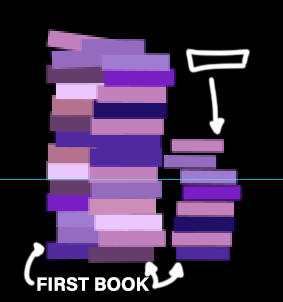
    So I’m trying to create a pile of falling books from the sky,

    the idea is to animate the first book (the one who will touch the ground first), so a Position from let say 100(sky) > 800 (floor) on the Y axis with an ease, and a small rotation.

    Than I’m trying to link the next books Position to his Position so they will follow the same animation with a small delay (pilling up on him).

    I was trying to use the index because they have to fall one after the other.

    I attached a Gif I did by hand quickly, by hand I mean I put animation key on all the books and sequence them, but now I have way to many to do it like that so I’m trying to find a shortcut so I don’t have to do them one by one.

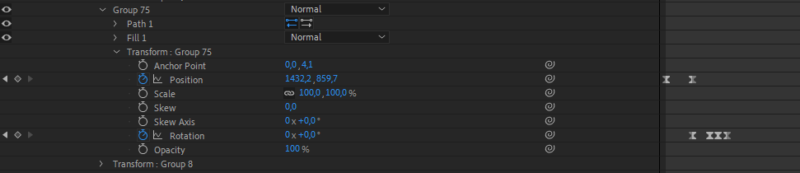
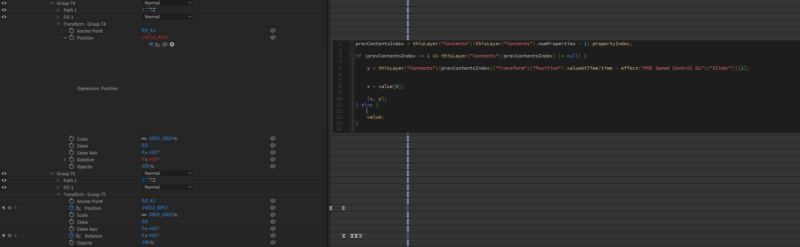
    In One of my screenshot you can see I tried using “prevContentsIndex” but not sure what I’m doing here. I also linked the ValueAtTime Value to a slider so I can control the delay.

    Maybe not the right direction :s.

    Hope it’s clearer.

    Thank you in advance.

    Have a nice day.

  • Benjamin Callaert

    November 29, 2018 at 6:52 am in reply to: Simulate Laser light on 3d Mesh

    Hi Cassius,

    thanks a lot for the help,

    i think this will help showing what i’m trying to acheive :

    https://www.youtube.com/watch?v=nT7ZK3Yrx6s

    This is a laser projection on mesh lines. I need to reproduce that but on my 3d Mesh.

    This is why i though to use the c4d camera has a projector for my content, but i think instead i will animate a 3d shape, place it inside my mesh cube than use alpha to show only the place where it “hits” the mesh.

    Thanks again.

    Ben

We use anonymous cookies to give you the best experience we can.
Our Privacy policy | GDPR Policy