

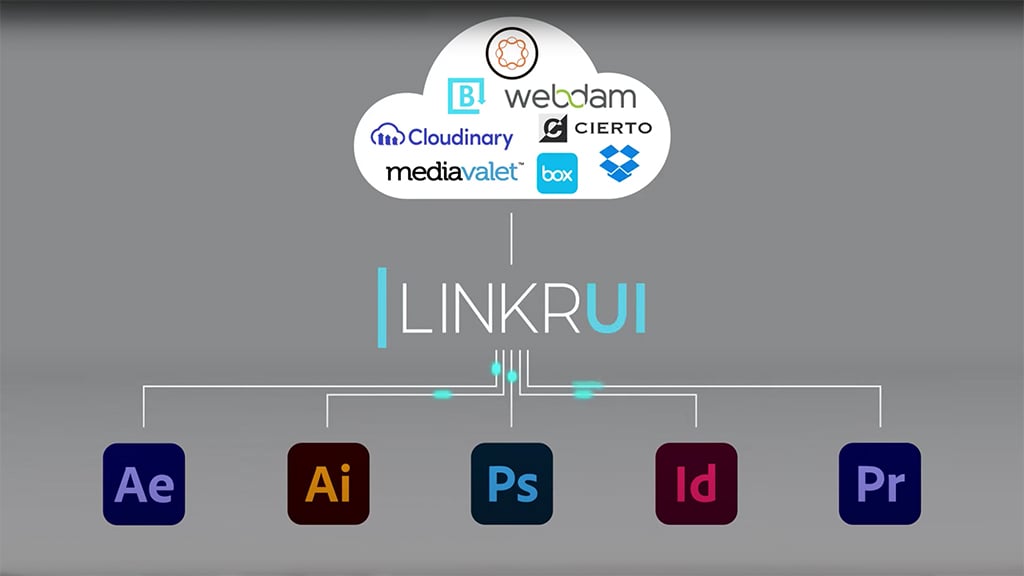
LinkrUI Now Finds and Fixes Broken Asset Links in Adobe Premiere and Adobe After Effects

New Smart-Linkr Feature Offers Automatic Asset Relinking for Adobe Premiere and Adobe After Effects Project Files Accessed via DAMs
Santa Cruz Software, a global leader in the development of software solutions for cross media content publishing, today announced that the premium version of LinkrUI has expanded capabilities to now automatically find and fix broken links in projects for Adobe Premiere and Adobe After Effects. The automatic asset relinking feature, named Smart-Linkr, enables small, medium and enterprise-level teams to collaborate more seamlessly by simplifying the process of accessing projects and maintaining version control, while working on video and visual effects projects.

Visit here to learn more and download LinkrUI.
LinkrUI is a best-in-class extension to Adobe applications and Microsoft Office applications that enables direct searching, opening, placing and synchronizing of assets stored in a Digital Asset Manager (DAM) system or other cloud storage, such as Box and Dropbox. When a user accesses a project file that has broken links, Smart-Linkr can automatically detect and relink them. For Adobe applications, the freemium version of the product is compatible with Adobe InDesign, Adobe Illustrator and Adobe Photoshop. The premium version includes compatibility with Adobe Premiere and Adobe After Effects. When LinkrUI detects a broken asset in a project for Adobe Premiere or Adobe After Effects, the Smart-Linkr notifies the user with a missing link icon. Then the premium version enables the user to search the DAM automatically to find the lost asset and fix any broken links with a single click.
If a project’s linked assets are already in the cloud, LinkrUI will automatically search and find similar assets, providing a list of asset options. The user can then choose the correct asset and relink it. If the linked assets are only linked locally, the user can upload the asset to the cloud or DAM service with a single click in the LinkrUI panel. Once the project and linked assets are uploaded to the DAM, all team members can access the same cloud-based project and assets using the LinkrUI panel.
Broken links and version control are common problems among creatives. A recent survey of creative professionals shows that over four in five (83%) respondents are spending time finding lost assets at least once a week. Nearly three-quarters of designers spend at least three hours a week managing versions, and a staggering 15% are spending over six hours a week managing versions.
“The difficulty of managing digital asset versions has long tormented multi-media professionals, especially for those who work in video and animation,” said Mark Hilton, CEO of Santa Cruz Software. “This new feature of LinkrUI has the potential to save precious time every week for creative and video production teams. Collaboration among creative teams of any size, small to enterprise level, is now much simpler thanks to Smart-Linkr in LinkrUI.”
###
Enjoying the news? Sign up for the Creative COW Newsletter!
Sign up for the Creative COW newsletter and get weekly updates on industry news, forum highlights, jobs, inspirational tutorials, tips, burning questions, and more! Receive bulletins from the largest, longest-running community dedicated to supporting professionals working in film, video, and audio.
Enter your email address, a first and last name, and let us know what you’d like to see more of in the message!

Responses