


Introducing Adobe Photoshop Elements & Premiere Elements 2027

New tools make it easier than ever to enhance your photos, personalize your videos, and bring your memories to life
Adobe is excited to share new updates coming to Adobe Photoshop Elements and Premiere Elements 2027 with new tools that help you improve image quality, personalize your videos, and quickly find the memories you’re looking for just by describing them. The result is less time spent hunting for the right tool, and more time enjoying your photos and videos.
Let’s dive into everything new!
Photoshop Elements 2027: Edit with confidence using AI-powered tools that help you get the results you’re looking for, fast
Sometimes the hardest part of photo editing is knowing which tool to use and where to find it. New tools do that work for you, so you spend less time navigating and more time creating your project.
- Generative Expand: Extend a photo beyond its original borders by filling in the surrounding space with matching content, so you can fit a shot to any frame or print size without cropping anyone out.
- Generative Upscale: Sharpen details and improve clarity in lower-resolution photos, so an old or blurry favorite becomes clear enough to print, frame and share.
- AI Assistant (beta): Describe the outcome you’re looking to create in everyday language and get step-by-step guidance and recommendations to complete common editing tasks.
- Creative Filters: Give any photo a distinctive look with new artistic filters like Embroidery, Oil Painting, and Duotone, then control exactly the effect you want with sliders for intensity, texture and color.
- AI Tools Hub: Access popular AI-powered editing tools in one convenient location.

Premiere Elements 2027: Create polished videos with tools that help you customize and personalize your projects
Finding the right visual element, figuring out the next editing step, or adding a personal touch to your videos can slow down the editing process. New AI-powered capabilities and workflow improvements are designed to help you personalize your videos, explore ideas more quickly, and stay focused on your story.
- Generate Image: When you need to fill a gap in your story or add a one-of-a-kind overlay but you don’t have the right footage, now you can create a custom image from a simple text description and drop it straight into your video.
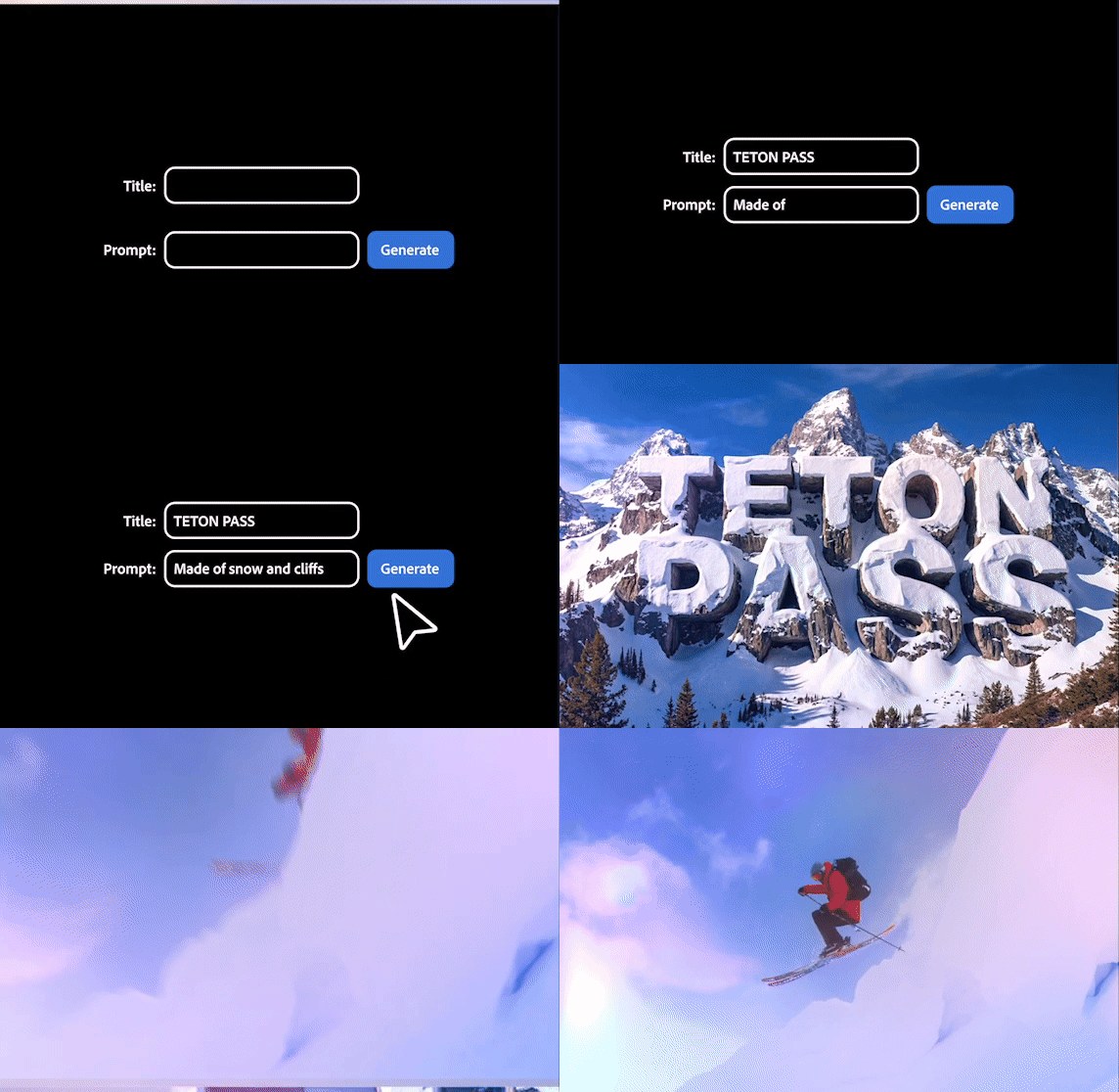
- Generative Title Art: Turn text into stylized title graphics tailored to your project using simple text-based prompts.
- Sample media: Jump right in with built-in photos and videos to explore features, try techniques, and learn new skills.
- Contextual Toolbars: Find the relevant editing tools you need by describing the task you need to do, without breaking your creative flow
- Editing Indicators: Quickly identify effects, transitions, and text formatting issues to make editing more seamless.
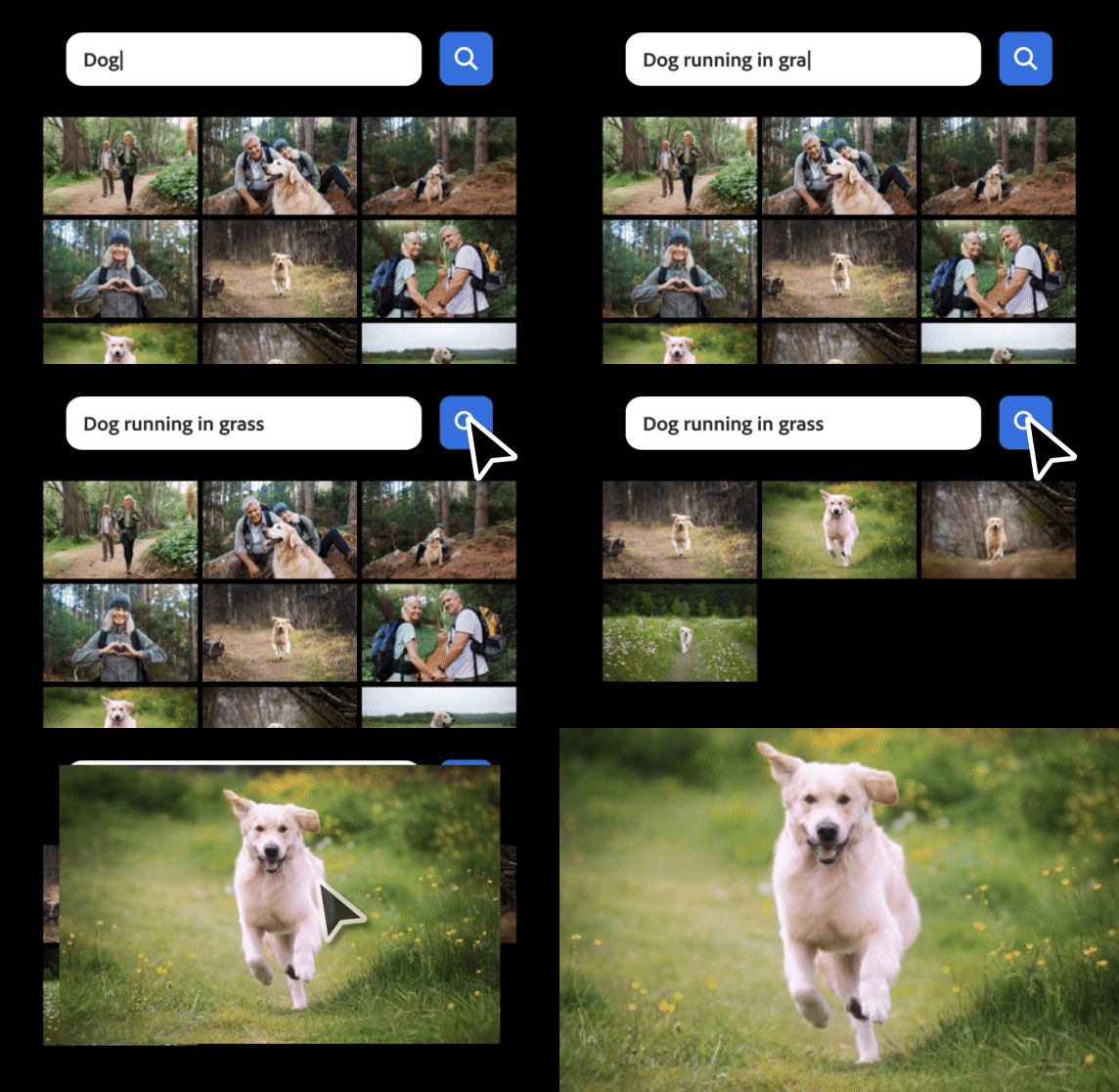
Elements Organizer: Find, organize, and share your photos and videos more easily
As your library grows, managing thousands of photos and videos can become just as challenging as editing them. Upgrades in the Elements Organizer help you quickly locate the content you’re looking for, reduce clutter, and make it easier to share finished projects from your computer or phone.
- Semantic Search (English-only beta) speeds up your search process using natural language descriptions to find the video or photo you’re looking for, even when your search terms don’t match your existing tags exactly.
- Enhanced Find Duplicates: More accurately identify duplicate files and make informed decisions about what to keep.
- Share to Phone: Transfer edited photos directly from desktop to mobile using a QR code.
Photoshop Elements and Premiere Elements 2027 are available through a discounted bundle now through Adobe.com, Amazon, Best Buy, and other retailers.
To learn more about the new features, check out Adobe Elements.
Enjoying the news? Sign up for the Creative COW Newsletter!
Sign up for the Creative COW newsletter and get weekly updates on industry news, forum highlights, jobs, inspirational tutorials, tips, burning questions, and more! Receive bulletins from the largest, longest-running community dedicated to supporting professionals working in film, video, and audio.
Enter your email address, and your first and last name below!


Responses