

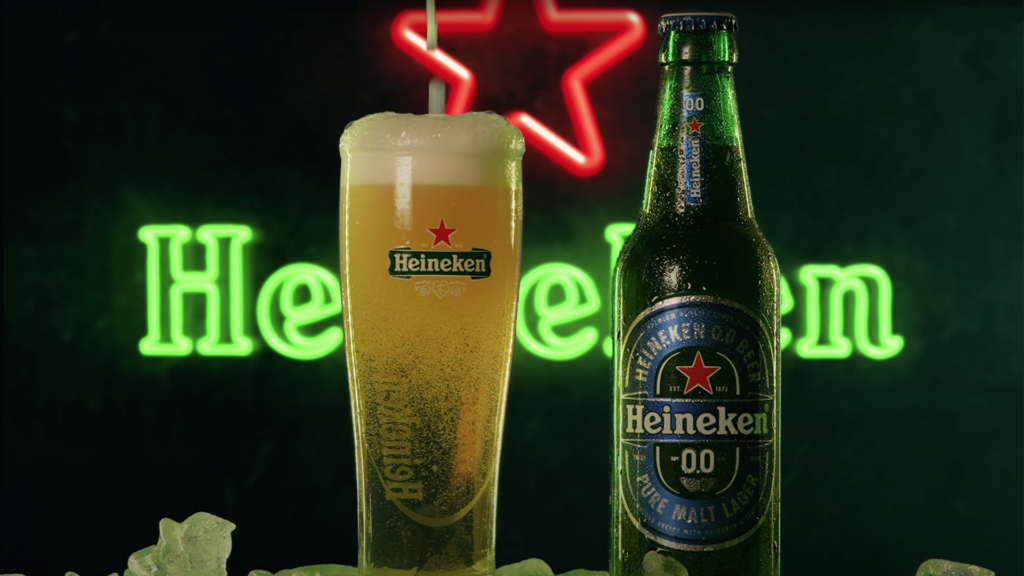
How to Shoot a Beer commercial at home with a CGI background

Fellow COW, student of filmmaking, and content creator Sean Alami breaks down how he filmed an epic beer commercial at home using a CGI background in this After Effects video tutorial.
Sean teaches how to change the background to one’s liking using his favorite beer, the alcohol-free Heineken 0.0, as an example.
Sean also discusses his camera and lenses, lighting, and adjusting the settings to get the macro-look and bokeh-effect that he prefers.
Gear Used
Best Camera Sean owns – The Sony Alpha 7s III
Lenses: Tamron 24-70mm f2.8 and the Sony 16-35mm f2.8
Lighting: Godox RGB LED Bi-Color LC500R Light Stick
Keylight: Falcon Eyes RX-18TDX II
Chapters
0:00 – Hook
0:10 – Heineken Ad
0:34 – Intro
02:20 – Camera Gear
03:10 – Camera Settings
03:30 – Inspiration
04:02 – The set
05:15 – Green lights BG breakdown
07:38 – First shot break down
09:56 – Second version breakdown
12:29 – outro
Enjoying the latest tutorials? Sign up for the Creative COW Newsletter!

Sign up for the Creative COW newsletter and get weekly updates on industry news, forum highlights, inspirational tutorials, tips, burning questions, and more! Receive bulletins from the largest, longest-running community dedicated to supporting professionals working in film, video, and audio.
Enter your email address, a first and last name, and let us know what you’d like to see more of in the message!
[contact-form-block name_label=”Name” email_label=”E-mail” message_label=”Message” header=”false” header_image_id=”null” header_image_size=”50″ header_image_align=”left” header_title=”Get in Touch” header_text=”Leave your message and we’ll get back to you shortly.” button_text=”Send” button_color=”#3d84f6″ button_text_color=”white” align=”undefined” theme=”default” message_rows=”5″][/contact-form-block]
Responses