

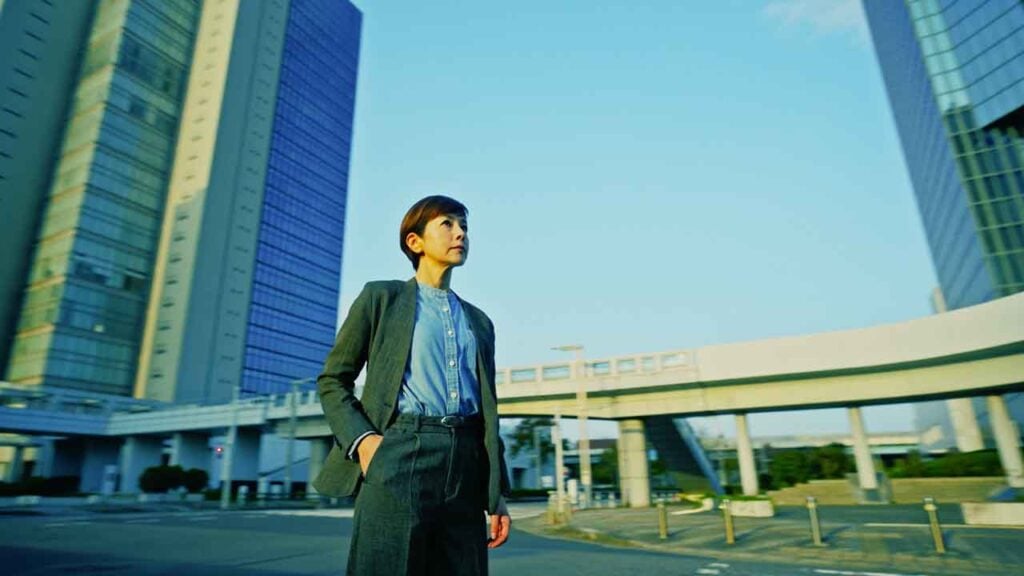
Fuji TV’s Absolute Zero Produced with DaVinci Resolve Studio

Production relied on DaVinci Resolve Studio and control panels from set to final grading.
Blackmagic Design announced today that DaVinci Resolve Studio editing, color grading, visual effects (VFX) and audio post production software was used in the production of the Fuji TV drama series “Absolute Zero.” Within the tight schedule of a serialized television drama, DaVinci Resolve Studio was highly valued for its speed, reliability, and creative flexibility. In addition to Resolve Studio, the production also utilized DaVinci Resolve Mini Panel, DaVinci Resolve Advanced Panel, and Blackmagic Video Assist 12G monitor/recorder.
“Absolute Zero” is a long running detective drama series broadcast intermittently on the Fuji TV network, with five seasons produced to date. The latest fifth season is set in the Special Investigation Unit of the Digital Information Crimes Taskforce (DICT). The story follows a new cast, led by Yasuko Sawaguchi, as members of DICT confronting a wide range of cyber and information related crimes.
Director of Photography Daisuke Soma and Colorist Yutaka Otani (VASC co.,ltd.) spoke about the grading process and workflow for “Absolute Zero.”
Using DaVinci Resolve Studio on Set
DaVinci Resolve Studio was used not only in post production but also on set.
Otani explains: “We use DaVinci Resolve’s Clone Tool to back up camera data. Since it allows verified copies, it has been our go to solution for a long time. We also record video and audio separately, so we use Resolve to sync them, apply LUTs, and create dailies for offline editing.”
In addition, Video Assist 12G recorder played an important role on set alongside DaVinci Resolve Studio. During filming with two cameras, footage from each camera was recorded to two Video Assist 12Gs while the script supervisor checked each scene. Any material that could not be fully viewed on set was taken home for further review as part of the workflow. Video Assist 12G’s simple operation made it easy to use even for non technical staff, making it an ideal choice for the production.
Soma adds: “Among script supervisors, Video Assist actually has a very high market share, and we used it on this production as well. On set, time is extremely limited, so unless a scene is especially critical, there’s rarely time to carefully review footage. However, script supervisors need to log every detail, so they review the day’s footage on the SD cards later.”
Creating and Using Multiple LUTs for Each Scene
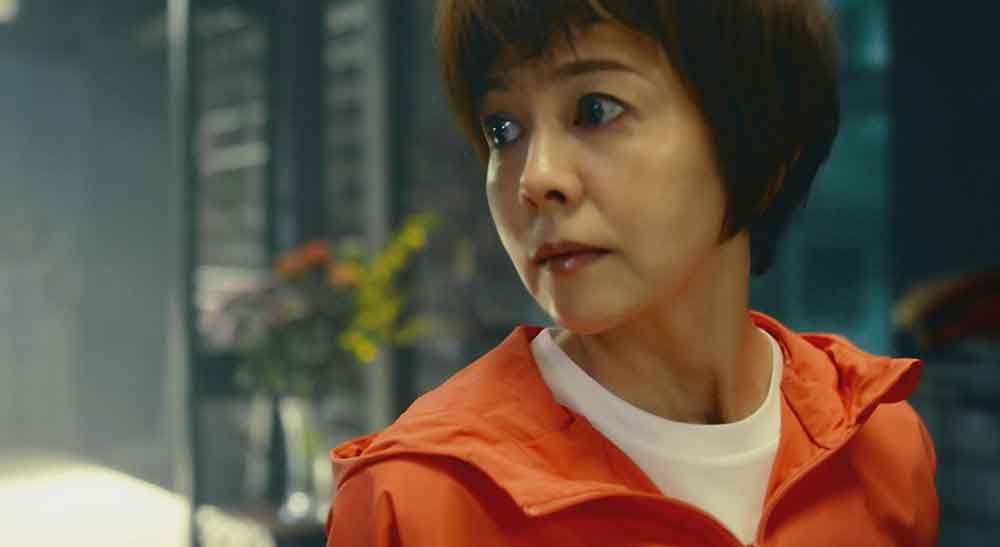
From production through post production, the look of the series was developed around DaVinci Resolve Studio. Prior to filming, LUTs were created in DaVinci Resolve Studio, then applied and switched depending on the scene during shooting. In post production, each shot was further refined through detailed color grading.
Soma explains: “Neither the director, Tanaka, nor I had worked on ‘Absolute Zero’ before, so we discussed what kind of tone we wanted. We kept listing films we liked—such as The Bourne Supremacy and City of God—and eventually narrowed it down to six titles, which we shared with Otani.”
Otani recalls: “Suddenly, I received a list of six film titles and I thought, ‘So I’m supposed to recreate these looks…’ Honestly, I panicked a bit. I had just finished another job, so there was almost no prep time. On top of that, the tones of the six films were completely different, and it wasn’t clear which aspects of each film they were referencing. I started by checking the trailers. Soma was scheduled to come in for a meeting at 10am that day, so I prepared six LUTs in just a few hours.”
Soma continues: “After further discussion, the number of LUTs increased to 14. We loaded these View LUTs into the cameras and switched them depending on the scene. On set, it was like, ‘Next scene—use Argo!’”
Otani says: “The City of God style LUT had a very aggressive tone, so honestly, I didn’t want it to be used. It was fine for test footage, but with actual shooting conditions, unexpected light can come in and cause colors to break. I assumed we wouldn’t end up using it…”
Soma laughs: “But there was actually an episode shot primarily with that LUT. During filming, reds would invert, but I kept telling the crew, ‘It’s fine—Otani will fix it somehow.’ Even the assistants were worried.”
Otani adds: “Other staff members reported, ‘There’s an error in the footage!’ and I had to explain, ‘No, it’s not an error—just ignore it.’ Then I fixed it all during grading. I’ve never experienced anything like that before (laughs).”
Soma continues: “We even asked him to create an even heavier version, ‘City of God 2,’ to further differentiate scenes with different timelines during grading.”
Incorporating a Digital Feel into the Tone
Since the drama focuses on information crimes, a strong “digital feel” was also required in the visuals.
Soma explains: “Although the overall theme is cybercrime, one episode leaned more toward human drama and lacked a digital feel. I wanted to introduce a digital tone visually. During a break, I noticed a ‘Zettai Reido’ poster near the smoking area—it had an RGB shift, chromatic aberration like design. I thought, ‘This is it,’ and immediately discussed it with Otani.”
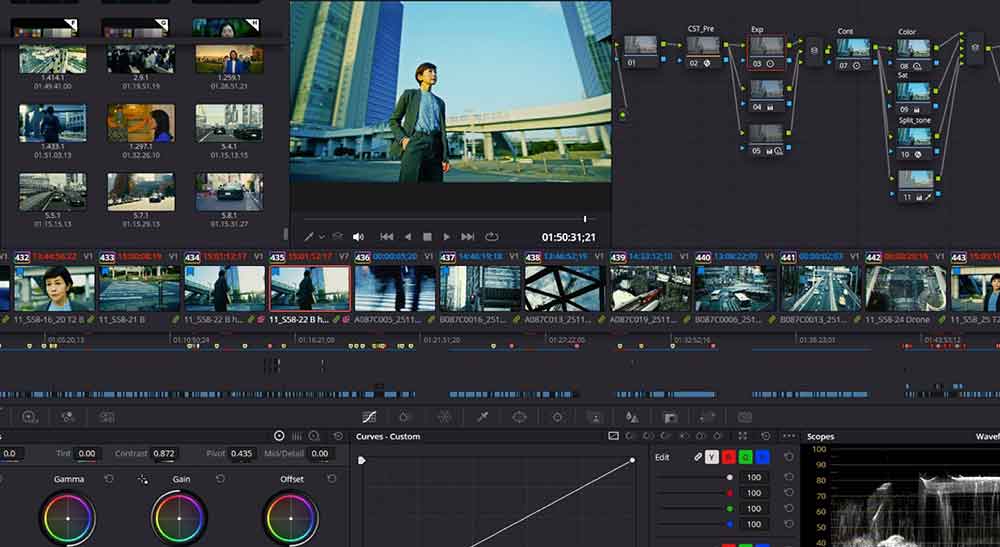
Otani explains the technique: “I used splitter/combiner nodes to create RGB misalignment. They also wanted movement, so I added animation using keyframes. On this project, we handled many processes typically done in online editing, such as adding flares, entirely within DaVinci Resolve. Starting in 2026, our company will fully switch our online editing system to DaVinci Resolve. We’ve used Resolve for certain effects for a while, but Magic Mask, in particular, is outstanding.”
The Speed and Reliability of DaVinci Resolve
Otani concludes: “Recently, neutral looks have been the norm for TV dramas, so a tone with this much contrast and strong color is quite rare. Since the show focuses on information crimes and has less intense physical action, I think we were able to give the visuals impact through color.”
The production used two cameras from different manufacturers, with different lenses, codecs, and resolutions, making differences in detail beyond color very noticeable. Additionally, the A and B cameras were used in nearly equal proportion, requiring careful adjustment so viewers wouldn’t notice camera switches.
Otani explains: “We used DaVinci Resolve’s Remote Grade feature to apply identical grading to footage from the same camera. Since the series also includes many long takes, we used keyframes to adjust color dynamically in sync with camera movement.”
He closes by summarizing the role of DaVinci Resolve in the production: “TV dramas always have extremely tight schedules, so I needed to build Soma’s creative intentions into the look during preparation. I also applied noise reduction throughout the entire series. Tasks that would normally take two full days were done in almost one day. DaVinci Resolve’s responsiveness and processing speed were a huge help. Exports were also stable and error free. Without this level of speed and reliability, our workflow simply wouldn’t have worked.”
Enjoying the news? Sign up for the Creative COW Newsletter!
Sign up for the Creative COW newsletter and get weekly updates on industry news, forum highlights, jobs, inspirational tutorials, tips, burning questions, and more! Receive bulletins from the largest, longest-running community dedicated to supporting professionals working in film, video, and audio.
Enter your email address, and your first and last name below!


Responses