Creative Communities of the World Forums

The peer to peer support community for media production professionals.

Activity Forums VEGAS Pro Weird grey mass on video

  • Weird grey mass on video

    Posted by Travis Rhoda on November 24, 2022 at 5:37 pm

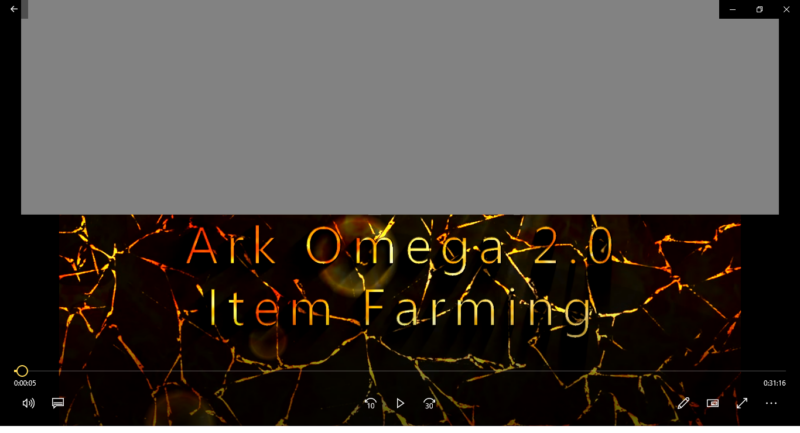
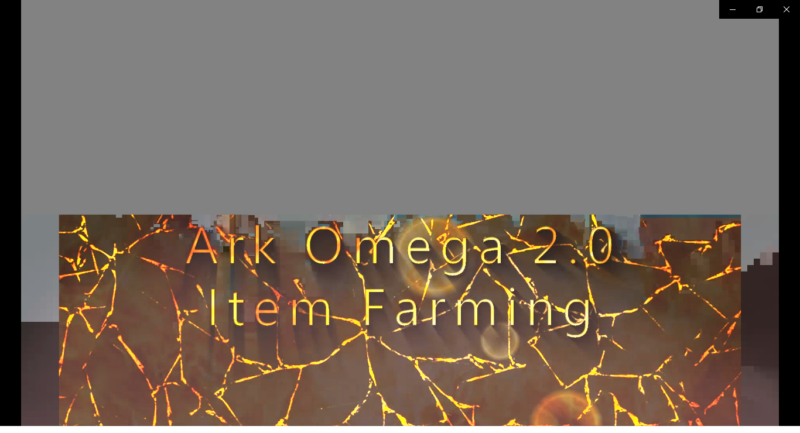
    Hey everyone, I’m not sure what this is. But about 50% of the time when I’m rendering a video using an into I created, I get this weird gray blob at the top of my video.

    When I render this portion of the video by itself, it comes out clean.

    But if I add this video to others in a project with the same settings (30fps, 1920×1080, etc.) this happens around half the time. I’ve turned off resample, I’ve turned off keeping the aspect ratio. I’ve tried several other suggestions from YouTube. Rendered and re-rendered the video with multiple settings and no matter what about half the time it keeps happening. One time I kept the same settings and the first time it did it but the second time it didn’t.

    I’m not sure what else could be causing it. I’ve shut down almost everything running in the background including my anti virus and it’s still happening. It’s not a huge deal other than I need to render multiple times and it’s causing me to waste my time.

    Any ideas?

    Steve Rhoden
    replied 3 years, 3 months ago
    3 Members · 2 Replies
  • 2 Replies
  • Aivis Zons

    December 14, 2022 at 1:19 am

    Have you tried rendering in a different format? For example if you used a template from MAGIX AVC/AAC MP4 originally, try something from Quicktime or MPEG (purely random options) and see if it’s still there.

    And has it happened with other projects where this intro isn’t present?

    Overall my guess is that there’s an issue during the encoding process. Could also be a driver issue.

  • Steve Rhoden

    January 18, 2023 at 8:03 pm

    Seems like that particular intro video possibly got corrupted somehow….

We use anonymous cookies to give you the best experience we can.
Our Privacy policy | GDPR Policy