Creative Communities of the World Forums

The peer to peer support community for media production professionals.

Activity Forums VEGAS Pro Weird artifacts from rendering

  • Weird artifacts from rendering

    Posted by Jason Kupski on February 18, 2011 at 3:48 am

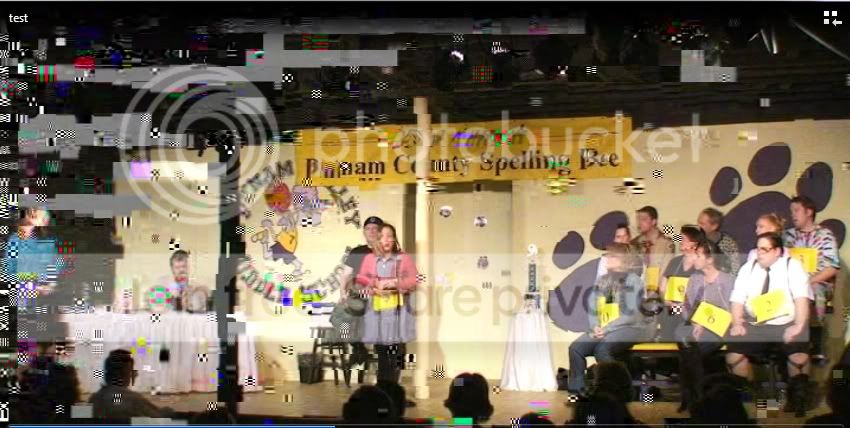
    Below is some weird rendering output that I encountered that I have no idea to correct. I’ve tried multiple re-renders with the same result. Would somebody mind taking a look at this for me and tell me what I’m doing wrong?

    My source footage is HDV 1440x1080i @ 29.97 with the final output for intended for DVD.
    My input settings are as follows:
    Template: HDV 1080-60i
    Upper field First
    Par: 1.33
    Motion Blur: Gaussian
    Deinterlace Method: Interpolate Fields
    Adjust source media is checked

    I rendered the above source twice with the intent of a faux 2 camera setup. The first render I cropped the footage 720×480, the second render I very lightly cropped. Both of these turned ouT fine.

    Here are the render settings that i used for the project:
    Output Render Settings:
    Cropped to 720×480
    MainConcept MPG2
    720×480
    16:9 Aspect
    FPS 29.97
    Profile: Main
    Level: Main
    Field Order: Progressive
    Vid Quality: 31
    Insert Sequence Headers is checked
    VBR

    (Default advanced video settings)

    After my original footage was rendered into the two NEW sources I created a new comp with the following settings.

    Template: Custom 720×480 @ 29.97
    Field Order: None
    Par: 1.2121 (NTSC DV Widescreen)
    Motion Blur: Gaussian
    Deinterlace Method: None
    Adjust source media is checked

    My first attempt was to bring both sources into vegas and use the multicamera tool to edit. I used the same output render settings as listed above. I ended up with the results shown in the picture below. I then started over but instead of using multicamera i just adjusted the opacity level of track one to do the same thing. Unfortunately I got the same results. I re-rendered my original footage but that didn’t work either.

    Can someone point out the flaw in my workflow or what the possible problems are? Should i have done my initial renders to cineform?

    Thanks a lot !
    J
    John Rofrano replied 15 years, 3 months ago 2 Members · 4 Replies
  • 4 Replies
  • John Rofrano

    February 18, 2011 at 6:42 pm

    I’m not sure what would have caused this but I definitely would NOT render to SD MPEG2 as your intermediary format. I would also not deinterlace either. I would just render both to DV Widescreeen AVI files and edit them in a DV Widescreen project.

    If you want to deliver progressive, you’ll need to render as 24p because DVD’s do not accept 30p (which is what you rendered as your intermediary format).

    Also, why did you use “Interpolate Fields” as your deinterlace method in the first project? This throws half of your vertical resolution away. Were you having problems with interlace motion?

    ~jr

    http://www.johnrofrano.com
    http://www.vasst.com

  • Jason Kupski

    February 18, 2011 at 8:50 pm

    First off, thanks for taking the time to read / respond.
    Secondly, awesome webinar yesterday with the BCC suite! Your YES wallpaper was cool too.
    (Also, i’m new to video editing and obviously have a lot to learn)

    I’ll definitely give your advice a try, should i use a specific codec for the AVI files (cineform) or just render uncompressed? I would prefer to render uncompressed but i read somewhere that it’s not ideal for some reason or another.

    I used interpolate fields because the image quality appeared to be better than blend fields. Should I just set it to none, and not worry about deinterlacing?

    Would i gain a quality difference by going from 29.97i to 24p since i’m going to DVD? The reason i ask is that im not sure that my source footage is natively compatible with a pull down to get it to 24p. I used a Sony HDR-HC7
    https://www.camcorderinfo.com/content/Sony-HDR-HC7-Camcorder-Review/Format.htm

    thanks!
    j

  • Jason Kupski

    February 18, 2011 at 8:57 pm

    Sorry John, I just read your post from here:
    https://forums.creativecow.net/thread/24/918076

    does that apply if my camera doesn’t have a specified pull down? Should I just leave my field order set to upper for my renders?
    thanks!
    j

  • John Rofrano

    February 18, 2011 at 9:58 pm

    [Jason Kupski] “First off, thanks for taking the time to read / respond.
    Secondly, awesome webinar yesterday with the BCC suite! Your YES wallpaper was cool too.
    (Also, i’m new to video editing and obviously have a lot to learn) “

    Thanks for the kind words. I’m glad that you found it useful. I forgot to mention on the webinar that if there are other areas of BCC7 you’d like to learn more about, just let me know. I’m continually adding to the Boris TV episodes for BCC7 with Vegas Pro and I’ll be glad to take requests for future episode topics.

    [Jason Kupski] “I’ll definitely give your advice a try, should i use a specific codec for the AVI files (cineform) or just render uncompressed? I would prefer to render uncompressed but i read somewhere that it’s not ideal for some reason or another. “

    While I really like CineForm and use it all the time, that’s really for HD and since you are making faux 2 camera SD, I would recommend that you render as Video for Windows using the NTSC DV Widescreen template. Vegas Pro has an outstanding DV codec which should hold up very nicely and will match your final output.

    Having said that, there is a color space issue you should be aware of. HDV uses 4:2:0 and DVD MPEG2 uses 4:2:0 but DV uses 4:1:1. What that means is rendering to DV will leave you with 4:1:0 in the end so you will loose some color information. It should not be noticeable (it won’t look any worse than the DV we’ve been shooting all these years) but I wanted you to be aware of it.

    [Jason Kupski] “Would i gain a quality difference by going from 29.97i to 24p since i’m going to DVD? The reason i ask is that im not sure that my source footage is natively compatible with a pull down to get it to 24p.”

    Vegas will actually perform an inverse telecine (IVTC) which is the opposite of pulldown to get the video down to 24p. The thing to watch out for is stutter because you are removing frames so fast motion will not be as smooth. It’s one of those things that you can try a test render and see if you like it. I don’t know why you were deinterlacing which is why I mentioned it.

    ~jr

    http://www.johnrofrano.com
    http://www.vasst.com

We use anonymous cookies to give you the best experience we can.
Our Privacy policy | GDPR Policy