-
Visible interpolation frames despite setting animation interpolation to HOLD
Hi
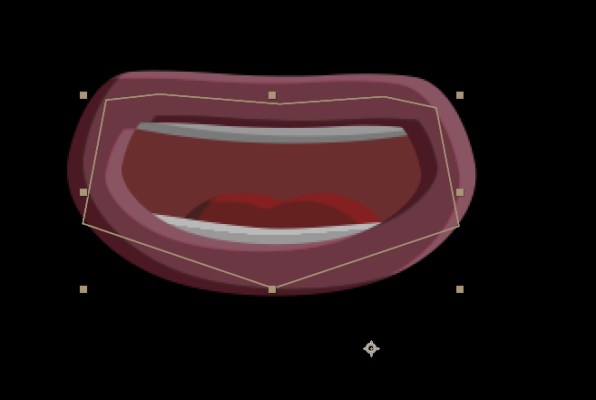
I’ve got a mouth rig that I’ve made from various shape layers, I’ve uploaded a picture rather than try to explain the set up but I’m happy to post more details if anyone wants.
I’ve created a comp (lets call this comp 1) of about 20 frames with the mouth in different shapes on each frame, e.g. the mouth is shaped to make an A sound on frame 1, then an E sound on frame 2 etc etc.
Then in another comp I’ve got an character that I’m adding the mouth onto, lets call this comp 2, ie. comp 1 is on a layer in comp 2.
So in comp 2, I’ve enabled time remapping on the comp1 layer and set the keyframe interpolation type to HOLD. So when I want an A sound I add a keyframe on the time remap and set it to 00:00:00:01. This mouth shape then holds until the next keyframe and so I go through and set loads of keyframes to animate the mouth to fit the dialogue.
The issue I’ve got is that this is mostly working but occasionally I’m seeing what looks like some interpolation between keyframes on the mouth shapes, which I don’t want, and I can’t work out why its doing it. It only does it very occasionally i.e. it doesn’t’ do it between all key frames, I’d say its around 1 in every 50, roughly.
I’ve checked that interpolation is definitely set to HOLD for all keyframes on the time remap for the layer, I’ve checked that all comps are the same frame rate (25) since that can cause weird behaviour sometimes, but I’m out of things to check now.
Any help much appreciated and I can answer any questions if I’ve missed any details.
Using After Effects cc2020 v17.1.3 (Build 41) on Windows 10
Thanks