Creative Communities of the World Forums

The peer to peer support community for media production professionals.

Activity Forums VEGAS Pro Vegas Pro Subtitle Effects

  • Vegas Pro Subtitle Effects

    Posted by Ahmed Ismail on September 28, 2020 at 7:44 pm

    I’m using Vegas pro for simple video editing and hard-coding subtitles to videos. I tried importing .ass files into Vegas, as they contain much more effects like (opaque box, fade effect and custom font), but it only imports .srt files.

    In Vegas, I learned how to apply fade in/out effect on the entire subtitle track, but I didn’t manage to know how to apply opaque box or customize the font at once for the subtitles. And it would take too much time to edit one by one, as a 10-minute-video might contain more than 150 segments.

    Any help would be very much appreciated, thank you.

    Ahmed Ismail replied 5 years, 7 months ago 4 Members · 8 Replies
  • 8 Replies
  • Francois Pénzes

    September 28, 2020 at 11:59 pm

    Hi Ahmed

    Maybe using Subtitle Workshop will help

    https://sourceforge.net/projects/subworkshop/

    Cheers !

  • Wayne Waag

    September 29, 2020 at 8:25 pm

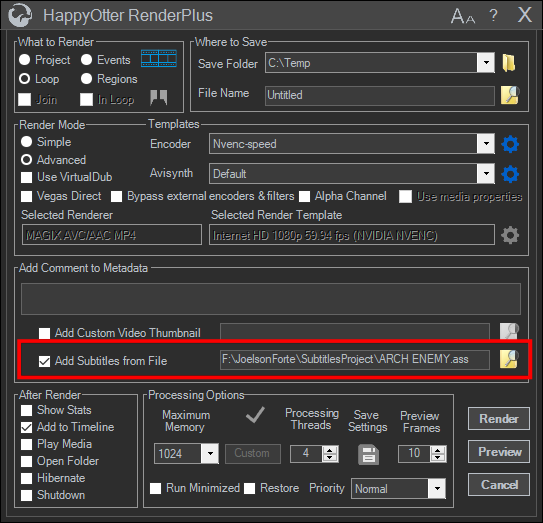
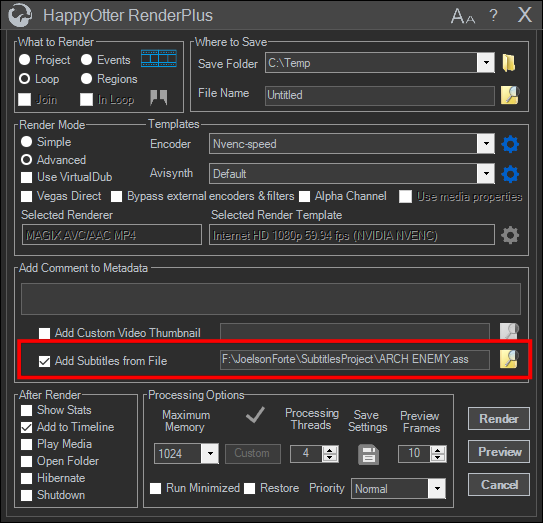
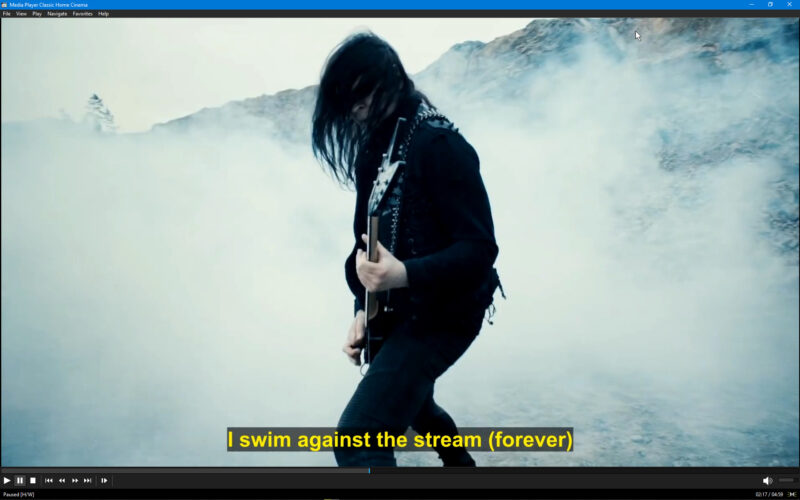
    The latest build of HappyOtterScripts now supports hard-coding of both srt and ass subtitles in the RenderPlus tool. Information can be found here. https://tools4vegas.com/ Here’s a screen grab of the dialog plus an example.

  • Wayne Waag

    September 29, 2020 at 8:41 pm

    Here’s an open source subtitle tool for converting srt to ass with additional Fx you describe. It was used for generation of subtitles shown in the above post. http://www.aegisub.org/

  • Ahmed Ismail

    September 30, 2020 at 12:07 pm

    Thanks for your reply Francois, I tried downloading Subtitle Workshop but it’s not installing correctly on my OS: Windows 10 x64 ver. 2004 19041.

    I’m not sure that it can even support the effects I’m talking about more than Aegisub with its effect scripts. Anyway I’ll try to install it on a different machine to see what it does.

    Thank you for your help.

  • Ahmed Ismail

    September 30, 2020 at 12:23 pm

    Thank you Wayne for your reply, though I’m not fully aware of HappyOtterScripts full functions. Does it support changing the font of multiple subtitles at once? Does it support background/opaque box transparency? And if it doesn’t support all that, can it import .ASS file (with multiple effects: custom font, opaque box and custom color) directly into Vegas

    I’ve absolutely no problem with hard-coding or soft-coding .SRT files on a video with Vegas or other software, converting .SRT files to .ASS files or vice versa.

    Thanks for your help.

  • Steve Rhoden

    September 30, 2020 at 2:44 pm

    Download the HappyOtterScripts application and play around with it and see. There is a trial period.

  • Wayne Waag

    September 30, 2020 at 4:27 pm

    “Does it support changing the font of multiple subtitles at once? Does it support background/opaque box transparency? And if it doesn’t support all that, can it import .ASS file (with multiple effects: custom font, opaque box and custom color) directly into Vegas”

    No. It simply adds (burns in) your subtitles to the final render using the RenderPlus tool. You must first create your .ass files elsewhere.

  • Ahmed Ismail

    October 1, 2020 at 8:32 pm

    Thank you for your help, I’ll download the script and try it to see if it helps me or not. Thanks again.

We use anonymous cookies to give you the best experience we can.
Our Privacy policy | GDPR Policy