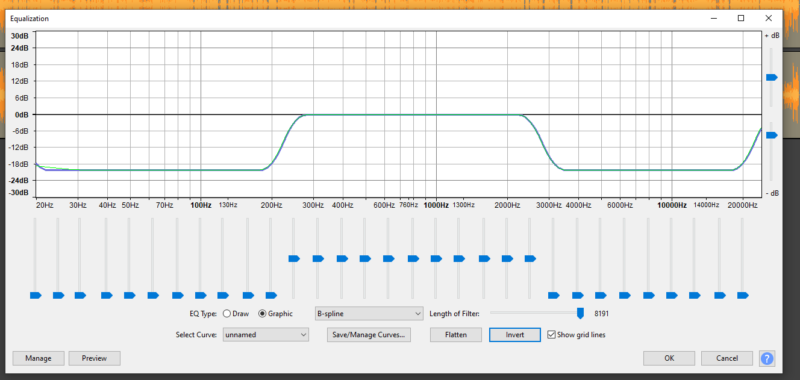
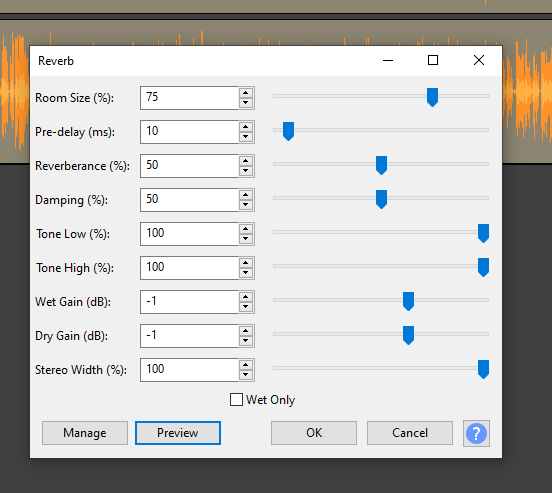
-
[Vegas Pro 14] Need to re-create the audio sounds of a pilot and PA Announcer.
What audio plug-ins are available in the program or elsewhere for free that I could use to manipulate my recorded audio to make two sets of dialogue sound like
1. A pilot talking over the intercom on a commercial airplane
and
2. A PA Announcer that one would hear over the speaker’s in any airport terminal?For reference, here are three links that capture the sound of the pilot that I’m looking for:
https://www.youtube.com/watch?v=_Wy7J5Tq2D0
https://www.youtube.com/watch?v=TwPEknD-6ek
https://www.youtube.com/watch?v=pB901AmTV8U (starts at 1:59)And here are some links that capture the sound I’m looking for for the PA Announcer:
https://youtu.be/qr1TNgVyvqQ?t=194
https://youtu.be/qr1TNgVyvqQ?t=452Thanks to any and all who reply!
Some contents or functionalities here are not available due to your cookie preferences!This happens because the functionality/content marked as “Google Youtube” uses cookies that you choosed to keep disabled. In order to view this content or use this functionality, please enable cookies: click here to open your cookie preferences.