Creative Communities of the World Forums

The peer to peer support community for media production professionals.

Activity Forums Adobe Premiere Pro Unable to open auto save

  • Unable to open auto save

    Posted by Malcolm Desoto on September 18, 2025 at 4:45 pm

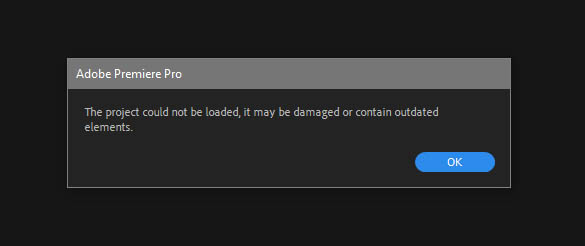
    Hi, as usual, Premiere crashed out for no reason at all. I tried to open several auto saves but they all fail.

    “The project could not be loaded, it may be damaged or contain outdated elements”

    I’ve tried copying the auto saved project and renaming it and placing it on a different drive. Same error. Is there a fix/known issue or is this just normal Premiere awfulness?

    Devrim Akteke
    replied 8 months ago
    2 Members · 3 Replies
  • 3 Replies
  • Devrim Akteke

    September 18, 2025 at 5:52 pm

    Hi,

    Terrible issue. I am unsure how to solve it, as the solution may vary across different systems.

    There could be something causing trouble in the cache.

    Steps I would take;

    1- I would try to open auto-saved projects 1 by 1 from the newest date and time.

    2- Uninstall it, restart the computer, and install it again.

    Hope it helps.

  • Malcolm Desoto

    September 18, 2025 at 6:20 pm

    Thanks, I tried to open the last 5 auto saves. All corrupted. I gave up and just lost work. Premiere is so cool and superior to Resolve.

  • Devrim Akteke

    September 19, 2025 at 7:14 am

    I guess it is not your projects that are corrupted, but the Premiere Pro install. At least Auto-saves.

    Did you have a chance to uninstall and install Premiere Pro?

We use anonymous cookies to give you the best experience we can.
Our Privacy policy | GDPR Policy