Creative Communities of the World Forums

The peer to peer support community for media production professionals.

Activity Forums Adobe After Effects Trapcode Form – Axis point rotation issues with multiple c4d files

  • Trapcode Form – Axis point rotation issues with multiple c4d files

    Posted by Cam Holland on October 13, 2023 at 8:21 am

    Hi,

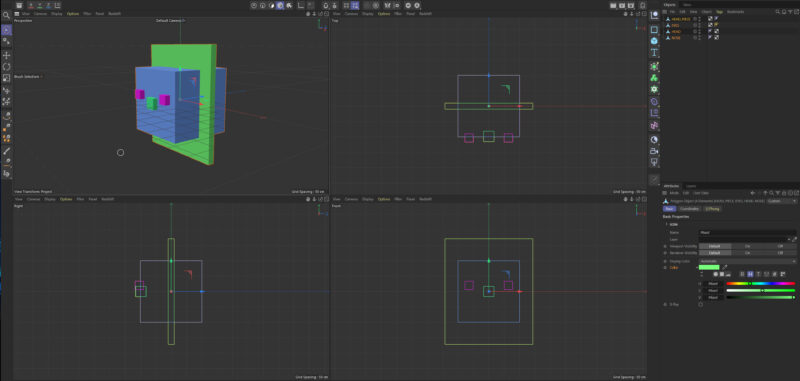
    I have a 3d logo face c4d (example) with separate layers I want to rotate on the head axis 0,0,0 but there’s a problem.

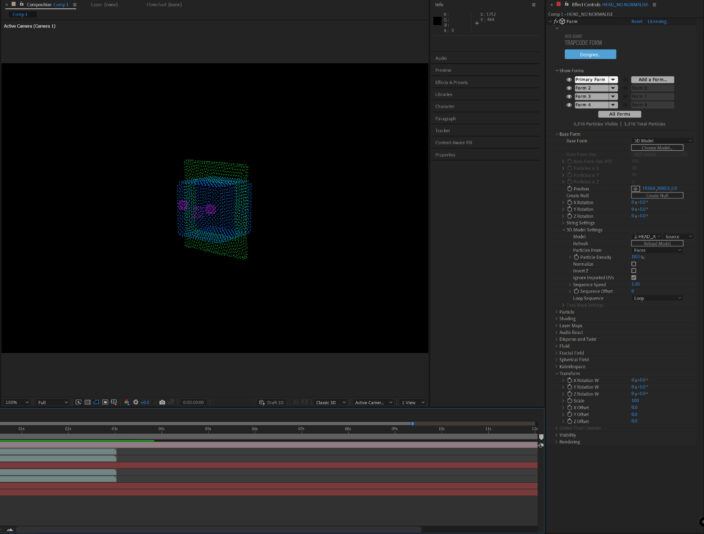
    1. the c4d setup has all the layers with the same axis point as “head” (refer to pic 1)
    I’ve exported each 3d layer as a separate cineware c4d file, imported them into ae and made 4 layers in form

    Layers in form
    primary: head
    form2: eyes
    form3:head border
    form4: nose

    This is so i can have control each layer differently.

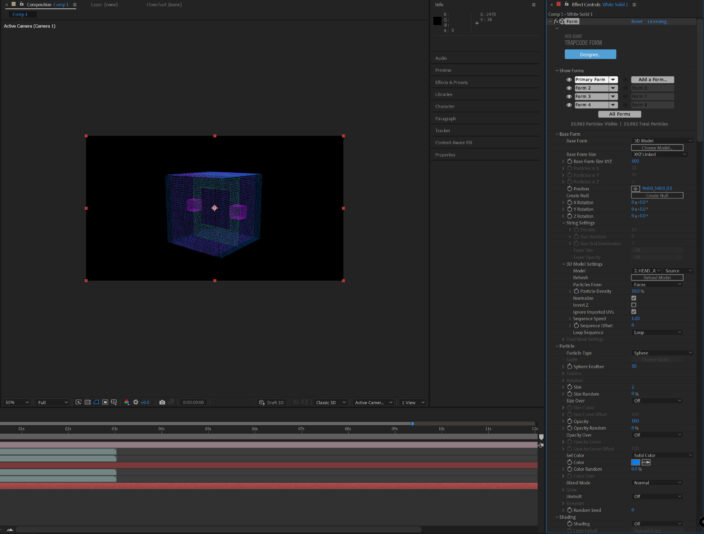
    2. if I don’t normalize all the layers I bring in, they line up perfectly and looks like this: (refer to pic 2)

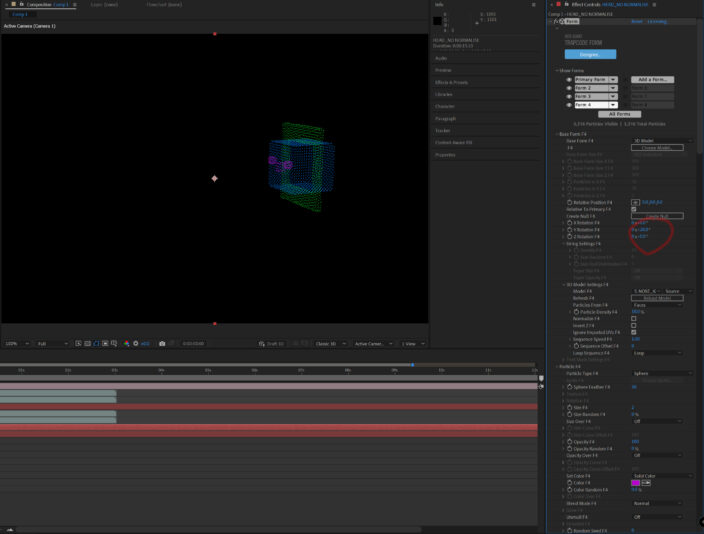
    3. If I normalize them all it looks wrong like this: (refer to pic 3)

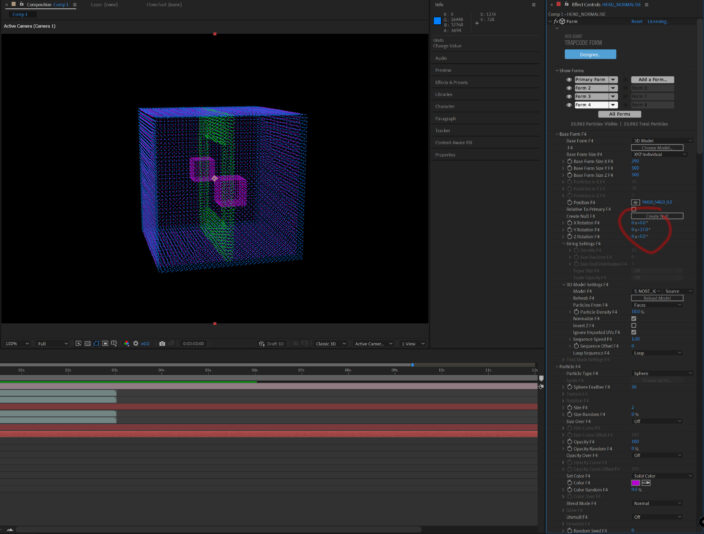
    4. So the non-normalize looks correct so i use that, but when i rotate on the axis it has a weird axis it defaults on : (refer to pic 4)

    5. the normalize version rotates perfectly on the axis: (refer to pic 5)

    So the issue is how do i have each 3d layer placed properly in the normalize version to use the perfect axis rotation i need? Or how to use non-normalise and change its axis point to the center of the head?

    Is there a another method of how to set it up in c4d before bringing it across?
    Can you change the axis point once its in form so I can align it better?
    any other tricks?

    I hope im explaining this well, let me know if its confusing or needs more info.

    Cheers
    CH
    Cam Holland replied 2 years, 10 months ago 2 Members · 2 Replies
  • 2 Replies
  • Tom Morton

    October 13, 2023 at 10:23 am

    What if you just group the layers under a null or just change the axis points of all layers to be 0,0,0. does that fix it? Not 100% sure I understand the problem.

  • Cam Holland

    October 13, 2023 at 11:53 am

    Thanks for your time, the layers are all c4d 3d files (with 0,0,0 )being brought into Form.

    So the only properties they have in Form is position/rotation, no axis information anywhere. That’s the issue, they get baked with this weird axis point off to the right if i use the 3d models without normalize activated. the axis point is perfect with normalize activated, but the model’s eyes, nose and border are not in their right positions.
    i’ve made everything 0,0,0 axis in cinema 4d as well, thinking Form would take that information. so there’s issues with normalise (model looks wrong) but rotating perfect on a 0,0,0 axis and non-normalise (model looks correct) but rotating on a axis (way off to the right) i can’t seem to change.

    i found it hard to write this out to make sense so sorry if this still doesnt.

We use anonymous cookies to give you the best experience we can.
Our Privacy policy | GDPR Policy