-
Text style expressions just don’t work
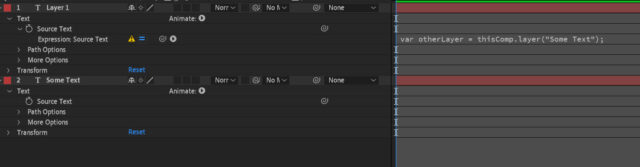
I must admit, I’ve never actually used any of the text style expressions, but today I’d like to. So I looked at the Adobe help, and it suggested this expression would return the font name of another layer:
var otherLayer = thisComp.layer("Some Text");
otherLayer.text.sourceText.style.font;
I’ve set this up in a comp, with just 2 layers; on “Layer 1” I’ve pasted that expression into its Source Text (so I can see the font name), but I just get this error:
After Effects warning: Expression disabled. Error at line 2 in property ‘Source Text’ of layer 1 (‘Layer 1’) in comp ‘Test’.
property or method named ‘style’ in Class ‘TextProperty’ is missing or does not exist. It may have been renamed, moved, deleted, or the name may have been mistyped
Any idea why? I’ve tried a few of those font/style etc. expressions from Adobe’s help page, and none of them work.