Creative Communities of the World Forums

The peer to peer support community for media production professionals.

Activity Forums Adobe After Effects Expressions Struggling with if/else with color input

  • Struggling with if/else with color input

    Posted by Sandro Tagliavini on May 8, 2024 at 11:24 am

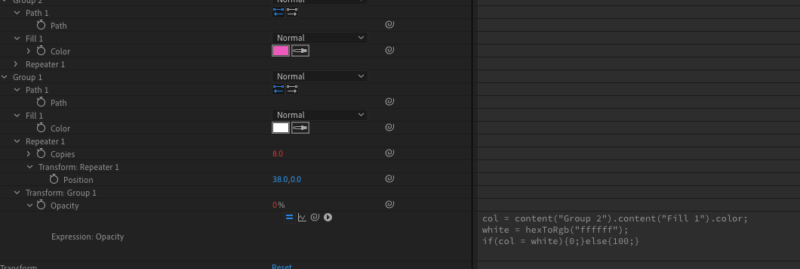
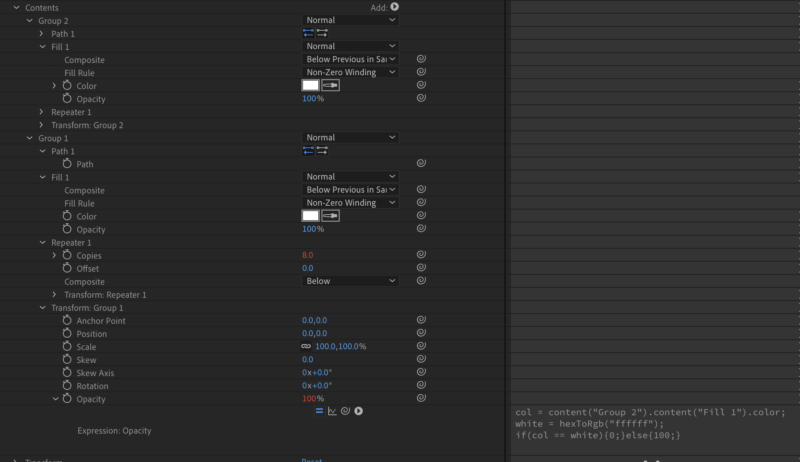
    Hi there I have a simple expression:

    col = content(“Group 2”).content(“Fill 1”).color; white = hexToRgb(“ffffff”); if(col == white){0;}else{100;}

    I tried with 1 (=) sign or 3 (===) but then it just doesnt work when I change
    the color input (meaning it stays 0% with white (good) but it doesnt
    show 100% if it is any other color…(bad))

    any help is appreciated.
    cheers

    Brie Clayton replied 2 years, 2 months ago 3 Members · 4 Replies
  • 4 Replies
  • Dan Ebberts

    May 8, 2024 at 12:56 pm

    It should work if you change your last line to this:

    col.toString() == white.toString() ? 0 : 100
  • Sandro Tagliavini

    May 8, 2024 at 1:33 pm

    Wow that worked like a charm.
    Thanks so much.

    Just curious, why does that look so
    different than the if/else statements
    I know..?

    Greetings from Switzerland

  • Dan Ebberts

    May 8, 2024 at 1:42 pm

    When they changed AE’s JavaScript engine, it would no longer accept single-line if-else statements without the full curly bracket treatment, so I pretty much switched to the conditional (ternary) ? : operator, which is a kind of if-else shorthand.

  • Brie Clayton

    May 8, 2024 at 3:46 pm

    Thank you for the solve, Dan!

We use anonymous cookies to give you the best experience we can.
Our Privacy policy | GDPR Policy