Creative Communities of the World Forums

The peer to peer support community for media production professionals.

Activity Forums Adobe After Effects Expressions SourceRectAtTime text

  • SourceRectAtTime text

    Posted by Sergio Cabrera on May 11, 2019 at 6:23 pm

    Hello, how are you? I’ll love some help please.

    I’m using this expression in the “Size” attribute of a shape layer rectangle:

    margin = 50;
    text_width = thisComp.layer("Text").sourceRectAtTime().width;
    text_height = thisComp.layer("Text").sourceRectAtTime().height;
    box_width = text_width + margin*2;
    box_height = text_height + margin*2;
    [box_width, box_height]

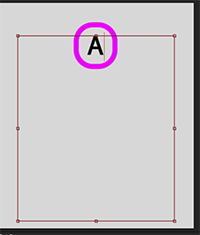
    It works great, if I type one letter it looks like this:
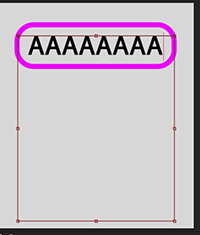
    If I type enough text to cover only one line of the text area it keep looking great:
    But when I add more characters than 1 line this happens, it takes the center of the text of the first line sadly for me:

    I need it to look like this:

    Tomas Bumbulevičius replied 7 years ago 2 Members · 2 Replies
  • 2 Replies
  • Sergio Cabrera

    May 11, 2019 at 9:06 pm

    Found the solution. Had to create an offset variable containing the height of the text/2, then position equals x,y-offset on the position attribute of the text layer, so the text is always vertically aligned (I’m wondering why AE doesn’t comes with this feature in the Paragraph section, seems pretty useful).

  • Tomas Bumbulevičius

    May 11, 2019 at 9:24 pm

    Hey Sergio, the text layer most likely has paragraph setting set to a center. Change it to left instead.

    Lets call your images 1,2,3,4.

    However, what you won’t achieve with this setup – it is impossible to have text like ‘1’ and then expect that ‘3’ will be aligned to a left side.

    Also, your 4th image is with a lot more characters inside the text area than others. If by this example you mean that each line should have equal width, then different approach is required instead of using text area tool.

    Find out more:
    After Effects Tutorials: motion design, expressions, scripting.

We use anonymous cookies to give you the best experience we can.
Our Privacy policy | GDPR Policy