-
Sky Replacement Approach
Hi people,
I’m working on a little something that requires a sky replacement. I’ve done 2 sky replacements in the past successfully, but I’m facing some issues with this shot, so maybe the methods I try aren’t the most appropriate, I don’t know. I’m uploading a screen recording video that will show all the details and issues, which are:
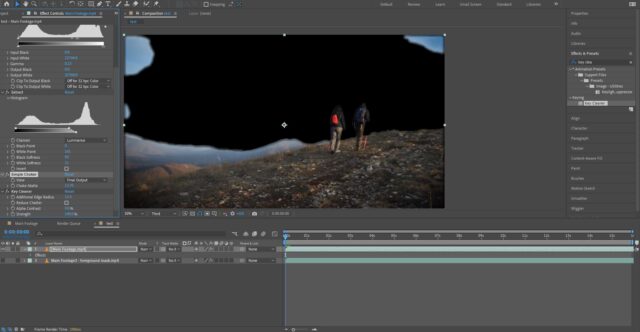
1 – I made a copy of the main clip black and white and tried to bring as much contrast between the 2 as I can, but some of the original blue sky remains. I can’t force the Levels/Curves effect anymore, because when I luma invert matte it to the original clip, it starts screwing up with the foreground pixels, including the walking people and the ground. As a result, the thunder sky footage that I want to use as background has some transparency, which is one of the problems.
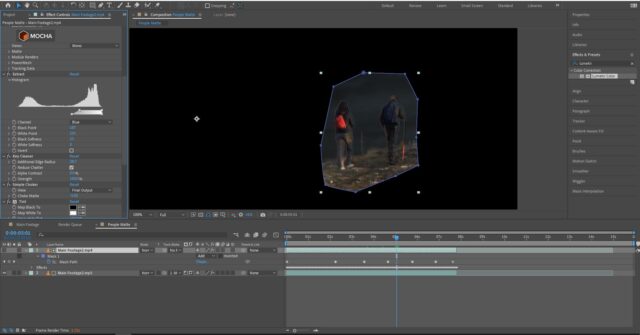
2 – You can see from the video I made that the people in the video have a white contour around them from the track matte applied. Because I used this method, I can’t use the key cleaner and simple choker effects to clip it away, as when I apply them, it starts taking pixels away not from those elements I want, but from the edges of the frame. That’s why I also tested another method – the Extract tool. I try to leave the mountains that are afar, as well as the people that walk in the foreground, but ended up with having some jagged edges. I then applied the key cleaner and simple choker to solve this, but as you see from the screenshot below, I can’t remove the white contour around the people, without eating away some pixels from them.
What would the best approach be in such a case when you have smaller
objects moving and are part of the area (the sky) that you want
replaced, and have them clean of any unnecessary remains (like the white
contour)?